IRS Deadline: February 1, 2027

The IRS Combined Federal/State Filing (CF/SF) program lets approved filers transmit eligible information returns once through the IRS and have those returns forwarded electronically to participating states. CF/SF does not replace state filing rules. The IRS acts only as a forwarding agent, and filers remain fully responsible for confirming each state’s requirements, deadlines, and any direct-filing obligations that exist independently of the program.
Before your first CF/SF submission, work through this checklist:
- Confirm your forms are eligible and your states participate (see Sections 3 and 4 below).
- Request a Transmitter Control Code (TCC) or verify your existing TCC is active.
- Submit a CF/SF-coded electronic test file through FIRE or IRIS and receive your IRS approval letter.
- Set the CF/SF indicator and select the correct state codes on each B record in your submission.
- Verify each participating state’s direct-filing requirements, deadlines, and any state-specific attachments before transmitting.
- Retain IRS acknowledgements and state retrieval logs as proof of timely filing.
Pro Tip: Even if you participated in CF/SF last year, submit a fresh test file each season. IRS systems change, state participation tables are updated, and an annual test confirms your TCC and schema version are still current before live data goes out.
Key Takeaways
The IRS CF/SF program forwards eligible information returns to participating states, but filers must enroll, test, verify state rules, and retain acknowledgements to achieve full compliance.
| Point | Details |
|---|---|
| CF/SF is a forwarding service, not a state filing waiver | The IRS forwards data only; filers remain responsible for each state’s independent requirements and deadlines. |
| Test files are required and should be annual | First-year participants must test; returning filers should re-test each season, especially after the IRIS transition. |
| State participation changes regularly | Missouri was removed in the February 2026 Publication 5717 update; always verify the current list before filing. |
| Direct state filing is still required in specific cases | Pennsylvania requires direct submission by January 31 even for CF/SF participants; check every state’s handbook. |
| TaxFormHero automates the CF/SF workflow | IRS-authorized, SOC 2 certified, with bulk import, TIN matching, CF/SF mapping, and 35+ state direct filing add-on. |
Filing one yourself? You can e-file Form 1099-NEC online with TaxFormHero, an IRS-authorized e-filing platform.
What is the combined federal/state filing program?
The Combined Federal/State Filing program is an IRS-administered service that allows approved transmitters to submit eligible information returns electronically to the IRS once, with the IRS then forwarding state-specific data to participating state tax agencies. The program is documented in Publication 1220 for FIRE-based submissions and in Publication 5717 for IRIS-based submissions.
The IRS’s role is strictly that of a forwarding agent. As IRS Topic No. 804 states explicitly, the IRS forwards original and corrected information returns to participating states but does not guarantee that a state will accept the forwarded data or that the forwarded data satisfies every state-specific requirement. Filers bear full responsibility for state compliance.
Operationally, the program works like this:
- The filer submits a single federal electronic file coded with CF/SF indicators and two-digit state codes.
- The IRS processes the federal return and extracts state-specific records.
- Per the CF/SF Privacy Impact Assessment, the IRS places those state files on a secure server where authenticated state agencies pull them. Files are retained for one year.
- States process the pulled data on their own schedules, which can lag behind the federal acceptance date.
CF/SF historically ran through the FIRE (Filing Information Returns Electronically) system. The IRS has been migrating to IRIS (Information Returns Intake System), its modern platform. Both systems use the same CF/SF forwarding logic, but interface flows, application steps, and testing endpoints differ between them.
First-year CF/SF participants must submit a CF/SF-coded electronic test file and receive an IRS approval letter before transmitting live data. Annual testing is strongly recommended even for returning participants, because state participation tables and schema requirements change between filing seasons.
Which information returns does CF/SF forward?
CF/SF covers a defined set of information returns. Publication 1220 lists the eligible forms and the XML schema requirements that govern how those records must be structured. The current eligible forms include:
- 1099-B (Proceeds from Broker and Barter Exchange Transactions)
- 1099-DIV (Dividends and Distributions)
- 1099-G (Certain Government Payments)
- 1099-INT (Interest Income)
- 1099-K (Payment Card and Third Party Network Transactions)
- 1099-MISC (Miscellaneous Information)
- 1099-NEC (Nonemployee Compensation)
- 1099-OID (Original Issue Discount)
- 1099-PATR (Taxable Distributions Received From Cooperatives)
- 1099-R (Distributions From Pensions, Annuities, Retirement or Profit-Sharing Plans)
- 5498 (IRA Contribution Information)
- 1097-BTC, 1098, 1098-E, 1098-T, 3921, 3922, W-2G (as specified in Publication 1220)
Not every form type is eligible, and not every participating state accepts every eligible form. A state may participate in CF/SF for 1099-NEC but require direct filing for 1099-K or 1099-R. Verify the state’s accepted form types in the relevant state e-file handbook before assuming CF/SF covers all your forms.
Filers must code each B record with the correct two-digit state code from Publication 1220 and include State Totals “K” records in proper sequence. Missing or mismatched K records are among the most common rejection triggers. Binary attachments, such as PDF copies of forms, are not forwarded through CF/SF; those require separate state-specific handling.
Which states participate in CF/SF, and how do you confirm current status?
State participation in CF/SF is not permanent. States request to join or leave the program, and the IRS updates the participating-states table in Publication 5717 throughout the year. The February 2026 revision of Publication 5717 updated the participating-states list, reflecting administrative changes in state participation.
Participating states are listed in the current version of Publication 5717, which filers should consult before each filing season to confirm participation status. Always verify the current list in Publication 5717 before each filing season — this table is the authoritative source, not third-party guides.
State coordinators must request participation changes by January 1 for the following tax year. That administrative calendar means a state that participates this season may not participate next season, and a state added mid-year may not appear in the version of Publication 5717 you downloaded at the start of the season.
For example, Louisiana confirms CF/SF participation for 1099-MISC and 1099-NEC, but lists state-specific instructions and deadlines that filers must follow independently of the federal submission.
Pro Tip: Build and maintain a state-participation matrix in a shared spreadsheet. Columns should include: state name, state code, participation status, accepted form types, direct-file requirements, and the date you last verified against Publication 5717. Update it at the start of each filing season and again after any mid-season IRS publication revision.
How do you enroll in CF/SF and submit the required test file?
Enrollment follows a defined sequence. Skipping any step delays your approval and risks missing filing deadlines.
-
Request or confirm your TCC. A Transmitter Control Code is required to submit files through FIRE or IRIS. New filers apply through the IRS e-Services portal. Returning filers should confirm their TCC is still active and that their authorized e-file provider status is current before the filing season opens.
-
Prepare a CF/SF-coded test file. The test file must be structured per Publication 1220 specifications, with the CF/SF indicator set and valid two-digit state codes included. The test file must not contain live taxpayer data. The FIRE test system accepts a limited number of test files per year to manage testing volume.
-
Submit the test file to the correct endpoint. For FIRE-based testing, use the FIRE Test System at irs.gov. For IRIS-based testing, use the IRIS test endpoint documented in Publication 5717 and the IRIS FAQs. The two systems have different interfaces and application flows; do not assume a FIRE-approved test automatically satisfies IRIS requirements.
-
Review test results and the approval letter. The IRS returns a file status notification. If the test file passes, you receive an approval letter authorizing CF/SF participation. If the test fails, the notification includes error codes. Resolve each error, correct the file structure, and resubmit before the live filing window opens.
-
Retain the approval letter. The approval letter is your documentation that CF/SF participation was authorized. Keep it with your filing records for the season.
Pro Tip: Submit your test file at least six weeks before your first live filing deadline. IRS test system response times vary, and if your test fails, you need time to correct and resubmit. Also whitelist IRS email domains in your mail system so test-result notifications do not land in spam.
How does a CF/SF submission actually work?
A CF/SF submission can take two forms: a Fed/State linked submission, where the federal and state data travel together in a single transmission, or a state stand-alone submission, where state data is submitted separately after a federal filing has already been accepted.
For a Fed/State linked submission, the file structure includes:
- Transmitter “T” record — identifies the transmitter and flags the CF/SF indicator.
- Payer “A” record — identifies the payer and includes the CF/SF checkbox field.
- Payee “B” records — one per payee per state; each B record carries the two-digit state code, state income amount, and state withholding amount for that state.
- End of Payer “C” record — totals for the payer.
- State Totals “K” records — one per state per payer; must appear in proper sequence after the C record and before the next A record.
- End of Transmission “F” record — closes the file.
The XML schema requirements for these records are defined in Publication 1220 for FIRE and in Publication 5717 for IRIS. State-specific payload requirements, such as additional data fields or attachments, are documented in each state’s e-file handbook.
A state stand-alone submission uses the same record structure but is submitted independently of the federal file. This is used when a Fed/State submission is rejected by the IRS, when a state requires a separate direct submission, or when correcting state data after the original federal filing has already been processed.
Pro Tip: Before transmitting, run your file through a schema validator against the current Publication 1220 or Publication 5717 schema version. Schema version mismatches are a leading cause of CF/SF rejections, and catching them before submission costs nothing compared to a late-filing penalty.
When do you still need to file directly with a state?
CF/SF participation does not eliminate direct-to-state filing obligations. Several circumstances require a separate state submission regardless of whether the state participates in CF/SF:
- State withholding returns. CF/SF forwards information return data (1099s, 5498s, etc.) but does not transmit state withholding reconciliation returns. Those must be filed directly with the state.
- Non-participating states. Any state not on the current CF/SF participation list requires direct filing for all information returns.
- State-specific form types. A participating state may accept CF/SF data for some forms but require direct filing for others. Check each state’s e-file handbook.
- State-mandated notifications. Some states require a separate notification or cover sheet when information returns are submitted via CF/SF.
- State deadlines that precede IRS processing. Pennsylvania is a clear example: the REV-993 e-File Handbook requires W-2 and 1099 records to be submitted directly to the state by January 31, even for filers participating in CF/SF.
- IRS rejection of the Fed/State submission. Per Pennsylvania’s CF/SF guidance, if the IRS rejects a Fed/State submission, a state stand-alone submission must be filed to meet the state’s established due date.
- Multi-state payees. When a payee has income reportable in more than one state, filers must create separate B records for each state and correctly prorate amounts. Duplicating totals across states triggers state inquiries.
Pro Tip: Schedule direct-state submissions for January 31-deadline states at least a week before the federal e-file deadline. States that require January 31 processing do not extend that date because your federal filing was accepted late.
How do corrections work under CF/SF?
Corrected information returns follow a specific coding process under CF/SF. The correction workflow differs slightly depending on whether you are filing through FIRE or IRIS, and Publication 5717’s February 2026 update revised the correction guidance to clarify one-step and two-step correction procedures.
One-step corrections apply to most dollar-amount errors and incorrect payee information. The corrected B record is submitted with the Corrected indicator set, the correct data populated, and the same CF/SF state codes as the original filing. The IRS forwards the corrected record to the same states that received the original.
Two-step corrections are required when the original return contained a wrong payee TIN or a wrong payee name combined with a wrong TIN. Step one submits a corrected record with zero amounts to void the original. Step two submits a new original record with the correct payee information and the correct amounts.
Key operational points for corrections under CF/SF:
- States do not always process forwarded corrections on the same timeline as the IRS. Confirm with each state’s e-file handbook whether a separate corrected submission is required at the state level.
- Some states require direct submission of corrected 1099s regardless of CF/SF participation, particularly when the correction changes state withholding amounts.
- Retain the IRS acknowledgement for both the original and corrected submissions. If a state disputes receipt of a correction, the acknowledgement log is your primary evidence.
- Code corrected records with the same state codes used in the original filing. Changing state codes on a corrected record without voiding the original creates duplicate state records.
What are the filing deadlines and what happens if CF/SF is rejected?
The federal electronic filing deadline for most information returns is March 31 for e-filed returns. The IRS treats the electronic received date as the filing date for timeliness purposes, so a file transmitted and accepted by 11:59 PM on the deadline date is considered timely filed federally.
State deadlines do not automatically align with the federal deadline. States set their own due dates, and CF/SF forwarding does not guarantee that the state receives and processes the data before the state’s own deadline. Because CF/SF operates as a batched forwarding system, states pull files from IRS servers on their own schedules, and processing lags can occur.
If your organization cannot file electronically, Form 8508 (Request for Waiver from Filing Information Returns Electronically) is available, but waivers are granted only in limited circumstances and must be filed before the due date. A waiver from electronic filing does not extend the filing deadline itself.
When a Fed/State submission is rejected by the IRS:
- The federal return is not accepted, so the CF/SF forwarding never occurs.
- Correct the errors identified in the IRS rejection notice and retransmit the federal file as soon as possible.
- If the retransmission cannot be completed before the state’s due date, file a state stand-alone submission directly with the state to preserve timely filing status at the state level.
- Document the rejection date, the correction made, and the retransmission date.
Pro Tip: Download and save IRS acknowledgement files immediately after each transmission. For states that use CF/SF, request state retrieval confirmation where available. These logs are your audit trail if a state later claims non-receipt of a filing.
What are the most common CF/SF mistakes, and how do you avoid them?
Most CF/SF rejections and state inquiries trace back to a short list of recurring errors. Knowing them in advance is the fastest way to reduce your rejection rate.
Common error categories:
- Wrong or missing state codes. B records coded with an invalid two-digit state code are rejected or silently dropped. Use only the codes listed in Publication 1220.
- Missing State Totals “K” records. Every payer/state combination requires a K record in proper sequence. Omitting K records causes the entire state payload to fail.
- Incorrect record sequencing. K records must follow the C record and precede the next A record. Out-of-sequence records trigger schema validation failures.
- Outdated XML schema versions. IRS schema versions are updated between filing seasons. Submitting a file built against last year’s schema is a common cause of rejection.
- Failure to prorate multi-state payments. Copying the full federal amount into every state B record instead of prorating creates overstated state totals and triggers state inquiries.
- TIN mismatches. Incorrect taxpayer identification numbers cause downstream state processing failures and may require two-step corrections.
| Error | Impact | Fix |
|---|---|---|
| Wrong state code | B record dropped or rejected | Verify codes against current Publication 1220 |
| Missing K records | State payload fails entirely | Add K record for every payer/state combination |
| Outdated schema version | Full file rejection | Download current schema from IRS before each season |
| Multi-state amount duplication | State inquiry and reconciliation | Prorate amounts across state B records |
| TIN mismatch | Downstream state processing failure | Run TIN matching before bulk transmit |
Pre-submission checklist:
- TCC is active and authorized for CF/SF.
- Test file submitted and approval letter received for the current season.
- Schema version matches the current Publication 1220 or Publication 5717 specification.
- All B records carry valid two-digit state codes.
- K records present and sequenced correctly for every payer/state combination.
- Multi-state payee amounts prorated, not duplicated.
- State-specific direct-filing obligations identified and scheduled.
- CF/SF checkbox set on the Payer A record.
Pro Tip: Run TIN matching through the IRS e-Services TIN Matching program before bulk transmit. Catching TIN errors before submission eliminates the most time-consuming correction scenario: a two-step correction that requires voiding the original record and resubmitting with corrected payee data.
How does the IRIS transition affect CF/SF, and where are the authoritative references?
FIRE has been the primary platform for CF/SF submissions for decades. IRIS is the IRS’s replacement platform, and the migration is ongoing. The IRIS FAQs confirm that IRIS uses the same CF/SF forwarding process as FIRE, so the underlying program logic is preserved. What changes are the interface, the application workflow, and the testing endpoints.
Filers who were approved for CF/SF through FIRE should not assume that approval automatically carries over to IRIS. Re-testing under IRIS validates your file structure against the IRIS schema, confirms your TCC is recognized by the new system, and surfaces any interface-specific issues before live data is at risk. The IRS e-file information returns page provides current IRIS filing guidance and links to technical publications.
Authoritative references for CF/SF:
- Publication 1220 — Specifications for electronic filing of Forms 1097, 1098, 1099, 3921, 3922, 5498, and W-2G. Contains XML schemas, record layouts, state codes, and CF/SF coding requirements for FIRE-based submissions.
- Publication 5717 — IRIS Taxpayer Portal User Guide. Documents CF/SF program mechanics for IRIS, the participating-states table, correction procedures, and IRIS-specific application notes. Updated February 2026.
- State e-file handbooks — Each participating state publishes its own handbook. Pennsylvania’s REV-993 is a well-documented example. Find state handbooks through each state’s department of revenue website.
Track IRS publication updates by subscribing to IRS e-file news and checking the publication revision dates at the start of each filing season. A publication updated mid-season, as Publication 5717 was in February 2026, can change state participation tables and correction workflows with little advance notice.
How TaxFormHero handles CF/SF filings from start to finish
TaxFormHero is an IRS-authorized e-file provider that manages the full CF/SF workflow on behalf of filers, from data import through acknowledgement reconciliation. The platform holds SOC 2 certification and uses 256-bit encryption for all data in transit and at rest, which directly addresses the security requirements that come with transmitting sensitive taxpayer data through CF/SF channels.
Here is how the process works for a filer using TaxFormHero:
- Account setup and TCC configuration. TaxFormHero operates as an authorized transmitter. Filers do not need to manage TCC logistics independently; the platform handles transmission under its own IRS authorization.
- Bulk import. Upload payee data via CSV or direct integration. The platform supports bulk import for 1099-NEC, 1099-MISC, 1099-K, 1099-INT, 1099-DIV, 1099-R, 1099-B, 5498, and other eligible CF/SF forms.
- TIN matching. Before submission, TaxFormHero runs TIN verification against IRS records to catch mismatches that would otherwise trigger two-step corrections or state processing failures.
- CF/SF mapping and state selection. The platform maps the CF/SF indicator and state codes to each B record based on the payee data provided. Filers select participating states for forwarding during the submission setup.
- Test file submission. For new participants or when re-testing is required, TaxFormHero manages test file submission and monitors for the IRS approval response.
- Transmission. The platform transmits the federal file with CF/SF coding to the IRS via FIRE or IRIS, depending on the submission type.
- Acknowledgement reconciliation. TaxFormHero captures IRS acknowledgement files and makes them available in the filer’s dashboard for download and record retention.
Filers remain responsible for verifying state-specific requirements that fall outside CF/SF forwarding, including direct-filing obligations, state withholding returns, and state-specific deadlines. TaxFormHero’s direct state filing add-on covers more than 35 states for cases where a separate state submission is required.
Pro Tip: Use TaxFormHero’s acknowledgement download feature immediately after each transmission. Saving the IRS acknowledgement file to your records management system the same day you transmit eliminates the risk of losing proof of timely filing if a state later disputes receipt.
An operational perspective on managing CF/SF risk
The most persistent compliance risk with CF/SF is not technical. It is organizational. Most filing errors and missed state deadlines happen because no single person owns the state-by-state verification step. The federal submission gets attention; the state matrix does not.
Three process controls make a measurable difference. First, assign a named owner for the state-participation matrix before the filing season opens. That person verifies Publication 5717 for changes, updates the matrix, and flags any states that have been added, removed, or modified. Second, build a pre-season testing window into your filing calendar, not just a pre-deadline scramble. Testing six weeks out gives you time to resolve schema errors, re-test, and still meet January 31 state deadlines without rushing. Third, automate reconciliation. Whether you use TaxFormHero’s acknowledgement dashboard or a separate reconciliation process, the acknowledgement file should be matched against your submission log the same day you transmit, not weeks later when a state inquiry arrives.
The IRIS transition adds a layer of urgency to all three. Filers who tested under FIRE and never re-tested under IRIS are carrying unknown risk into each filing season. The CF/SF logic is the same, but schema validation, interface behavior, and error codes differ enough that a FIRE-approved workflow is not a guarantee of IRIS acceptance. Treat the first IRIS season as a first-year enrollment and test accordingly.
TaxFormHero makes CF/SF compliance straightforward
Filing information returns through CF/SF requires IRS authorization, tested file structures, TIN-verified payee data, and a clear view of which states need direct submissions. TaxFormHero delivers all of that in a single platform, with no subscription fees and pricing starting at $1.99 per form.
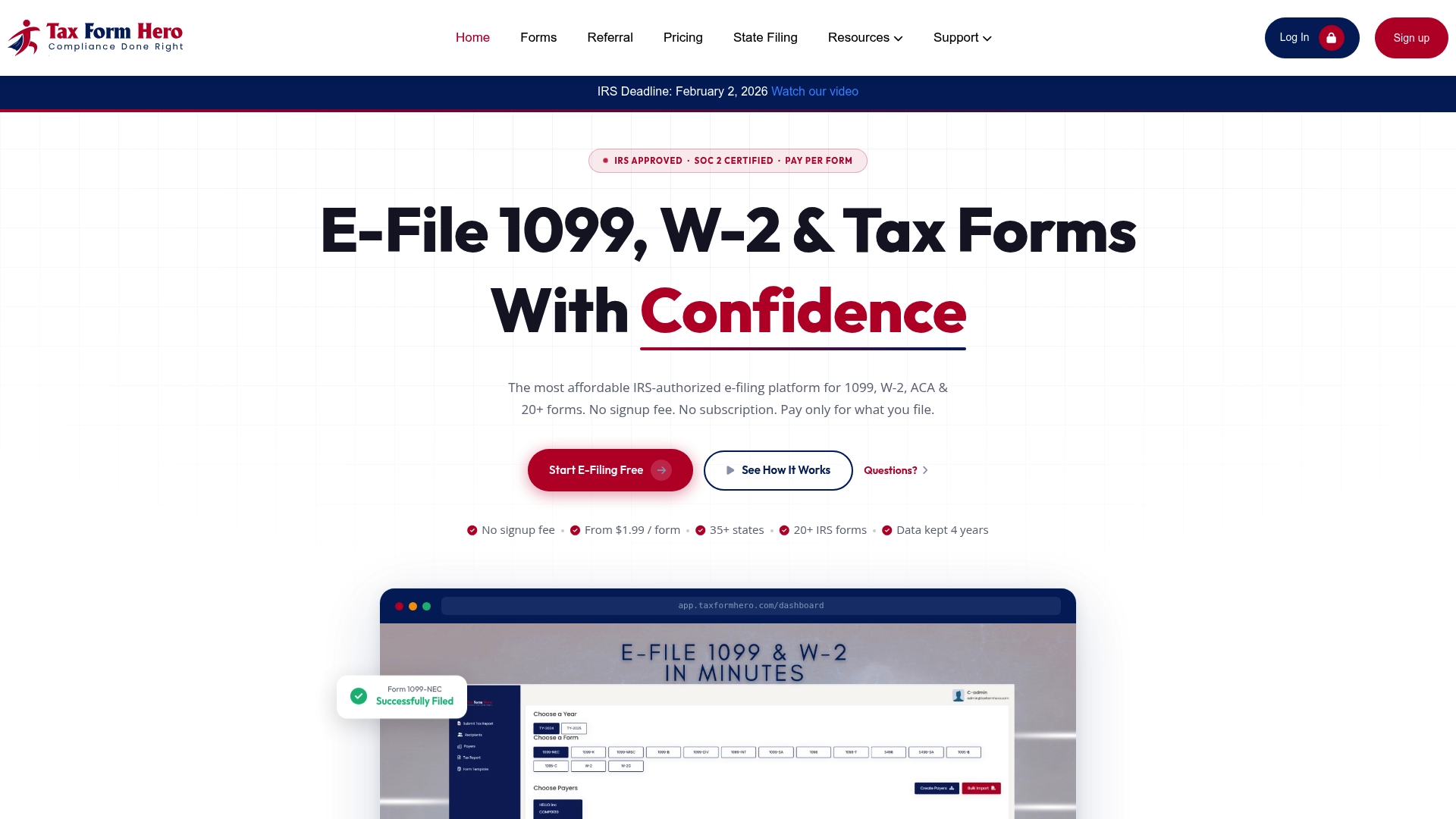
The platform is IRS-authorized, SOC 2 certified, and uses 256-bit encryption on every transmission. Bulk import handles large payee lists in minutes. Built-in TIN matching catches errors before they reach the IRS. CF/SF state mapping is handled automatically, and the direct state filing add-on covers 35+ states for obligations that fall outside CF/SF forwarding. After transmission, acknowledgement files are available in your dashboard for immediate download.
For payroll teams, accounting firms, and small-business owners who need CF/SF done correctly without building the compliance infrastructure from scratch, TaxFormHero is the direct path from data to accepted filing. Start your filing at taxformhero.com.
Sources
These are the primary sources for CF/SF technical specifications, state participation data, and state-specific filing rules. Verify each source at the start of every filing season for current revision dates.
IRS publications:
- Publication 1220, Specifications for Electronic Filing of Forms 1097, 1098, 1099, 3921, 3922, 5498, and W-2G
- Publication 5717, Information Returns Intake System (IRIS) Taxpayer Portal User Guide
- Information Returns Intake System (IRIS) Taxpayer Portal FAQs
- REV-993, Pennsylvania e-File Handbook (2025)
- Does Louisiana participate in the Combined Federal/State Program for reporting? — Louisiana Department of Revenue
Representative state handbooks:
Subscribe to IRS e-file news alerts and each participating state’s department of revenue mailing list. Publication revisions and state participation changes are announced through those channels, often with limited lead time before the filing season.
This article is general information, not a substitute for advice from a qualified financial advisor. Consult a qualified financial professional about your own circumstances before acting on anything here.