
Copy A of Form W-2, along with Form W-3, goes to the Social Security Administration’s Direct Operations Center in Wilkes-Barre, Pennsylvania. Certified mail requires the ZIP code 18769-0002, while private delivery services use a separate attention line and ZIP 18702-7997, per SSA’s mailing instructions. Get the address wrong and the package can sit in the wrong queue for weeks.
For employee copies, the rule is simpler than most payroll administrators assume. Copies B, C, and 2 satisfy the furnish requirement as long as they are properly addressed and mailed by February 1, 2027, for wages paid in 2026. You don’t need employees to receive the forms by that date. You need proof the envelope left your hands on time.
Here’s the fast version before the detailed breakdown:
- Copy A + Form W-3 → SSA Wilkes-Barre Direct Operations Center (address and ZIP details below)
- Copies B, C, 2 → employee’s last known address, mailed on or before February 1, 2027
- Never staple, tape, or fold any of these forms before mailing
Quick fact: Employers filing a number of information returns at or above the current threshold must generally file electronically rather than by paper, under the threshold SSA and the IRS lowered in recent years. If that’s you, the mailing instructions below still matter for employee copies, but Copy A likely needs to go through Business Services Online instead of the mailbox.
Key Takeaways
Mailing W-2 forms correctly depends on using the exact SSA address for your carrier type, preparing Copy A to machine-readable standards, and furnishing employee copies by the statutory deadline regardless of delivery confirmation.
| Point | Details |
|---|---|
| Use the correct SSA address | Standard mail, certified mail (ZIP 18769-0002), and private delivery services each route to different addresses at the Wilkes-Barre DOC. |
| Prepare forms to machine standards | Send Copy A and Form W-3 flat and unfolded, with no staples or tape, grouped correctly by type. |
| Furnish employee copies on time | Copies B, C, and 2 satisfy the requirement once properly addressed and mailed by February 1, 2027. |
| Watch the e-file threshold | Employers filing 10 or more information returns generally must file electronically rather than by paper. |
| Consider e-filing to cut risk | Tax Form Hero offers IRS-authorized e-filing with bulk import, TIN verification, state filing, and print-and-mail add-ons starting at $1.99 per form. |
If you would rather not do this on paper, e-file Form W-2 online with TaxFormHero instead.
How to mail W-2 forms to the SSA
Mailing Copy A correctly comes down to using the right carrier-specific address, because the SSA’s Wilkes-Barre facility routes mail differently depending on how it arrives. Get the ZIP code wrong and your package can be delayed in a sorting queue that has nothing to do with tax processing.
Standard USPS mail (not certified) goes to the Direct Operations Center in Wilkes-Barre, Pennsylvania, at the standard DOC address. If you send the package by certified mail, the ZIP code changes to 18769-0002, a detail the SSA specifies precisely because certified mail routes through a different postal sorting path than regular first-class mail.
Private delivery services, meaning FedEx, UPS, and similar carriers approved by the IRS, use a different address entirely: an attention line reading “W-2 Process” followed by 1150 E. Mountain Drive, Wilkes-Barre, PA 18702-7997. Mixing up these three routing paths, USPS standard, USPS certified, and PDS, is one of the more common reasons a mailed W-2 package takes longer to process than expected.
| Delivery Method | Destination | ZIP Code |
|---|---|---|
| Standard USPS mail | SSA Direct Operations Center, Wilkes-Barre, PA | Standard DOC ZIP |
| USPS certified mail | SSA Direct Operations Center, Wilkes-Barre, PA | 18769-0002 |
| Private delivery service (FedEx, UPS, etc.) | Attn: W-2 Process, 1150 E. Mountain Drive, Wilkes-Barre, PA | 18702-7997 |
One rule applies across every carrier: never include a payment with your W-2 or W-3 package. Employment tax deposits and remittances go to IRS payment addresses, not to SSA. Mixing the two is a common and entirely avoidable mistake.
Pro Tip: If your payroll volume is small and you’re mailing fewer than a handful of W-2s, consider certified mail with return receipt anyway. The cost is minor compared to the paperwork headache of proving a mailing date months later during an SSA inquiry.
How do you prepare W-2 and W-3 forms for mailing?
The SSA processes paper Copy A forms by machine, which means physical presentation matters as much as the data printed on the form. A crumpled or stapled form can jam the same equipment that reads a properly prepared one in seconds.
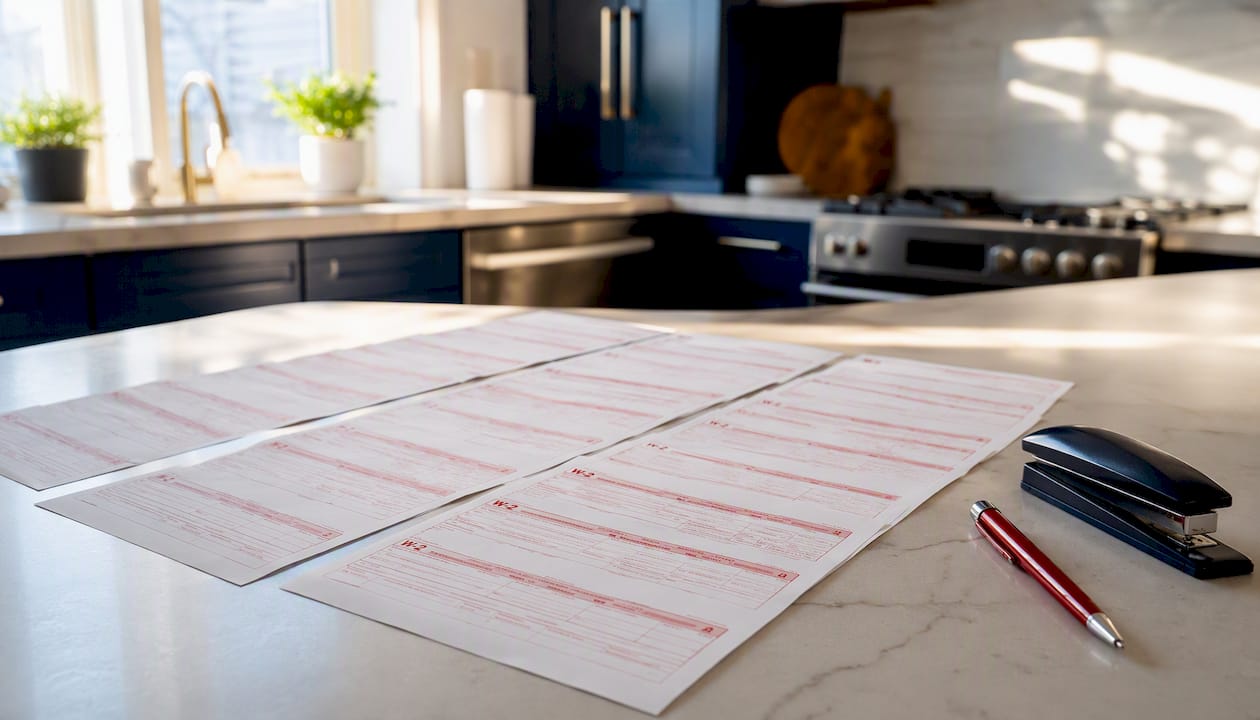
Start with the paper itself. Copy A must be either the official red-ink version or an SSA-approved substitute; a black-and-white Copy A printed from IRS.gov is not acceptable for SSA submission, even though it’s fine for your own records. If you use substitute black-and-white forms, you need SSA approval first, typically obtained by submitting sample forms to SSA and waiting roughly 30 days for a response.
Grouping and physical handling rules matter just as much as the paper stock:
- Group forms by type, with one Form W-3 transmittal per group.
- Order forms alphabetically by employee last name or numerically by Social Security number within each group.
- Send everything flat and unfolded, never creased into a standard envelope.
- Do not staple, tape, or otherwise attach the W-3 to the W-2s or staple W-2s to each other, since the SSA’s machine-reading equipment can misread punctured or torn forms.
The technical specifications behind all of this live in Publication 1141, which covers substitute form standards, and the General Instructions for Forms W-2 and W-3, which cover formatting and mailing procedure. Before sealing any envelope, check that every W-2 in the batch matches the totals reported on its W-3. Mismatches here are one of the most common triggers for SSA correction notices weeks later.
Pro Tip: Print one test batch and hold it up to a light source. If Copy A shows any perforation, staple mark, or fold crease, don’t mail it. Reprint. SSA’s scanners are unforgiving about physical defects that a human reader would ignore without a second thought.
When do you need to mail employee copies?
Furnishing employee copies works on a different legal standard than filing Copy A with the SSA, and the distinction trips up more payroll administrators than it should. The furnish requirement for Copies B, C, and 2 is satisfied when the forms are properly addressed and mailed on or before February 1, 2027, for the 2026 tax year. Delivery isn’t the standard. Timely, correctly addressed mailing is.
That distinction gives you flexibility, but it also means you carry the burden of proof if a dispute arises. Acceptable furnishing methods include:
- Standard USPS mail to the employee’s last known address
- A tracked private courier service
- In-person hand delivery, documented with a signed receipt
- Electronic delivery, but only with the employee’s affirmative consent obtained under IRS rules
Electronic delivery without documented consent doesn’t satisfy the furnish requirement, even if the employee actually opens the email. The consent has to exist first.
For proof of mailing, certified mail with return receipt gives you the strongest paper trail, but it’s not the only option. USPS tracking numbers, dated mailing logs, and signed hand-delivery receipts all work as evidence that you met the deadline. If an employee requests their W-2 early, before you’ve run your standard batch, you can generate and send an individual copy ahead of schedule. There’s no rule against furnishing early.
Pro Tip: Keep a simple spreadsheet logging the mail date for every batch of employee copies, even if you’re not using certified mail. If the SSA or an employee ever questions timing, a dated internal record backed by a USPS receipt for the batch carries real weight.
What are the deadlines and penalties for late W-2 mailing?
Two deadlines govern your entire W-2 season, and confusing them is where most late-filing penalties originate. Employers must furnish Copies B, C, and 2 to employees by February 1, 2027, for 2026 wages. Separately, Copy A must reach the SSA, whether by mail or electronic filing, by the same general filing deadline structure the SSA and IRS set each year for W-2 submissions.
If you need more time to file Copy A with the SSA, Form 8809 requests an extension, but the request has real limits. Form 8809 extends your time to file with the SSA. It does not automatically extend the deadline to furnish copies to employees. Those are two separate clocks, and an extension on one doesn’t pause the other unless you separately request and justify a furnish-deadline extension, which the IRS grants far less readily.
Quick fact: The IRS assesses escalating penalties based on how late a correct W-2 is filed, with the penalty amount increasing the longer the delay stretches and increasing again if the failure looks intentional rather than accidental, according to Topic 752.
Common penalty triggers include:
- Filing Copy A after the deadline without an approved extension
- Furnishing employee copies late, even by a few days
- Filing forms with incorrect Social Security numbers or mismatched totals between W-2s and the W-3
- Using an unapproved substitute form without prior SSA sign-off
If you discover an error after mailing, whether it’s a wrong wage amount or a transposed SSN, file Form W-2c as a correction rather than resubmitting a duplicate W-2. Duplicate submissions without the correction form create more confusion at SSA than the original error did.
Pro Tip: If you’re unsure whether you’ll hit the filing deadline, submit Form 8809 well before the due date rather than waiting to see if you’ll need it. Approval isn’t guaranteed, and a rejected last-minute request leaves you with no cushion at all.
Should you e-file instead of mailing paper W-2s?
For a growing share of employers, mailing paper W-2s isn’t optional anymore. The threshold requiring electronic filing dropped to 10 information returns in the aggregate, a change that pulled many small businesses that once qualified for paper filing into mandatory e-filing, according to SSA’s own FAQ guidance. If you’re filing W-2s alongside 1099s or other information returns, that combined count can push you over the line faster than you’d expect.
Even where paper filing remains allowed, e-filing carries real practical advantages:
- No separate Form W-3 transmittal. Electronic submissions through Business Services Online generate the transmittal data automatically.
- Faster SSA posting. Electronic files typically post to SSA records in days rather than the weeks a mailed batch can take.
- Built-in error checking. BSO flags formatting issues before submission instead of after SSA rejects a physical package.
- No print-and-format risk. You eliminate every staple, fold, and red-ink concern covered in the sections above.
Registering for BSO takes a few steps: create an SSA online account, register your business with your Employer Identification Number, verify your identity, and then access the W-2 Online or file upload tools once approved. For small batches, W-2 Online lets you key in data directly rather than uploading a formatted file, which suits employers with a handful of employees who don’t want to manage file specifications.
- Free to use through SSA’s own platform for basic submissions
- Third-party payroll and filing services can e-file on your behalf if you’d rather not manage BSO directly
- Confirmation of successful submission is immediate, unlike paper mail where confirmation can take weeks
Pro Tip: Even if you’re under the 10-return threshold and still eligible to mail paper forms, e-filing removes nearly every mistake covered in the preparation section above. There’s little practical reason to keep mailing once you’ve registered for BSO.
Do you need to file W-2 Copy 1 with state or local agencies?
Federal filing with the SSA doesn’t automatically satisfy state or local wage reporting obligations. Copy 1 of Form W-2 exists specifically for state, city, or local tax agencies, and whether you need to send it, and where, depends entirely on your jurisdiction.
Some states require Copy 1 filed separately by mail or through a state-specific electronic portal. Others accept the wage data SSA forwards to them through federal and state data-sharing agreements, which means no separate filing at all. A handful of cities and localities layer on their own reporting requirements independent of the state.
Before you finalize your mailing plan, run through this checklist:
- Check your state department of revenue’s current W-2 filing guidance, since requirements and addresses change from year to year.
- Confirm whether your state participates in the federal/state data-sharing program that eliminates duplicate filing.
- Verify the correct format and address if a separate Copy 1 filing is required.
- If you operate in multiple states, handle each jurisdiction’s rules separately rather than assuming one process covers all of them.
Filing the same wage data twice through overlapping channels doesn’t just waste time. It can create mismatched records that trigger inquiries from a state agency that received conflicting totals from two different submission paths.
What should be on your pre-mail checklist for W-2 packages?
A short, printable checklist catches the mistakes that cost the most time to fix after the fact. Before sealing any Copy A package to SSA, confirm every item below.
| Checklist Item | What to Verify |
|---|---|
| Correct paper stock | Official red-ink Copy A or an SSA-approved substitute, never a black-and-white IRS.gov printout |
| Physical format | Forms are flat, unfolded, and free of staples, tape, or perforations |
| Grouping and order | One W-3 per group; forms ordered alphabetically or by Social Security number |
| Totals match | W-3 totals reconcile exactly with the sum of all W-2s in that group |
| Correct address | Standard mail, certified mail ZIP, or PDS address matched to your chosen carrier |
| No payments included | Employment tax remittances go to IRS payment addresses, never in the SSA package |
For the package itself, a simple cover line inside the envelope helps SSA staff route misdirected mail if a label ever separates in transit. Something as plain as “W-2 Copy A Submission, Tax Year 2026, [Employer Name], EIN [XX-XXXXXXX]” placed on top of the batch, ahead of Form W-3, gives handlers a fast reference point.
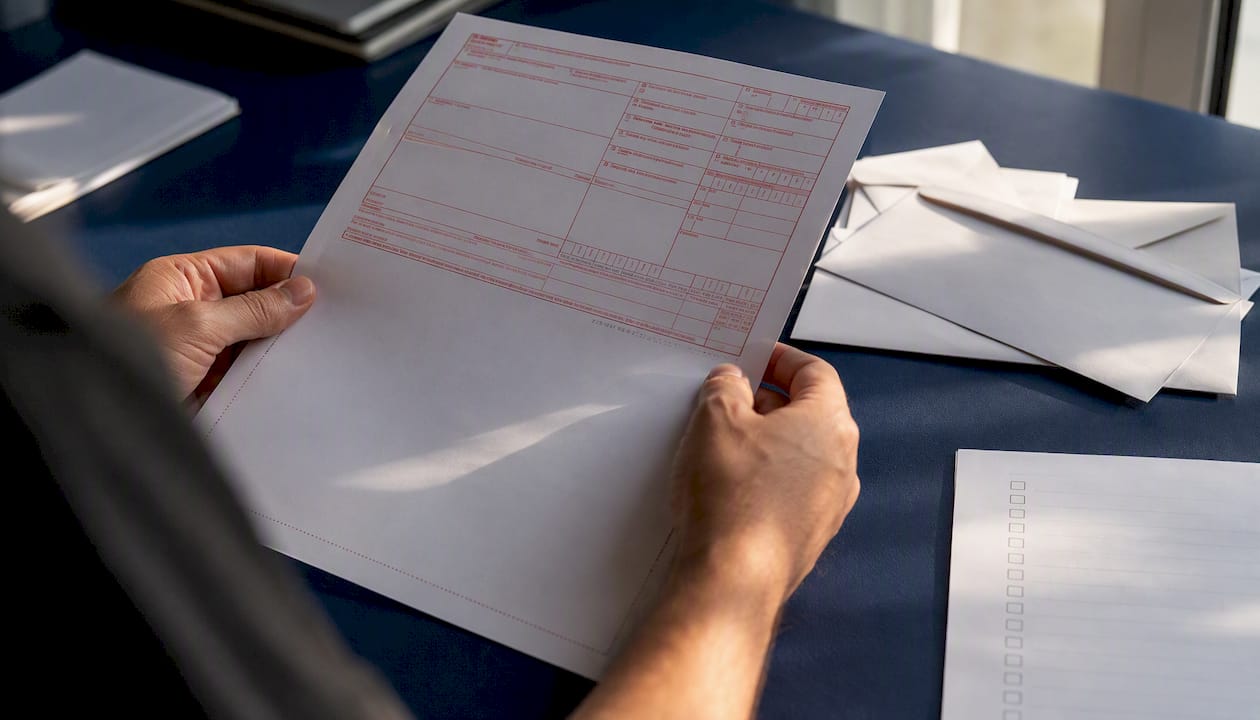
Watch for these recurring pitfalls one more time before mailing: forms folded to fit a standard envelope instead of a flat mailer, staples left in from an office stapler grabbed out of habit, Copy A printed on the wrong paper stock, and payments accidentally slipped into the envelope with the forms. Each one is a five-second check that prevents a multi-week processing delay.
Why does e-filing prevent more W-2 mistakes than mailing?
Every mailing mistake covered above, staples, folds, wrong paper stock, mismatched addresses, shares one root cause: paper filing depends on a human correctly executing a dozen physical steps in sequence. Electronic filing removes most of those steps from the equation entirely, which is why SSA’s own guidance actively steers employers toward Business Services Online whenever electronic filing is available.
The evidence-based case for e-filing rests on three points. Format rejections drop because the system validates data before submission rather than after SSA opens a mailed envelope. Posting speed improves because there’s no physical transit time or manual data entry on SSA’s end. And for most electronic submissions, there’s no separate W-3 transmittal to prepare, since the system generates that summary data automatically from what you upload.
If you’re evaluating an e-file provider rather than using BSO directly, a few features separate a solid option from a weak one:
- IRS authorization and an assigned Transmitter Control Code, confirming the provider is approved to file on your behalf
- Bulk import for payroll data, so you’re not hand-entering dozens or hundreds of records
- TIN verification, which catches mismatched names and Social Security numbers before submission rather than after rejection
- State filing support, since Copy 1 obligations vary by jurisdiction as covered above
- Encrypted delivery for any electronic employee copies, satisfying both security expectations and IRS consent requirements
- A print-and-mail add-on for the rare employee who still needs a physical copy
Each of those features maps directly to a risk covered earlier in this guide. TIN verification prevents the SSN mismatches that trigger correction notices. State filing support prevents the duplicate or missed Copy 1 filings covered in the state section. Encrypted delivery satisfies the consent requirement for electronic furnishing. None of it is abstract convenience. It’s the same checklist, executed by software instead of by hand.
A practical view on paper filing versus electronic filing
Payroll teams that stick with paper mailing year after year usually do it out of habit rather than necessity, and the rules covered in this guide show why that habit carries more risk than most administrators realize. A single missed staple check or a mismatched ZIP code doesn’t just delay processing. It can turn into a correction notice, a penalty inquiry, or an employee dispute over whether their copy arrived on time.
Where paper filing is still required or preferred, following SSA’s formatting and addressing rules precisely, rather than approximately, is the only way to avoid the delays this guide describes. Electronic filing through Business Services Online eliminates most of that risk outright, and for any employer approaching the 10-return threshold, it’s worth setting up before the next filing season rather than during a deadline scramble.
How Tax Form Hero simplifies W-2 filing
Every checklist item covered above, correct formatting, accurate TINs, the right state filing, proof of delivery, gets easier when you file electronically instead of managing paper by hand. Tax Form Hero is built around exactly that shift: an IRS-authorized e-file platform where you pay per form instead of committing to a subscription.

The platform’s bulk import tool pulls payroll data in directly, so you’re not retyping records the way a paper batch demands. Built-in TIN verification checks names against Social Security numbers before submission, catching the mismatches that cause SSA correction notices. If you operate across state lines, Tax Form Hero handles direct state filing in more than 35 states, addressing the Copy 1 obligations covered earlier without a separate manual process. For any employee who still needs a physical copy, the print-and-mail add-on handles that step for you, and encrypted e-delivery covers the rest with proper consent tracking built in. Pricing starts at $1.99 per form, with no signup fees. Visit Tax Form Hero to file your W-2s electronically before your next deadline.
Where can you verify SSA and IRS mailing rules directly?
Before finalizing any mailing decision, confirm the details against the primary sources rather than relying on secondhand summaries, since addresses and thresholds can shift between filing years.
- Topic no. 752, Filing Forms W-2 and W-3 covers furnish deadlines, filing deadlines, and penalty structure in one reference.
- 2026 General Instructions for Forms W-2 and W-3 lays out formatting, grouping, and print requirements in full detail.
- Paper Forms W-2 & Instructions gives the exact SSA mailing addresses for every carrier type.
- Publication 1141 covers substitute form specifications and approval procedures for employers not using official red-ink forms.
- SSA’s Business Services Online page is the starting point for registering to e-file W-2s directly.
Frequently asked questions about mailing W-2 forms
What is the exact SSA address for mailing Copy A of Form W-2? Standard mail goes to the SSA Direct Operations Center in Wilkes-Barre, Pennsylvania. Certified mail uses ZIP 18769-0002, and private delivery services use the attention line “W-2 Process” with ZIP 18702-7997, per SSA’s carrier-specific instructions.
Do I need to staple Form W-3 to my W-2s before mailing? No. Staple holes and tape residue interfere with SSA’s machine processing. Keep all forms flat, unfolded, and unattached to each other.
What happens if I mail employee W-2 copies a few days late? The furnish requirement is based on mailing date, not delivery date, so a properly addressed envelope postmarked by February 1, 2027, meets the deadline even if the employee receives it days later. Missing that mailing date entirely can trigger penalties under Topic 752.
Can I get an extension for mailing W-2s to the SSA? Yes, through Form 8809, but it only extends your filing deadline with the SSA. It does not automatically extend the deadline to furnish copies to employees, which is a separate obligation.
Do I have to e-file my W-2s? If you file 10 or more information returns in the aggregate across all form types, electronic filing is generally required rather than optional, based on the threshold SSA outlines.
This article is general information, not a substitute for advice from a qualified financial advisor. Consult a qualified financial professional about your own circumstances before acting on anything here.
Sources
- Topic no. 752, Filing Forms W-2 and W-3
- 2026 General Instructions for Forms W-2 and W-3
- Paper Forms W-2 & Instructions
- Publication 1141
Recommended

File Information Returns With Confidence
TaxFormHero supports 20+ IRS information returns, including 1099 and W-2 forms, with bulk Excel import, name/TIN matching and encrypted recipient delivery.
Explore TaxFormHero