Xero 1099 Integration:
Import What You Actually Paid
Bring your Xero contacts and their payment totals into TaxFormHero to prepare 1099‑NEC and 1099‑MISC forms. Available contact and payer details import from Xero. Review and complete any missing information, then e-file with the IRS and the states that need it.
Review your forms before submitting. Pay only for what you file.
How do I file 1099s from Xero?
The short answer
Connect your Xero organisation, pick which set of books and which payer, then choose the tax year, the form and the box these payments belong in. TaxFormHero reads the contacts in your Xero 1099 contact group and totals what each of them was actually paid during that calendar year. Available contact and payer details import from Xero. Review and complete any missing information, then submit to the IRS and the states that need it.
| Before you import | Why it matters |
|---|---|
| A US-based Xero organisation | The 1099 report is US-only. An organisation based elsewhere returns nothing rather than an error. |
| A 1099 contact group in Xero | The group is how Xero says who gets a 1099 — the equivalent of the QuickBooks tick. It is free text, so it can be called anything; if nothing matches, we name the groups you do have rather than reporting an empty result. |
| Permission to read contacts, payments and reports | Granted when you authorise, so the person who connects needs those rights in Xero. Reports access covers Xero's own 1099 report, which is used where your account mapping exists. |
Your books stay in Xero. Your filing happens here
Nothing is written back to Xero at any point. The connection reads, and the filing is ours.
Recipients, taxpayer IDs and box amounts arrive from your own books instead of being keyed in a second time, which is where the mistakes come from.
Every row is shown with its boxes filled and its problems flagged. Nothing is filed until you say so, and nothing is removed on your behalf.
File with the IRS, add the states that need it, and get recipient copies out — then watch the status of each return without leaving TaxFormHero.
From Xero to filed, in four steps
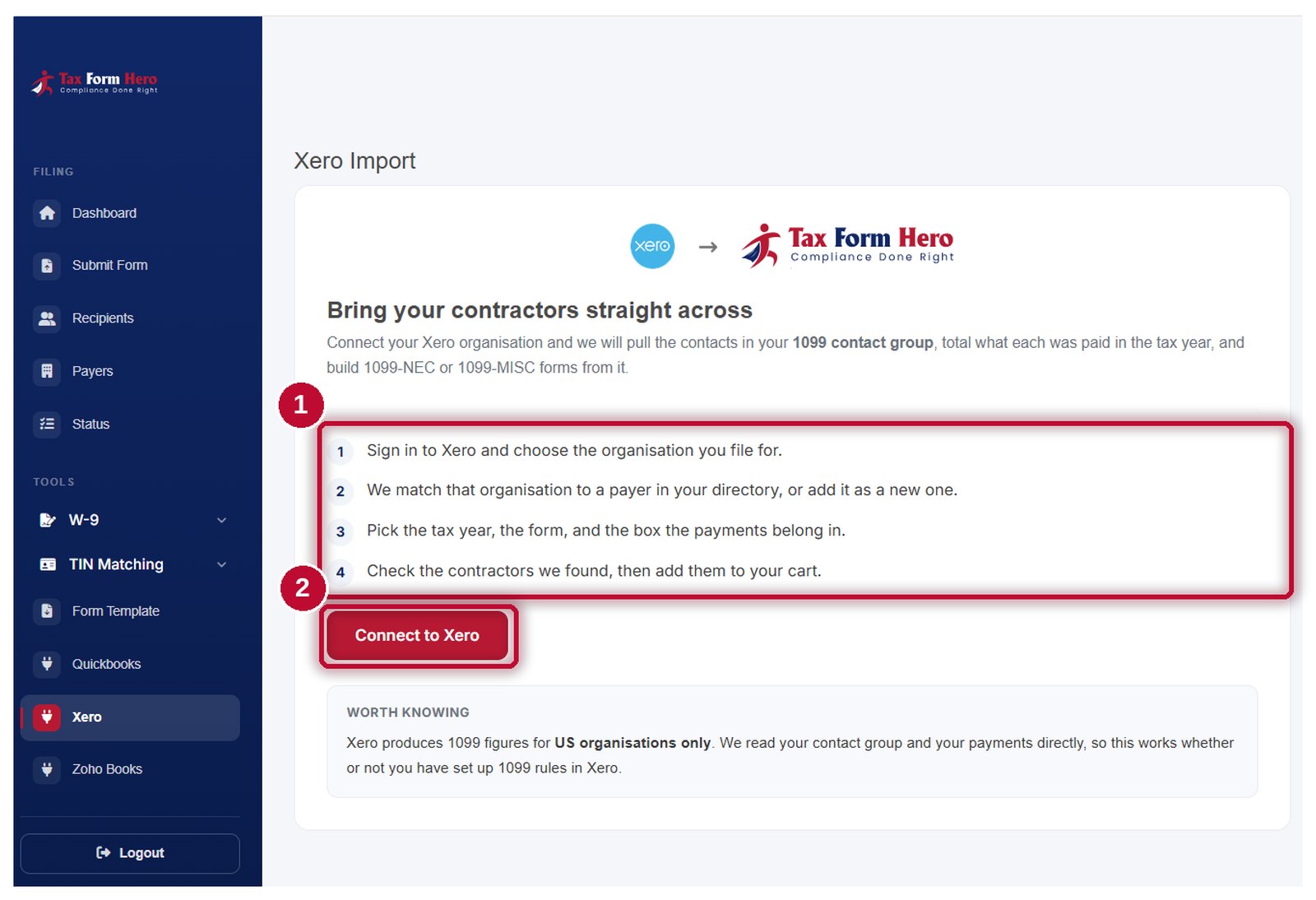
Connect the organisation
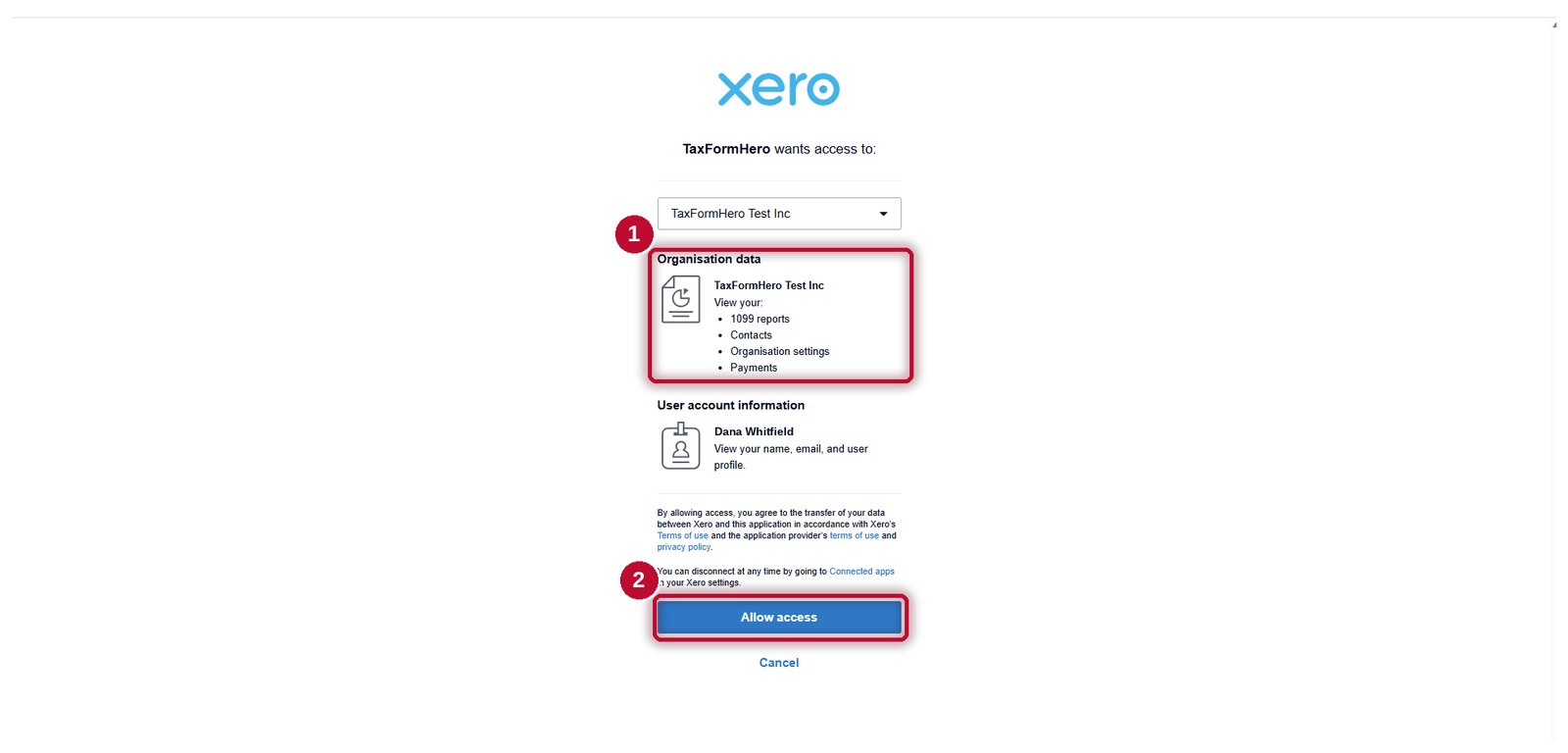
Authorise TaxFormHero in Xero. The connection is read-only — it reads your contacts, your payments and your organisation details, and writes nothing back at any point.
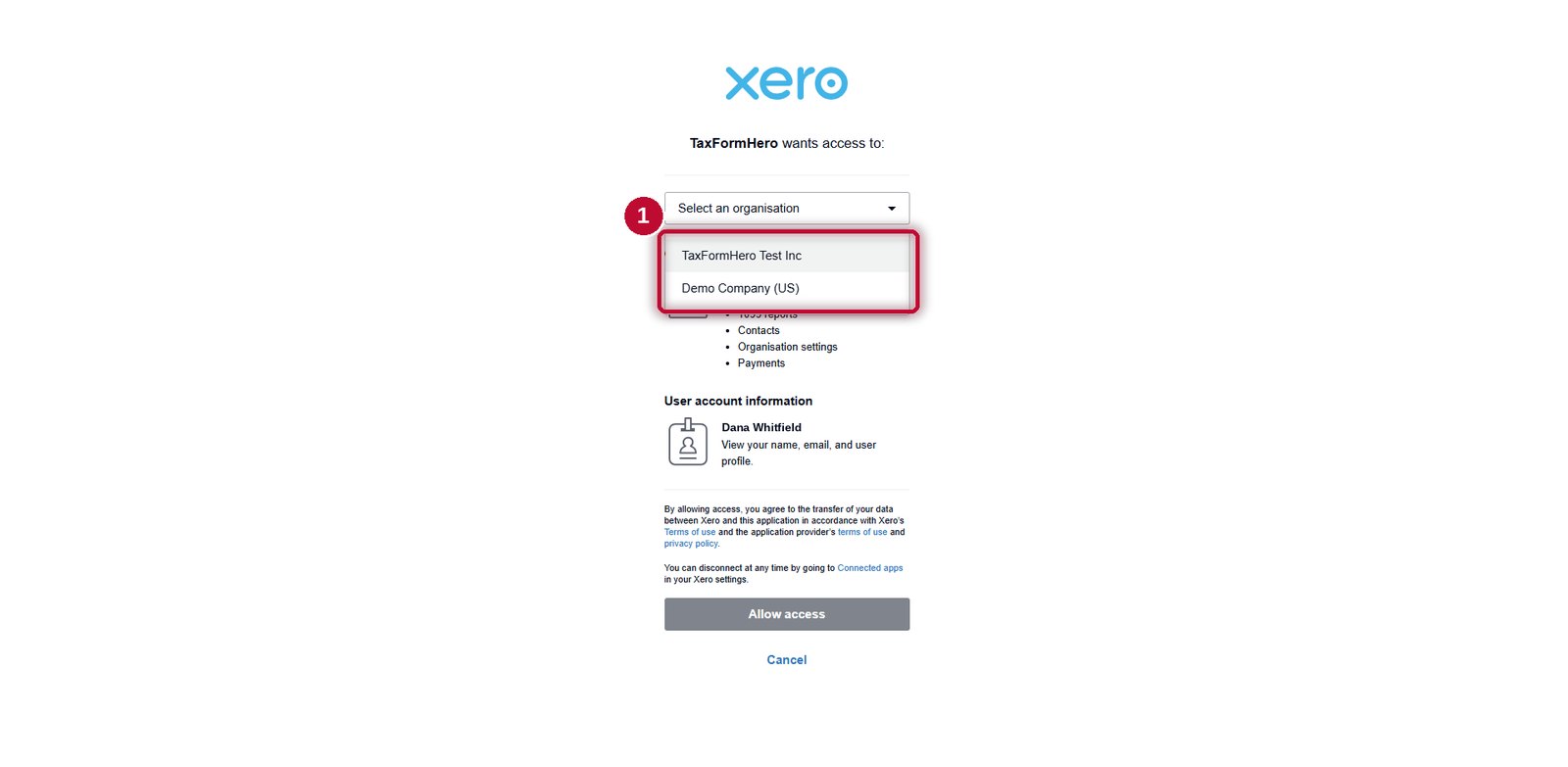
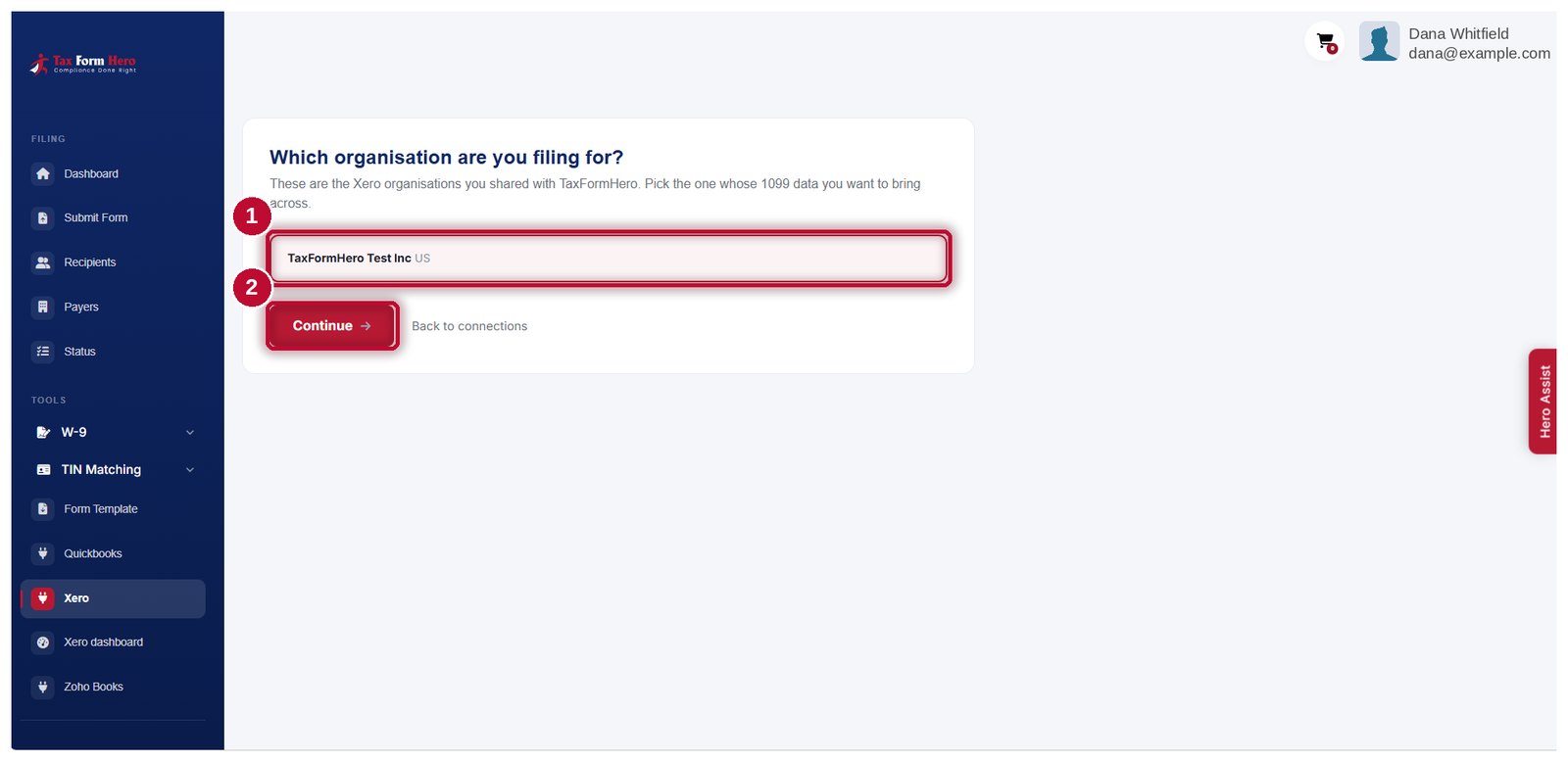
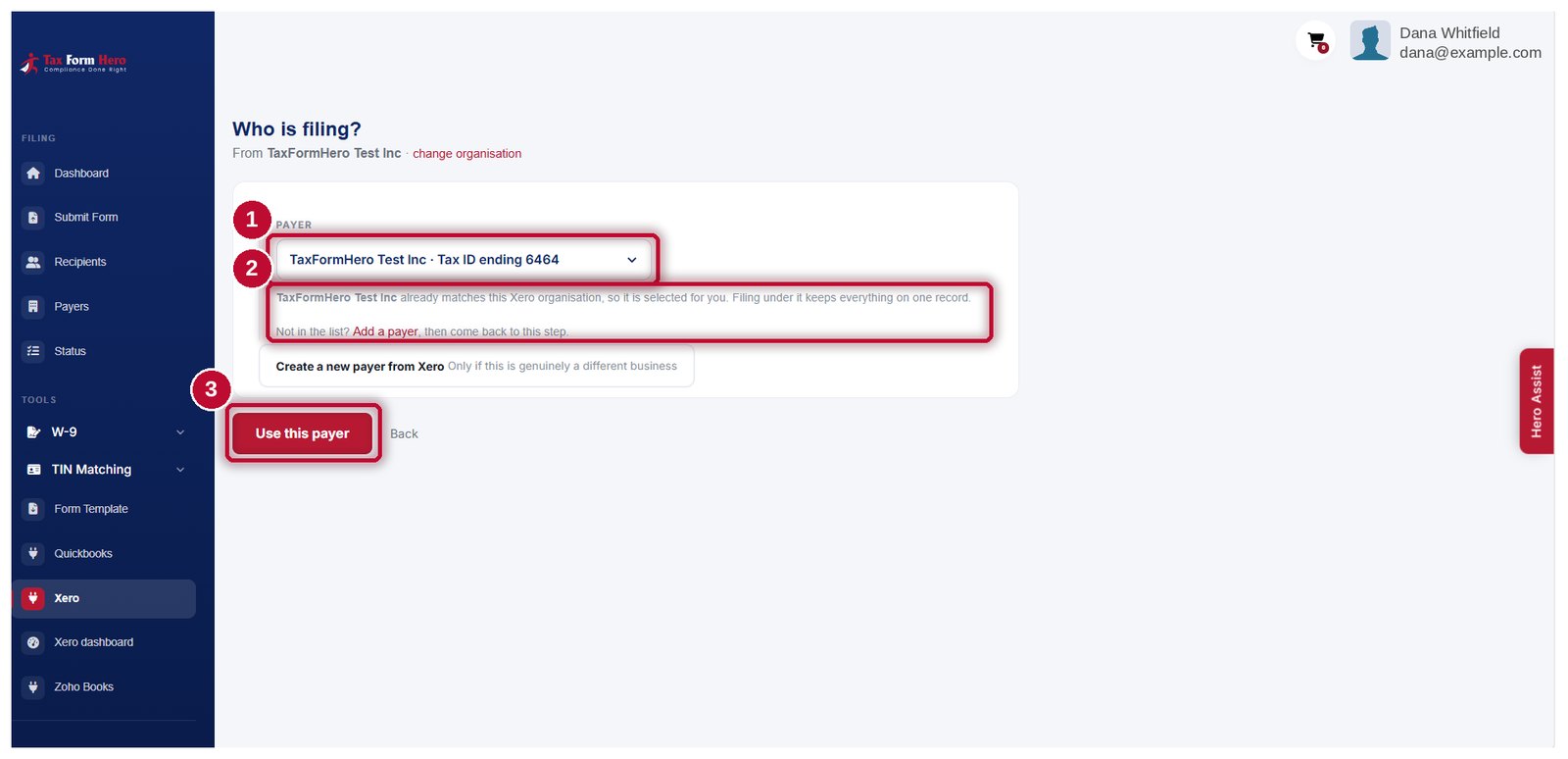
Pick the organisation and payer
Choose which Xero organisation to file from, then which TaxFormHero payer. Available payer details prefill from Xero for you to review.
Choose the year, the form and the box
You say which tax year, whether these payments go on a 1099‑NEC or a 1099‑MISC, and which box they belong in. We then total what each contact in your 1099 group was paid in that year.
Review and file
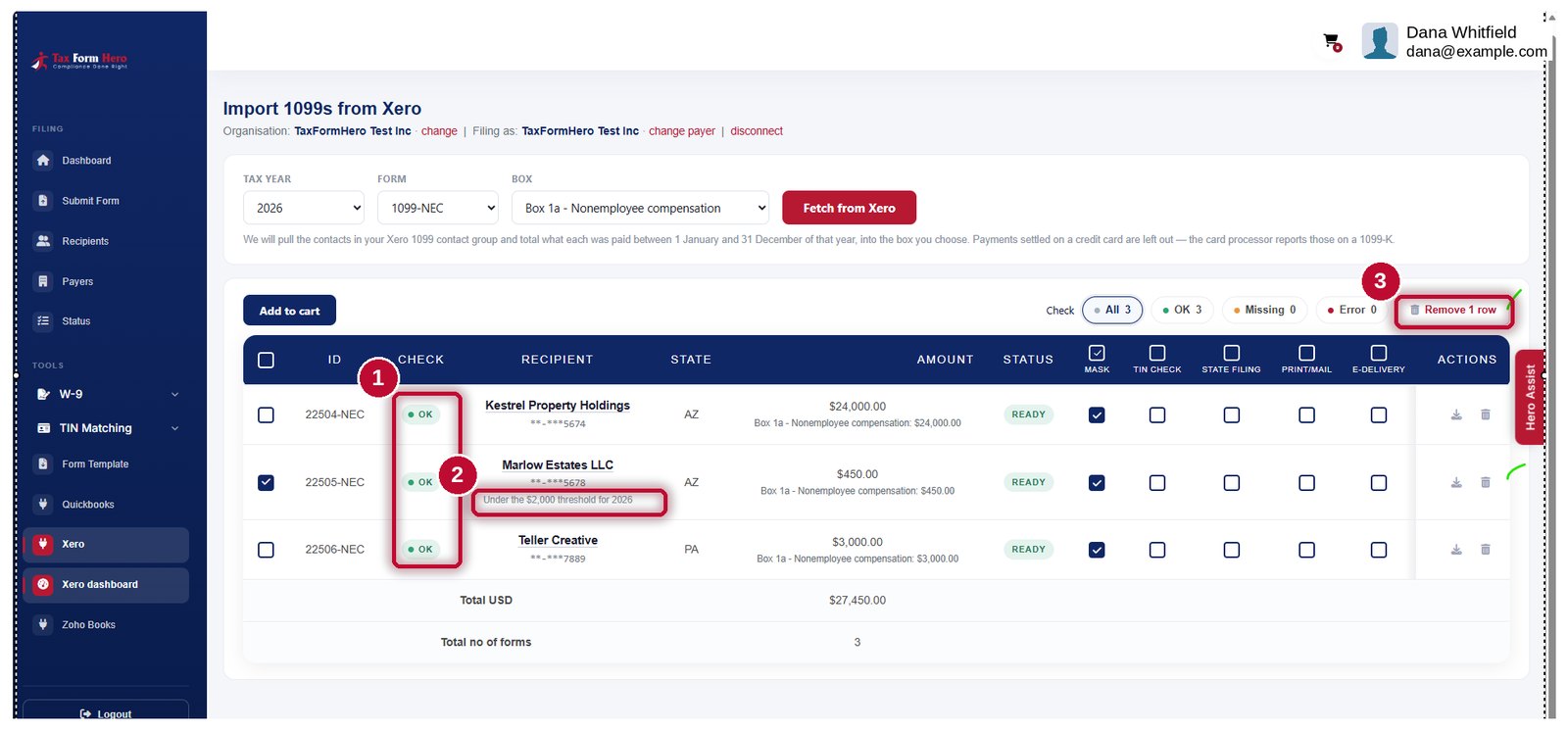
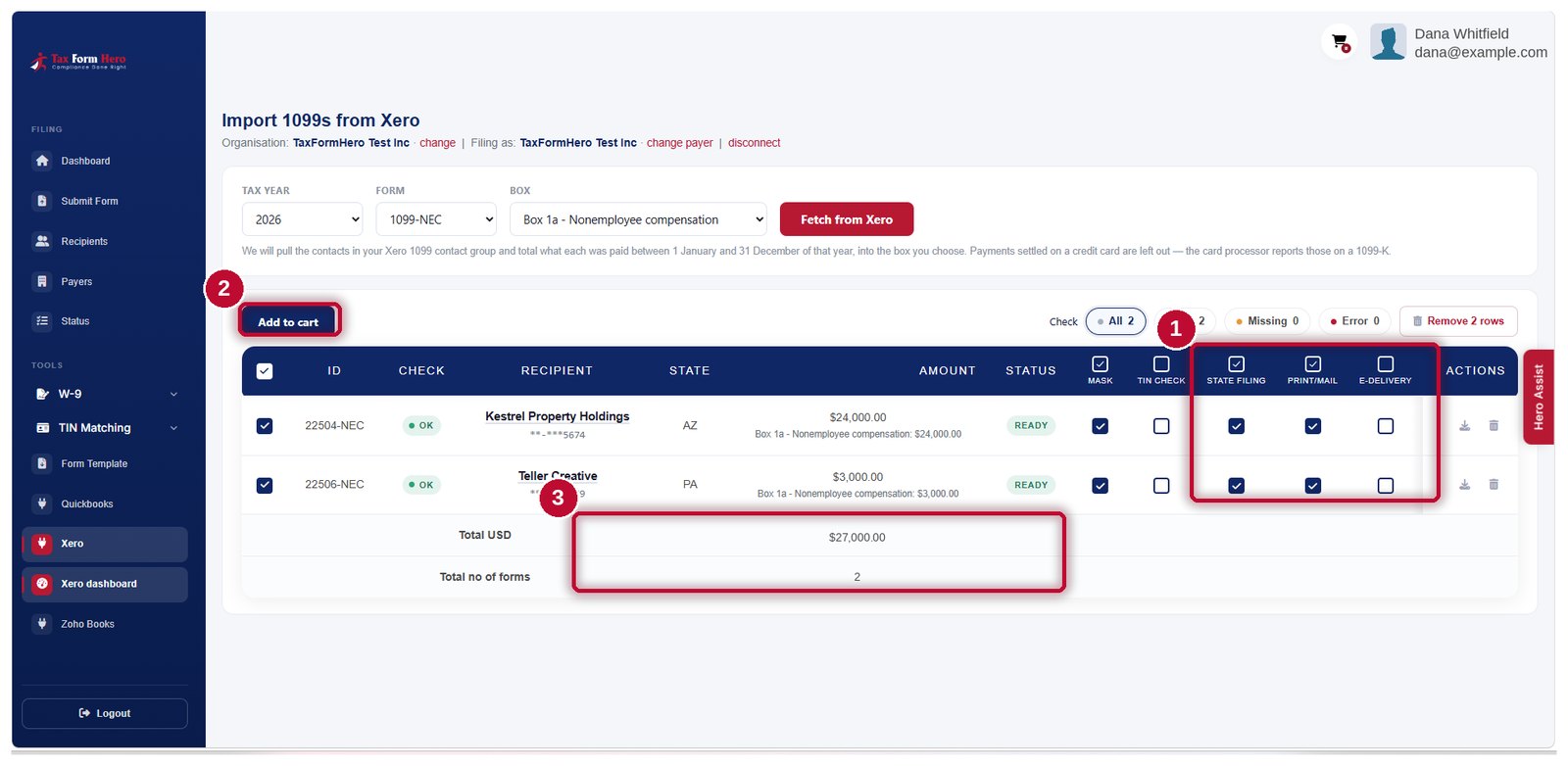
The grid shows each contact with its boxes filled. Rows under the threshold, possibly-exempt corporations and missing details are flagged rather than hidden. Add to the cart and file.
See an import end to end
Every screen between connecting Xero and the IRS answer coming back, in the order you meet them.
Demo data. Every name, address and amount in the recording and the pictures below is invented, and the tax IDs are shown masked. Nothing here is a real filing.
-
-
-
-
-
-
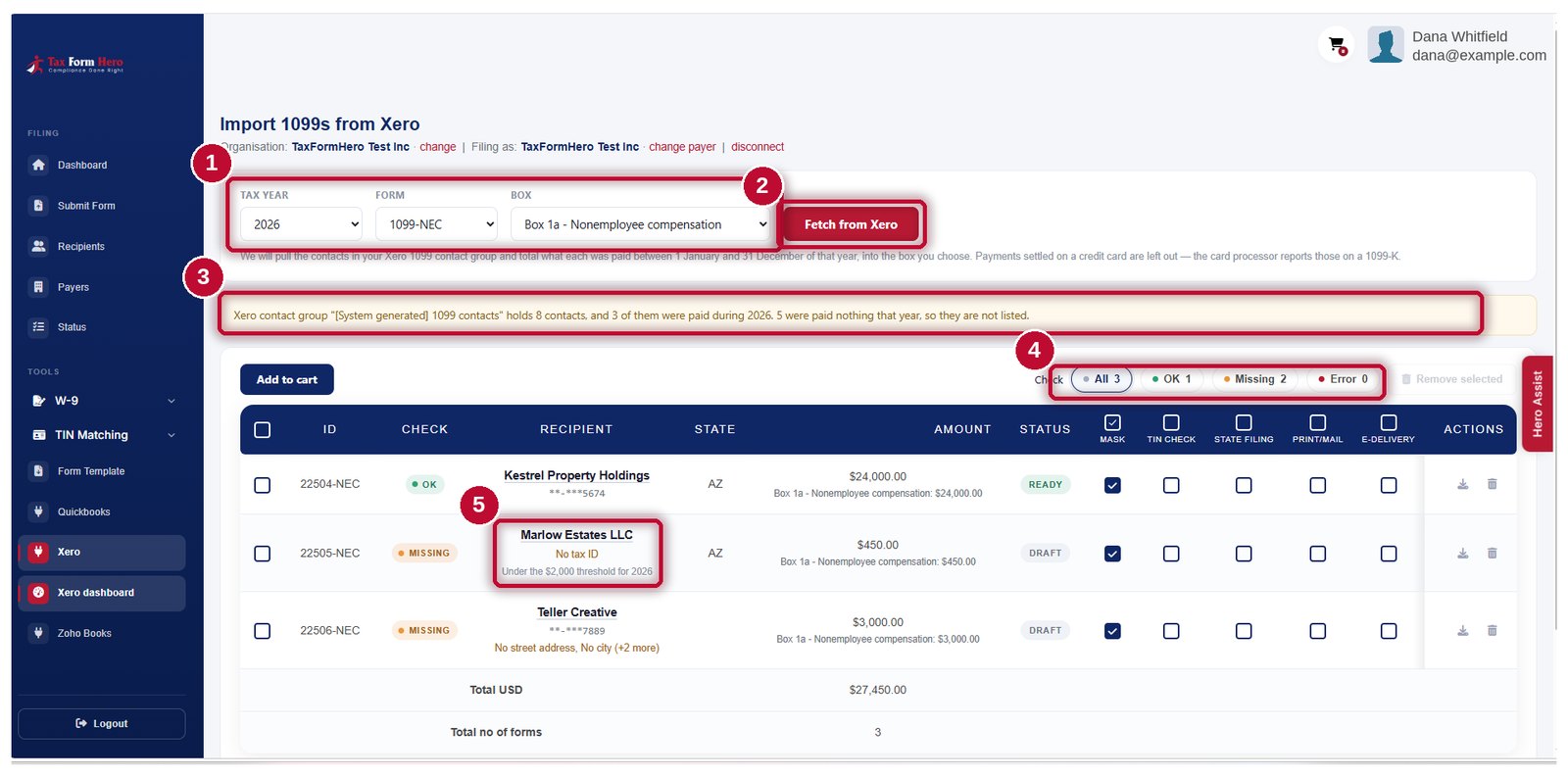
- Pick the tax year, the form, and the box the payments belong in.
- Press Fetch from Xero. We total what each contact was actually paid in that calendar year, into the box you chose.
- Card payments are left out — the card processor reports those on a 1099-K. The group holds 8 contacts; 3 were paid in 2026.
- OK, Missing and Error count the rows at a glance.
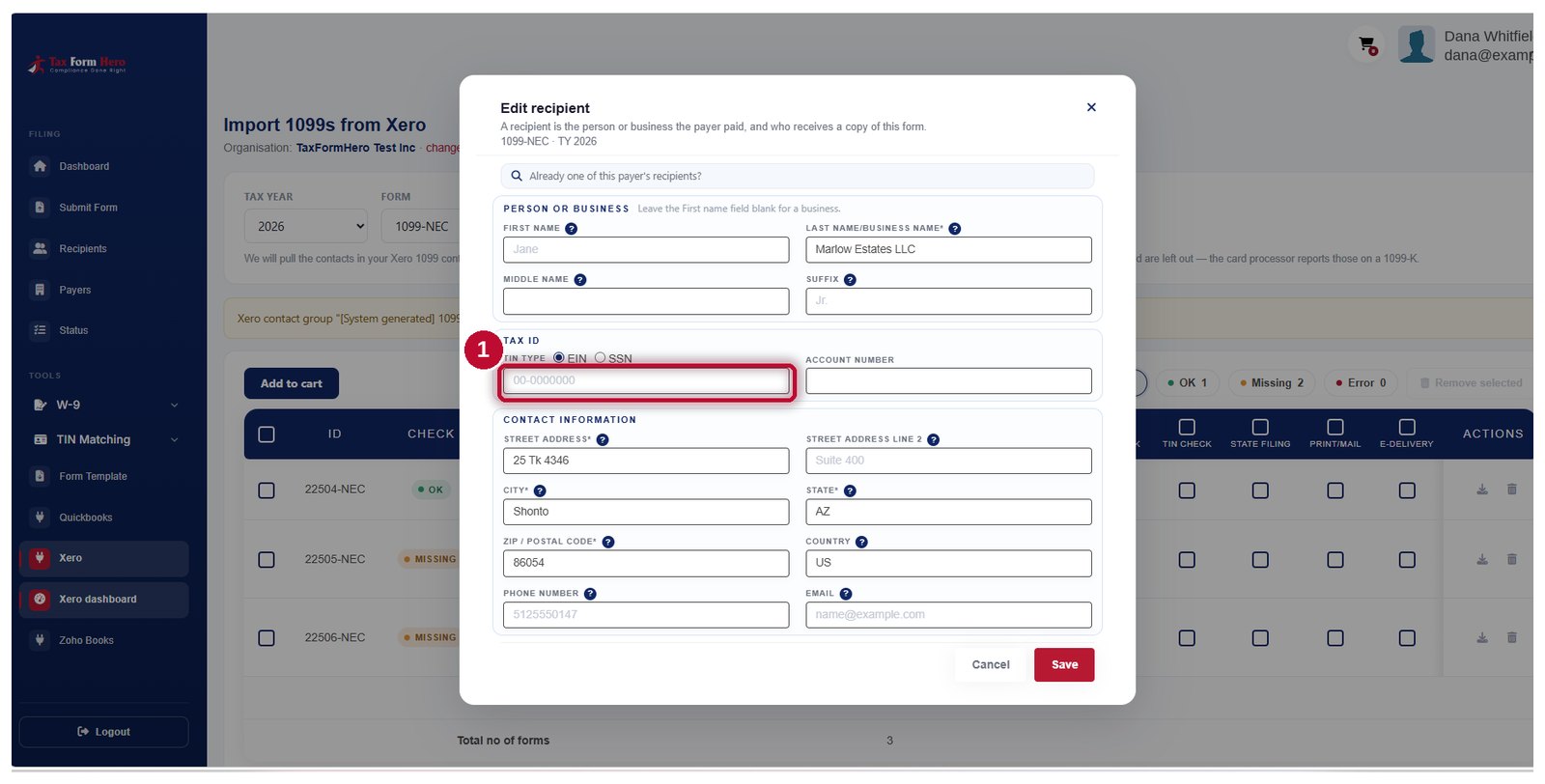
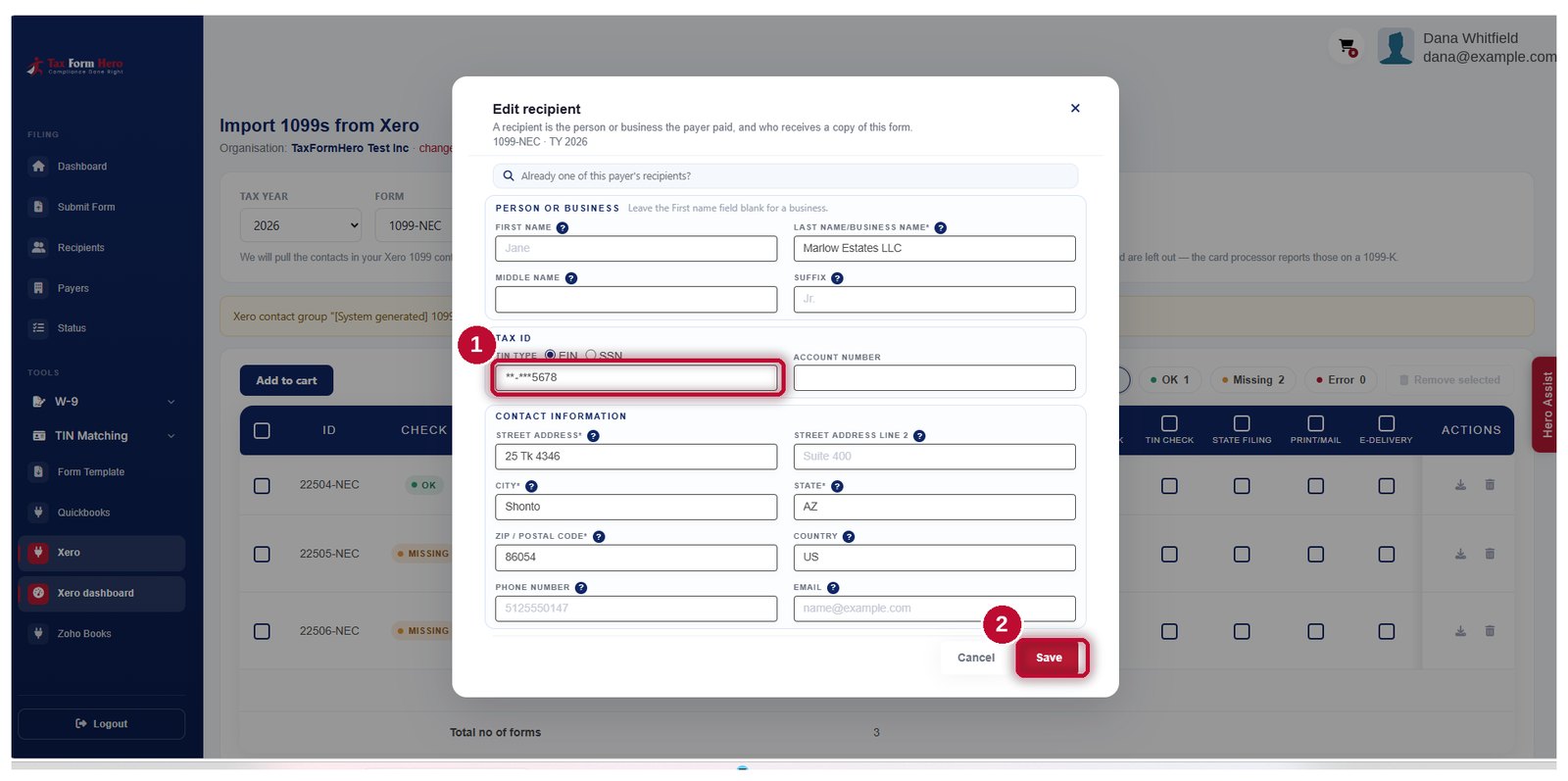
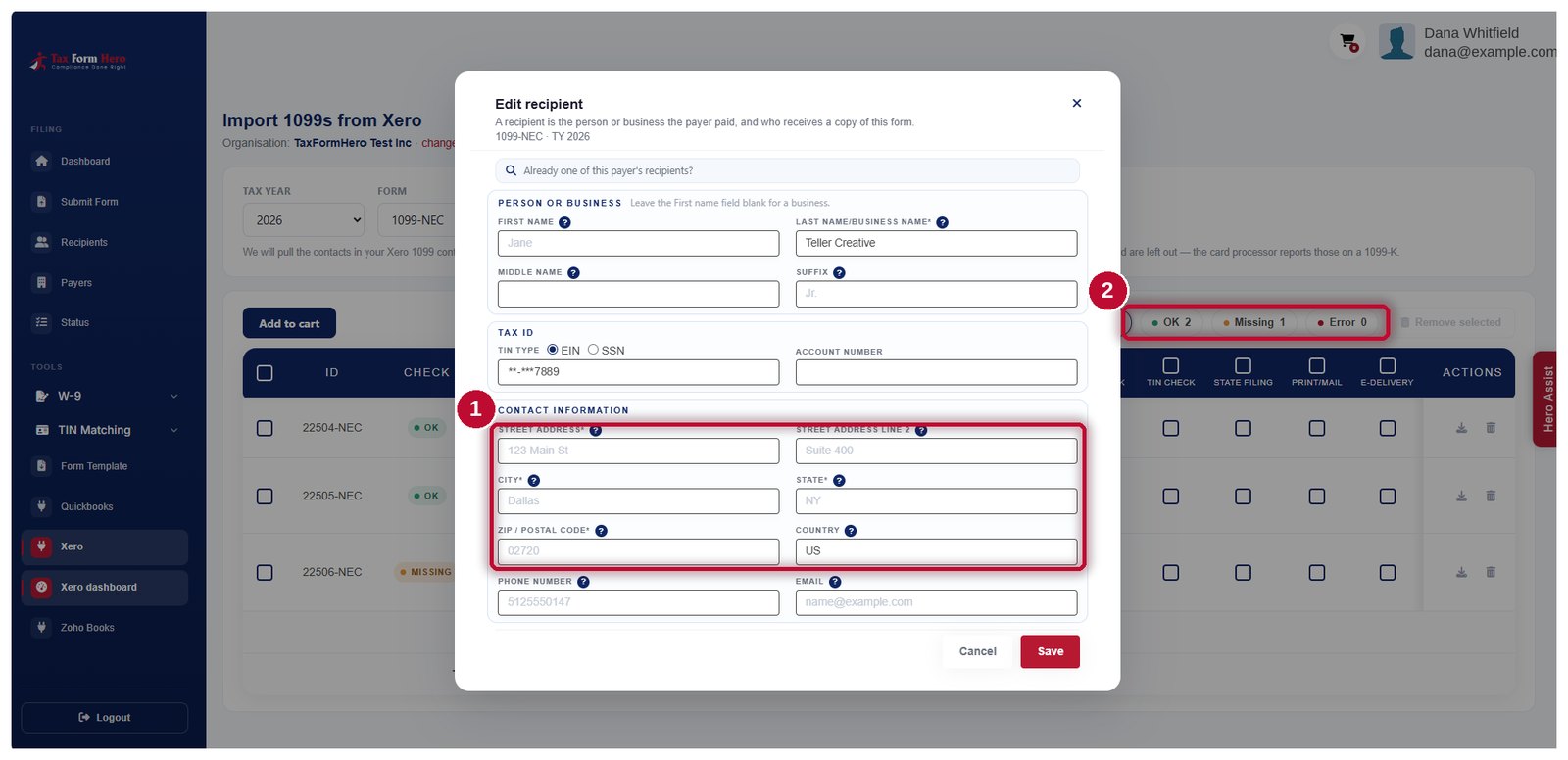
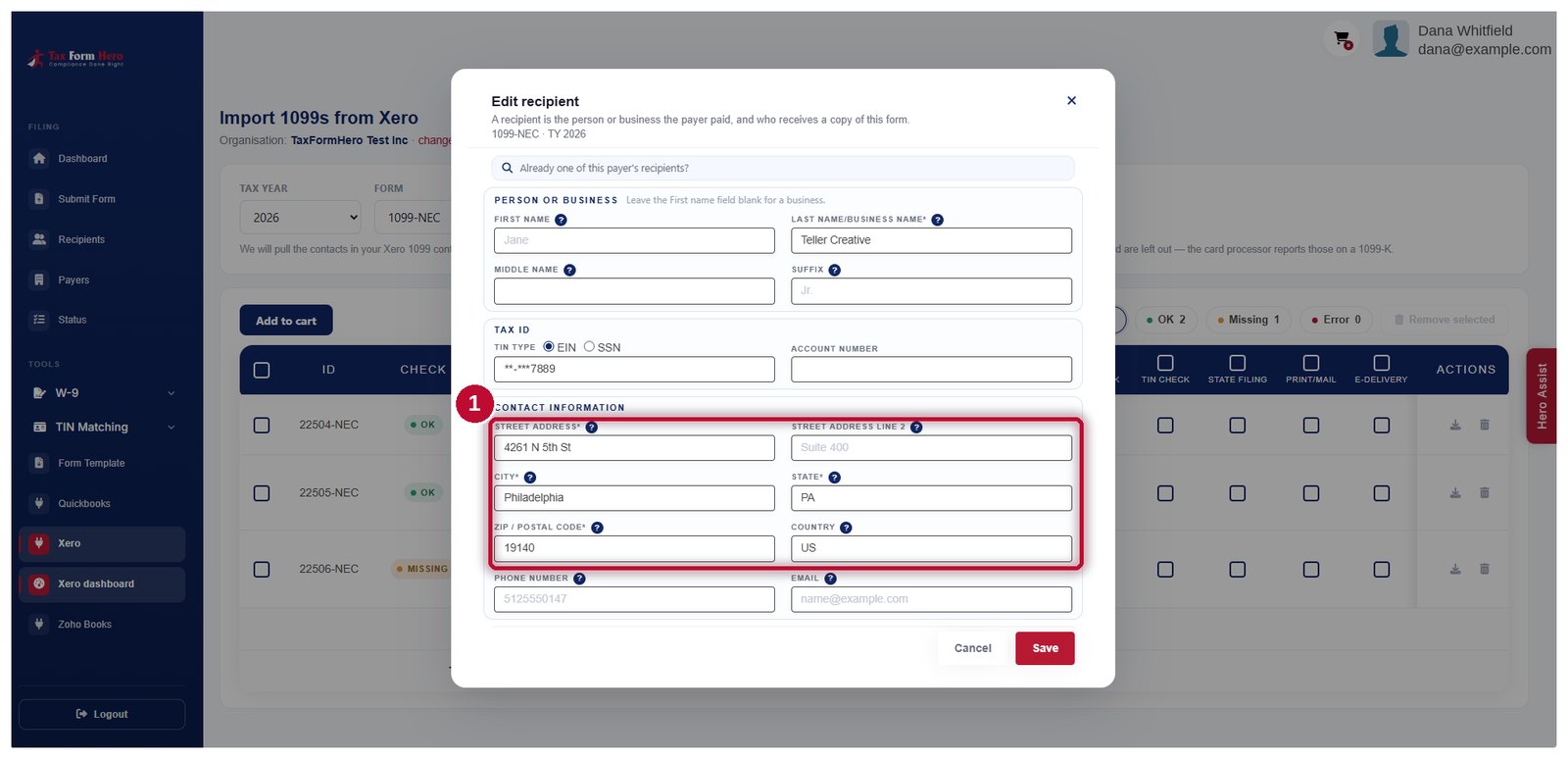
- Click a flagged recipient to open the row and fill in what is missing — that is the next four steps.
-
-
-
-
-
-
-
-
-
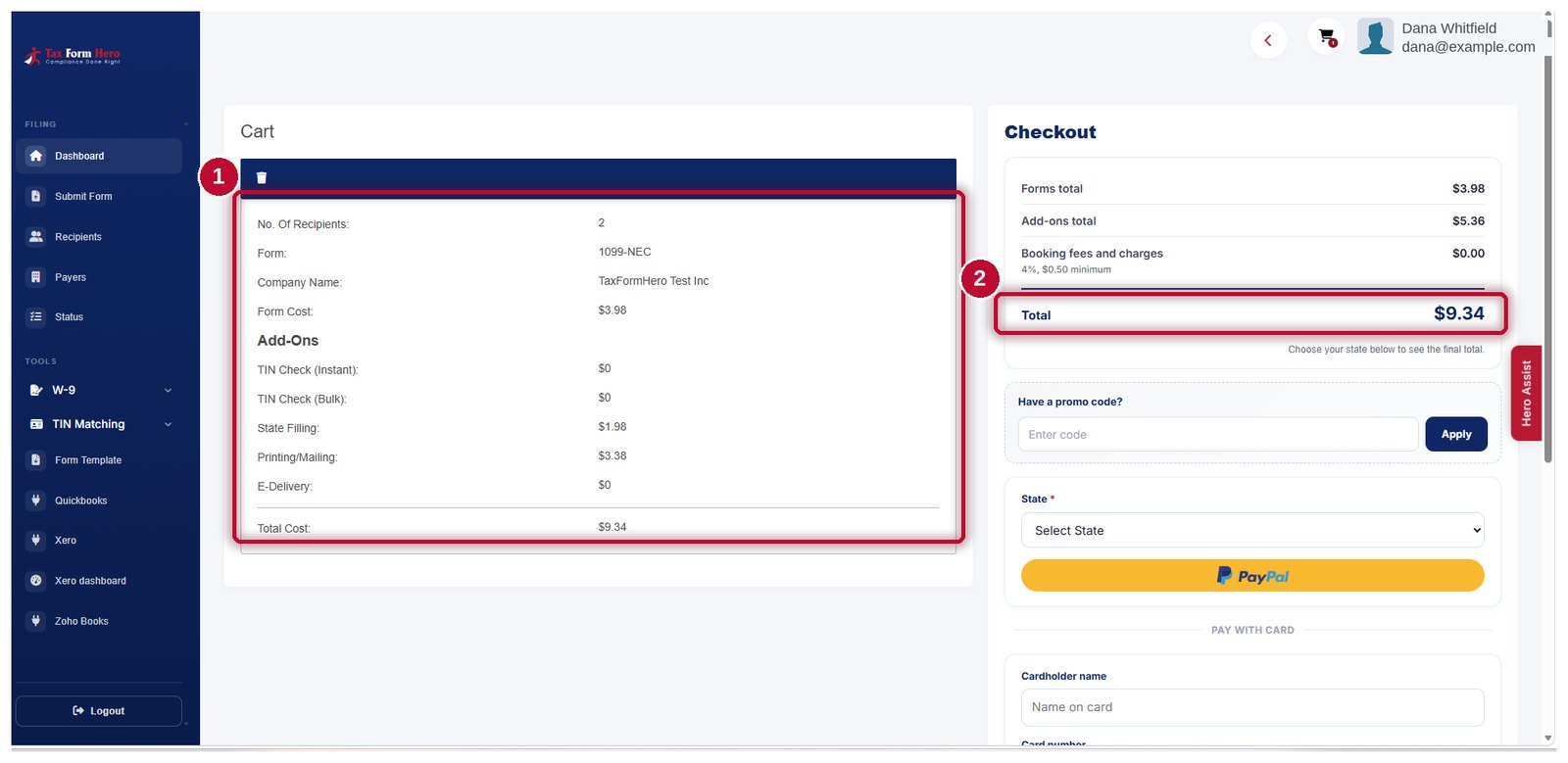
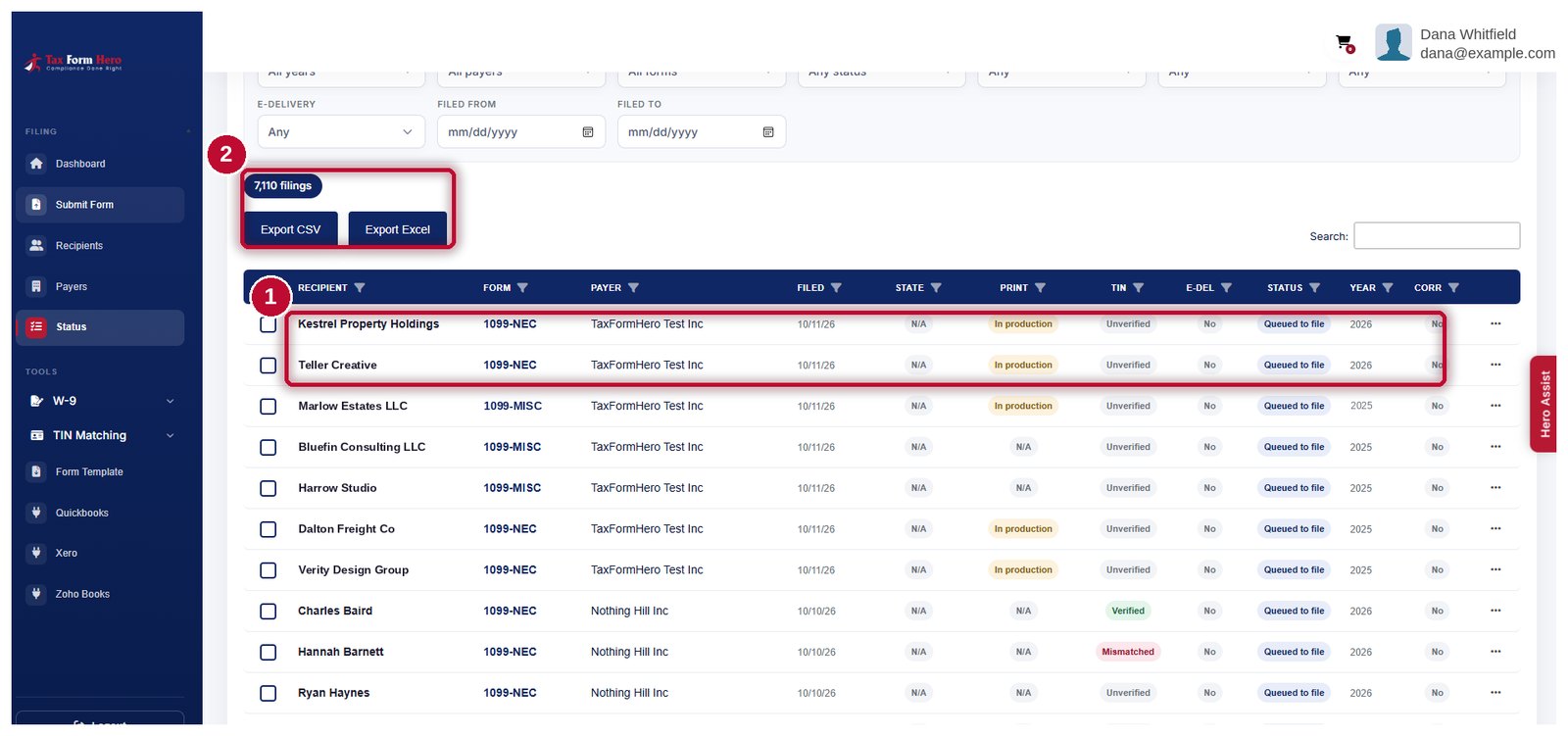
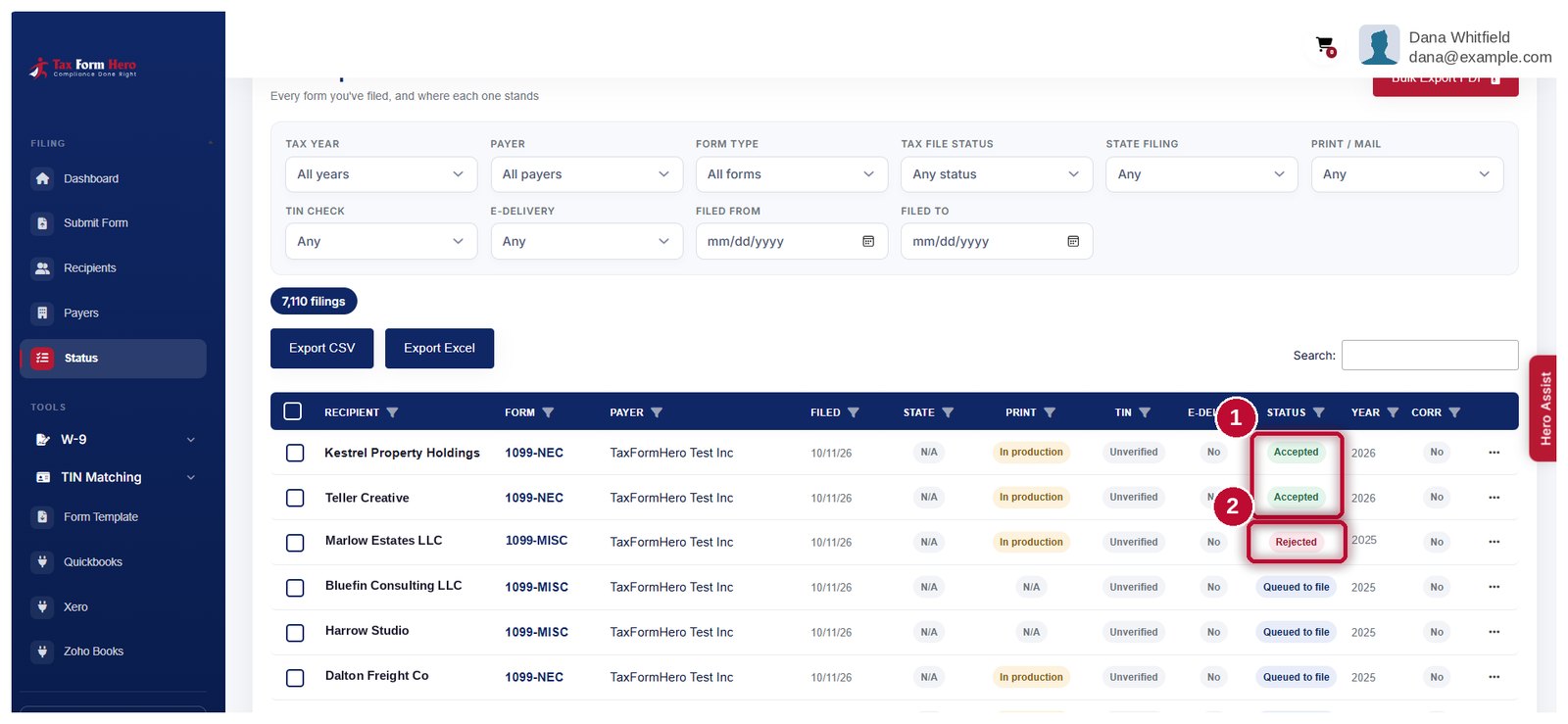
How the amounts are worked out
Three rules decide what lands on a row. Each of them is a way the total can legitimately differ from the number in your own books, so they are worth knowing before you compare the two.
| Rule | Why |
|---|---|
| Paid, not billed | A 1099 reports the year the money went out, so payments are read from Xero's payment records and dated by the payment. Totalling invoices instead misfiles everything settled across a year end, and misfiles it plausibly. |
| Money out only | A customer paying you is not a payment to a contractor. Only money leaving the organisation counts. |
| Card payments left out | Under IRC 6050W the card processor reports card payments on a 1099‑K. Reporting them here too would report the same money twice. The screen tells you how much was excluded and across how many payments, so a total that looks short is explained rather than mysterious. |
Contacts paid nothing in the year you picked are not listed. Nothing is removed quietly — rows under the reporting threshold, possibly-exempt corporations and missing details are flagged on the row and left for you.
What an import cannot give you: the details nobody recorded
Xero hands over what it holds. A recipient who never gave you a W-9 has nothing to hand over, and that gap shows up on the row rather than at the IRS.
Send a signing link to any recipient whose taxpayer ID or address is missing. The completed W-9 comes back into the same record you are about to file, with a TIN match included. How the filing workflow runs
Optional TIN matching checks a payee's name and taxpayer ID against IRS records before you file, so a mismatch surfaces while there is still time to fix it. Instant or bulk; a payee gets one, never both. How TIN matching works
Neither happens on its own. Importing never sends a W-9 request and never runs a TIN check — you choose both, per recipient.
After you review, finish the filing
Submitting to the IRS is the part that must happen. The rest you choose per filing, and each is priced on its own.
Submit the batch and follow each return's status as it is accepted or rejected.
Direct filing for the states that need a separate return. Check whether your state and form require a separate submission. Which states need what
Download the recipient PDF for any filing, masked or whole, whenever you need it.
Secure e-delivery with a consent trail, or print and mail from a SOC 2 audited facility. How e-delivery works
State obligations vary by state and by form. Check what your own returns need rather than assuming filing federally covers them.
Importing is free. You pay per form filed
The connection, the fetch and the review cost nothing. Filing is charged per form on graduated bands, so a larger batch reaches a lower rate on its own.
| Filing volume | Which forms | Price per form |
|---|---|---|
| First 150 forms | forms 1–150 | $1.99 |
| Next 350 forms | forms 151–500 | $0.99 |
| Next 500 forms | forms 501–1,000 | $0.60 |
| Beyond 1,000 forms | every form after | $0.45 |
No signup fee, no subscription and no minimum. State filing, print and mail, secure e‑delivery and TIN matching are optional and priced separately on the pricing page.
Xero 1099 import questions
E-file Form 1099‑NEC
The NEC report Xero returns, with its 2026 boxes explained.
E-file Form 1099‑MISC
Where the MISC boxes moved for 2026, and what that means for a mapping.
What changed for 2026
The $2,000 threshold, the new tips and overtime boxes, and the end of FIRE.
What it costs
Per-form bands, add-ons, and the volume figures worked out.
Let Xero do the arithmetic
Connect the organisation and import a year. Review imported records, complete missing details, and file.