Zoho Books 1099 Integration:
Whole Tax IDs, Totals You Can Check
Connect Zoho Books, choose which organisation and which year, and see every vendor with its payments totalled for that year. Taxpayer IDs come across whole, with the type stated where Zoho holds it. Zoho has no 1099 report, so the totals are assembled and shown to you before anything is filed.
Review your forms before submitting. Pay only for what you file.
How do I file 1099s from Zoho Books?
The short answer
Connect Zoho Books, choose which organisation the books belong to, map it to a TaxFormHero payer, pick a tax year and fetch. Every vendor comes back with its payments and expenses totalled for the year, alongside a whole, unmasked taxpayer ID with its type stated — SSN, ATIN, ITIN or EIN. Zoho has no 1099 report endpoint and no account-to-box mapping to read, so you say which form and which box these payments belong in, and the totals are computed rather than handed over. The step that shows you those totals is a preview: you check the figures before any form exists. Then review, complete anything missing, and submit to the IRS and the states that need it.
| Before you import | Why it matters |
|---|---|
| The right organisation | A Zoho login can hold several sets of books. You choose which one before anything is fetched, and only that organisation's vendors are imported. |
| Vendor details filled in in Zoho | Taxpayer ID and address come from the vendor record. A vendor with neither is imported and flagged rather than skipped, so you can see who still needs a W-9. |
| A long vendor list takes longer | A large import takes a little longer to finish. If anything could not be brought across, the import says so rather than leaving the list quietly short. |
Your books stay in Zoho. Your filing happens here
Nothing is written back to Zoho Books at any point. The connection reads, and the filing is ours.
Vendors, whole taxpayer IDs and payment totals arrive from your own books instead of being keyed in a second time, which is where the mistakes come from.
The preview shows every vendor and what it was paid before any form exists. Nothing is filed until you say so, and nothing is removed on your behalf.
File with the IRS, add the states that need it, and get recipient copies out — then watch the status of each return without leaving TaxFormHero.
Import from Zoho Books in four steps
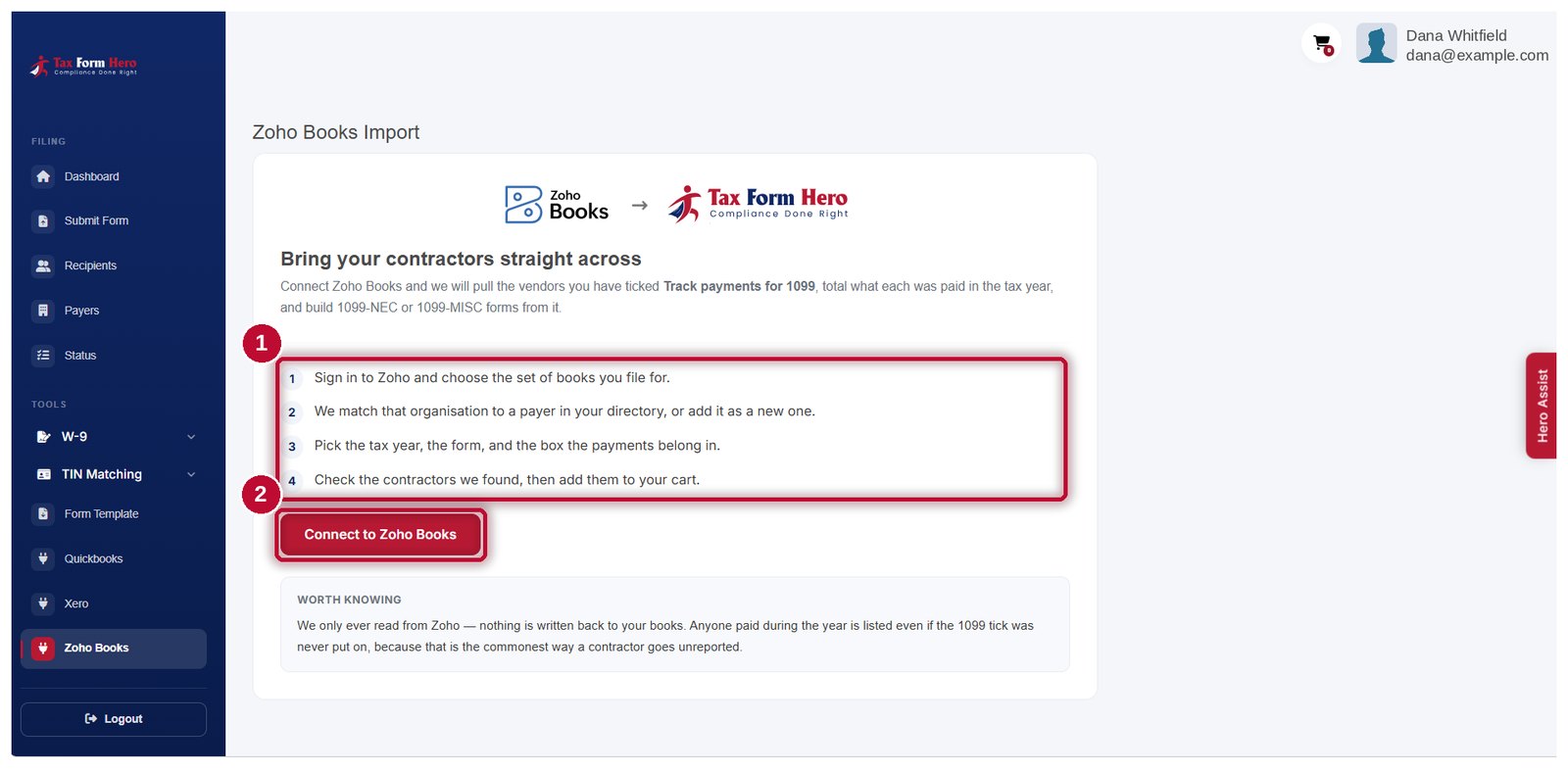
Connect Zoho Books
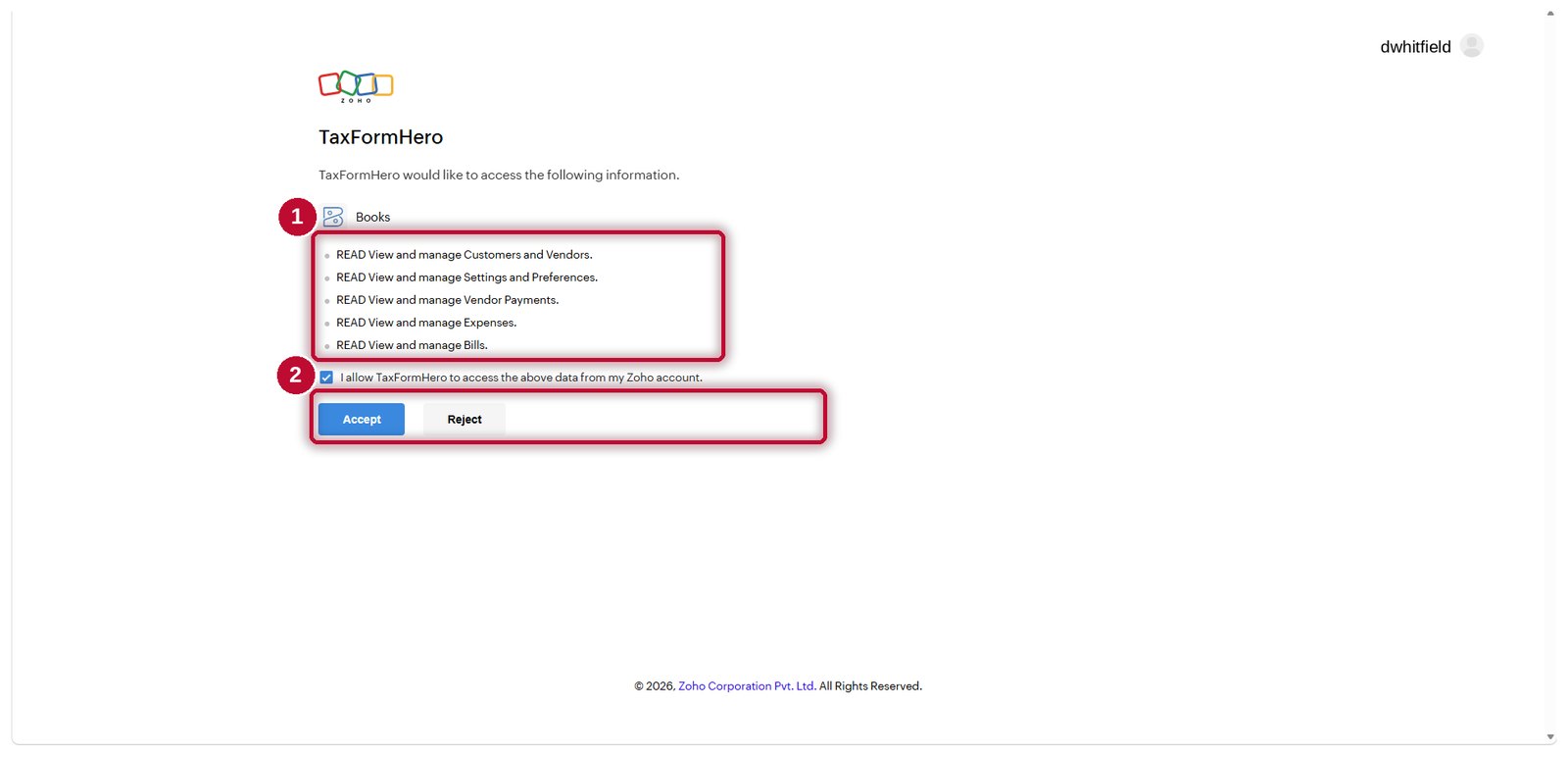
Authorise TaxFormHero in Zoho. A Zoho account lives in one region and the connection follows it, so books in any Zoho data centre work.
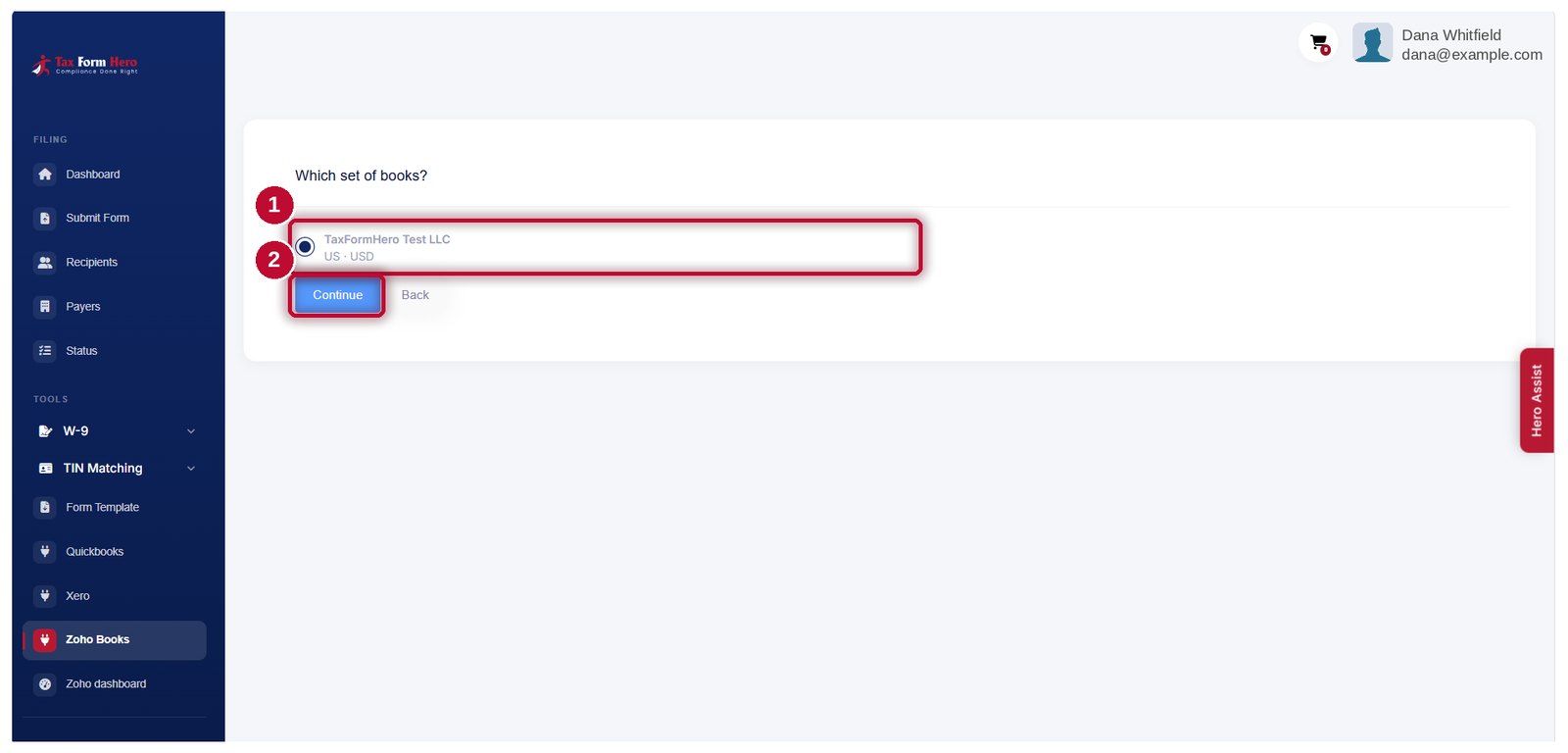
Pick the organisation
A Zoho login can hold several organisations. You choose which set of books, and only that organisation's vendors are imported.
Map it to a payer
The organisation's details prefill a TaxFormHero payer. An existing payer is matched rather than duplicated.
Choose the year, the form and the box
You say which tax year, whether these payments go on a 1099‑NEC or a 1099‑MISC, and which box. Every vendor comes back with its payments and expenses totalled for that year, with its taxpayer ID and type, and you check the figures against your own books before anything is filed.
See an import end to end
Every screen between connecting Zoho Books and the IRS answer coming back, in the order you meet them.
Demo data. Every name, address and amount in the recording and the pictures below is invented, and the tax IDs are shown masked. Nothing here is a real filing.
-
-
-
-
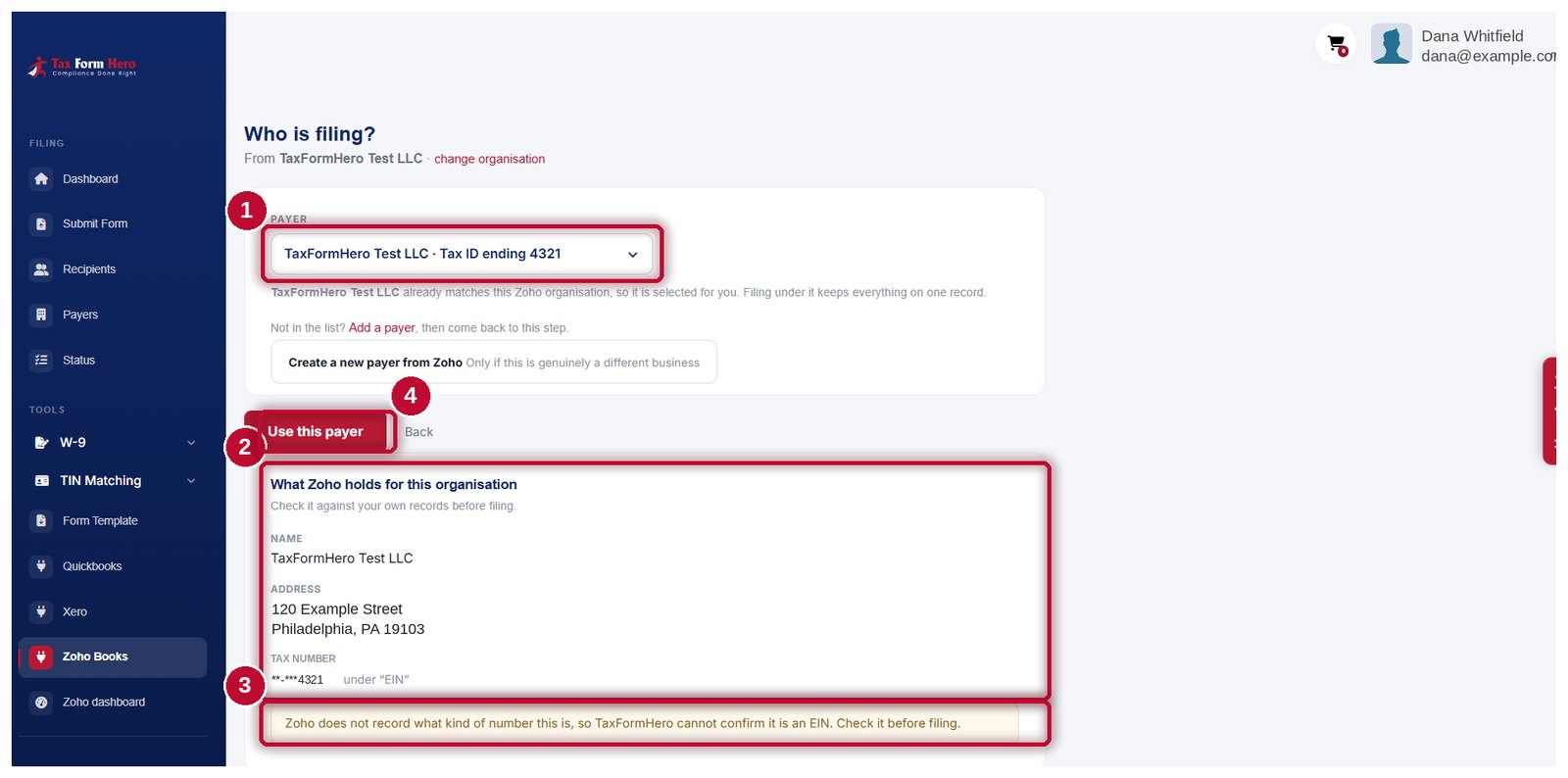
- TaxFormHero Test LLC already matches this Zoho organisation, so it is selected for you. Its tax ID shows only the last four digits.
- What Zoho holds for the organisation is shown beside it, so you can check the name, address and tax number against your own records before anything is filed.
- Zoho does not record whether that number is an EIN or an SSN, so we say so rather than guess.
- Use this payer takes you through to the import grid.
-
-
-
-
-
-
-
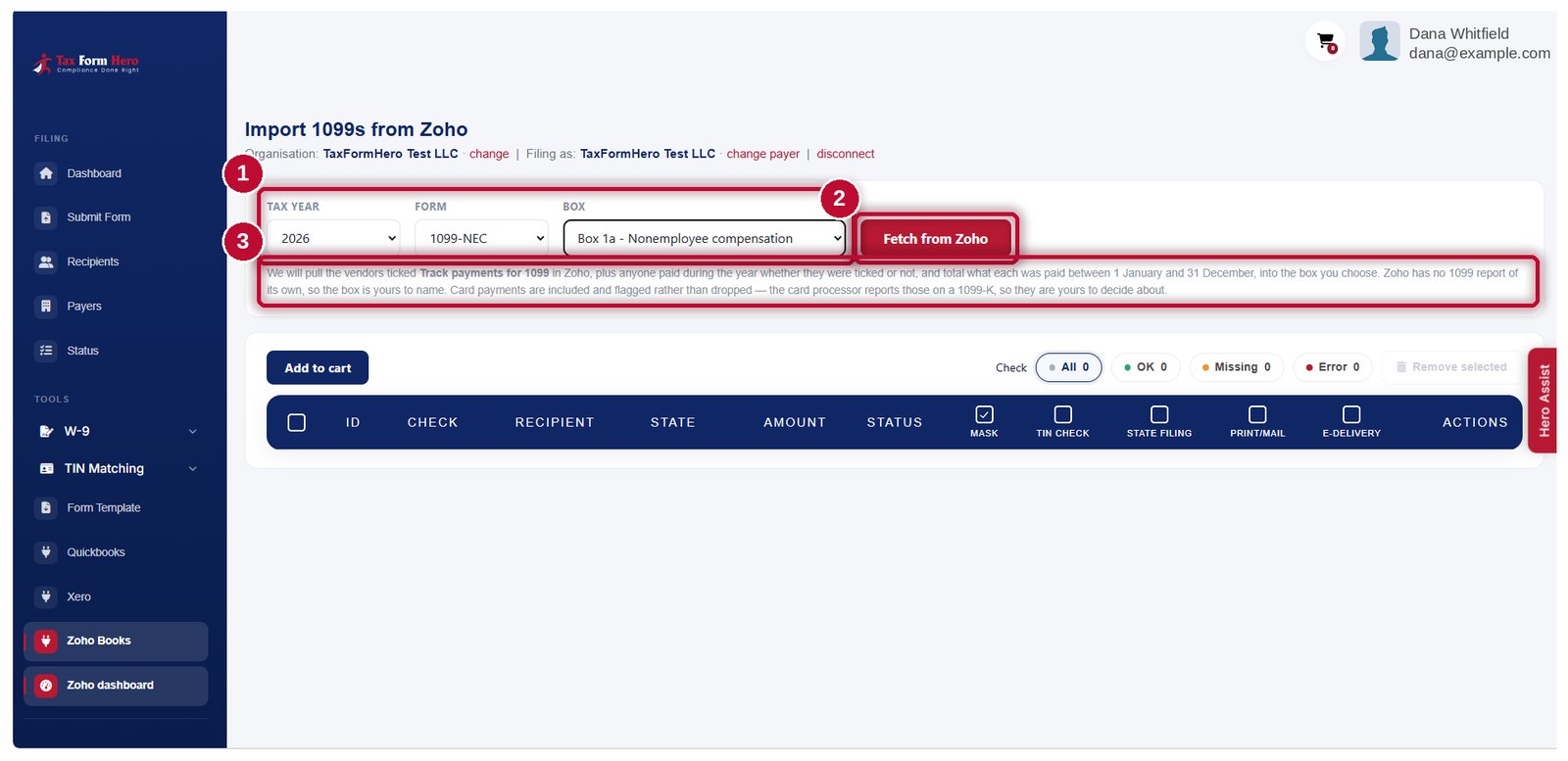
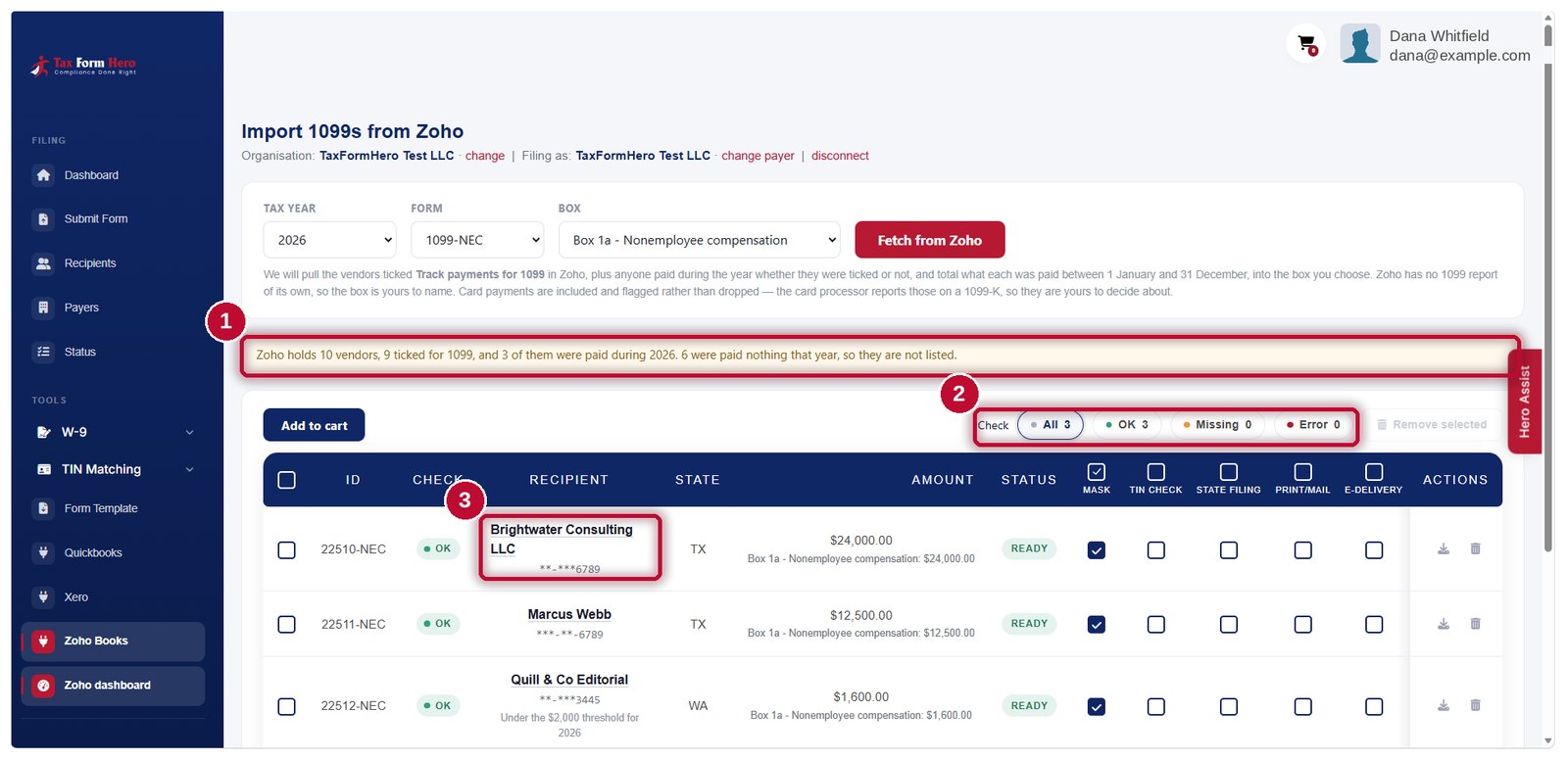
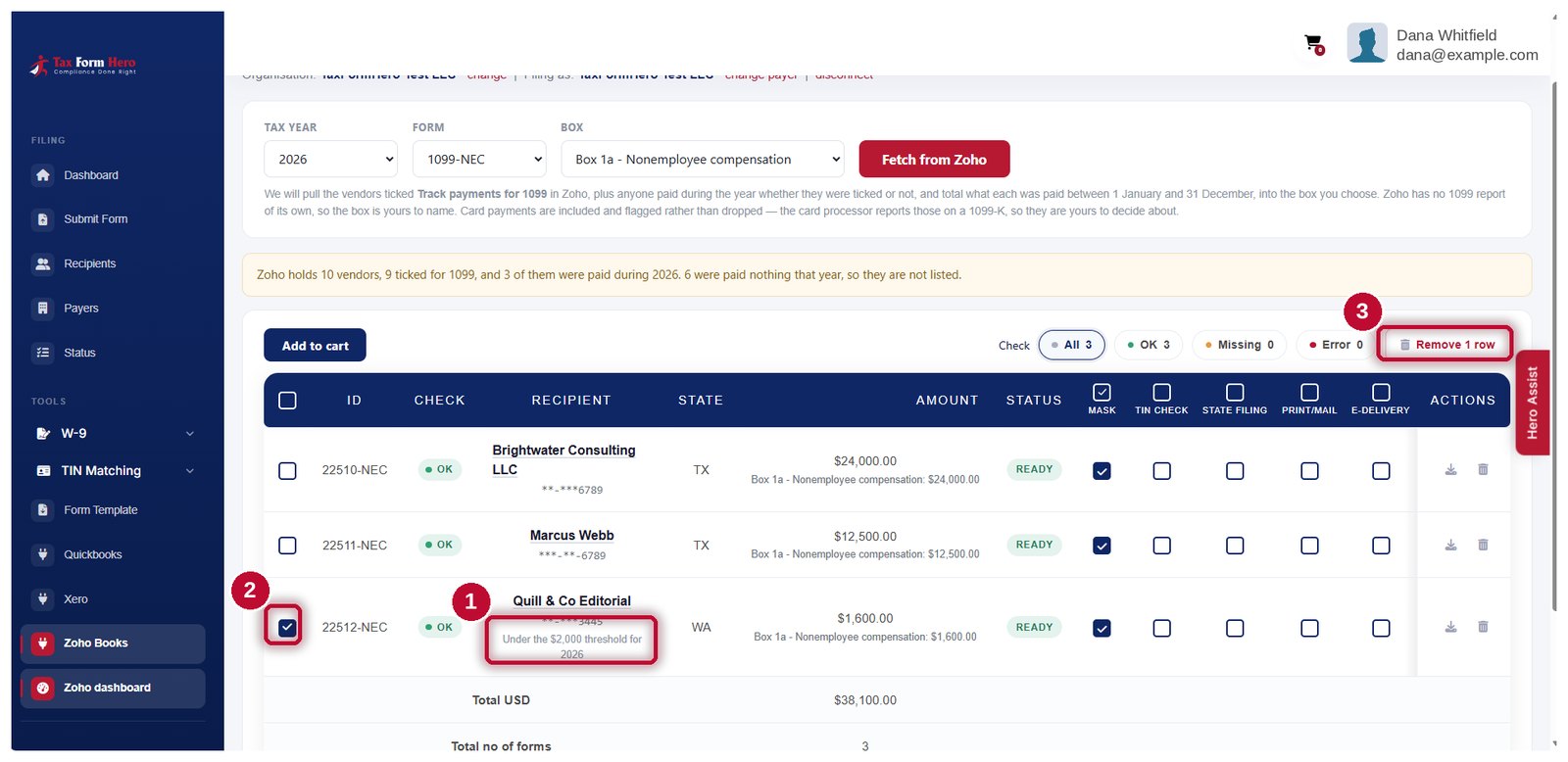
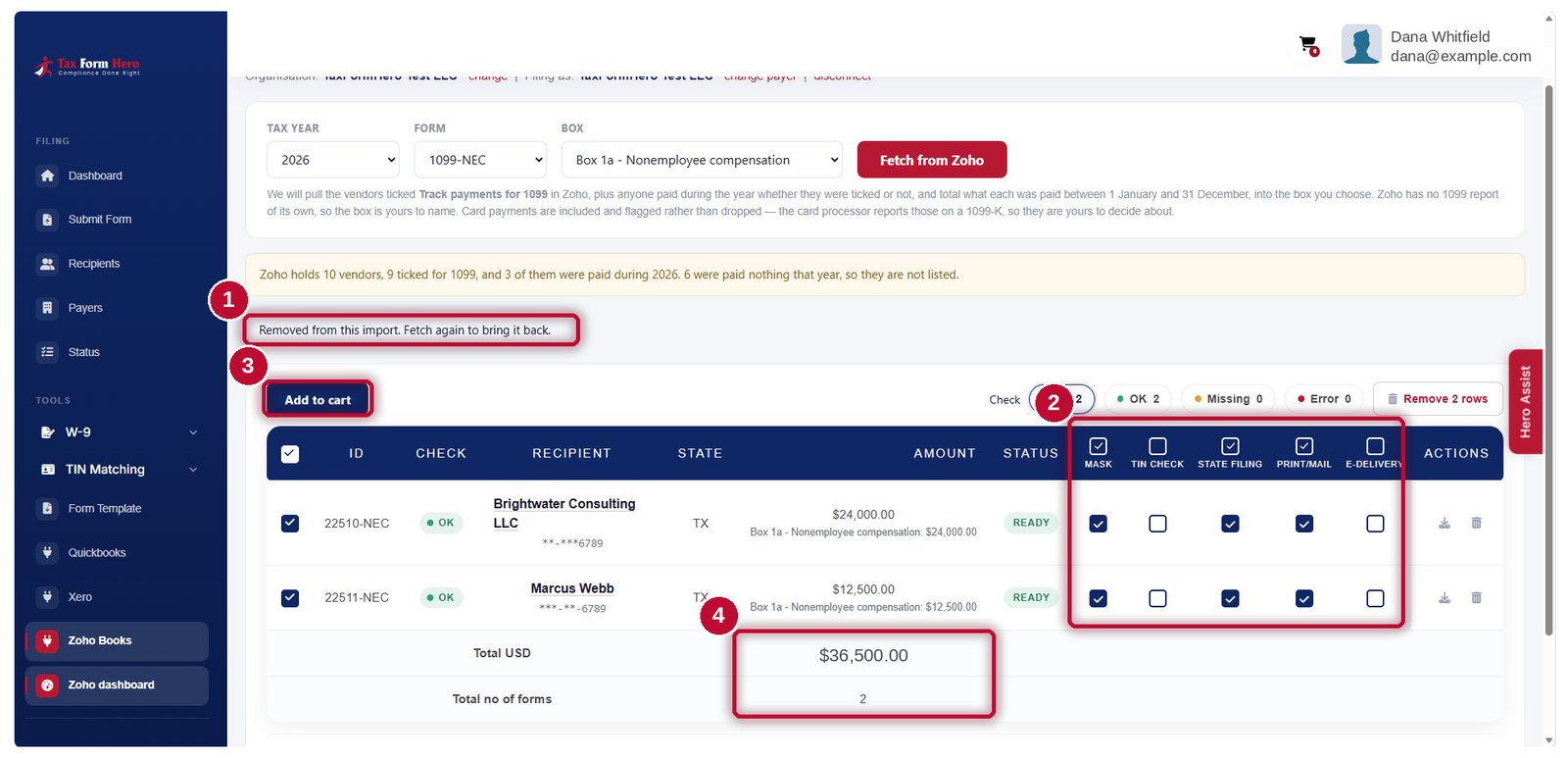
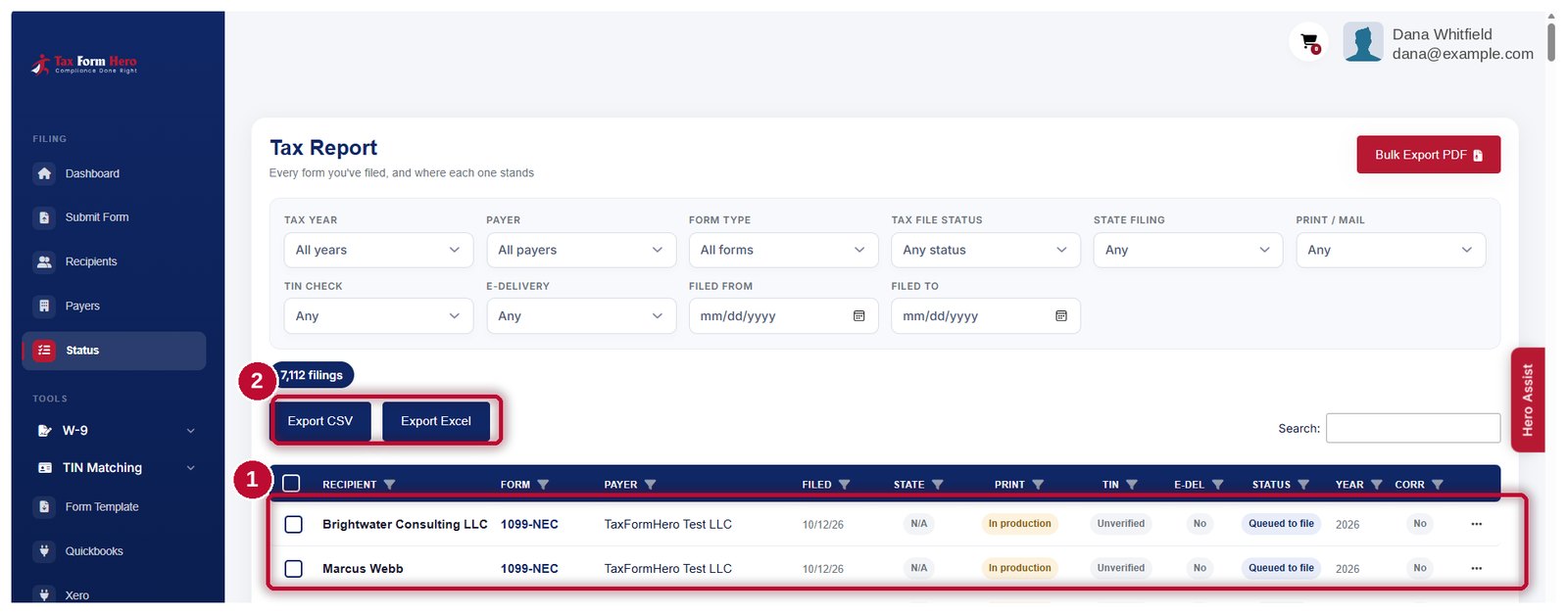
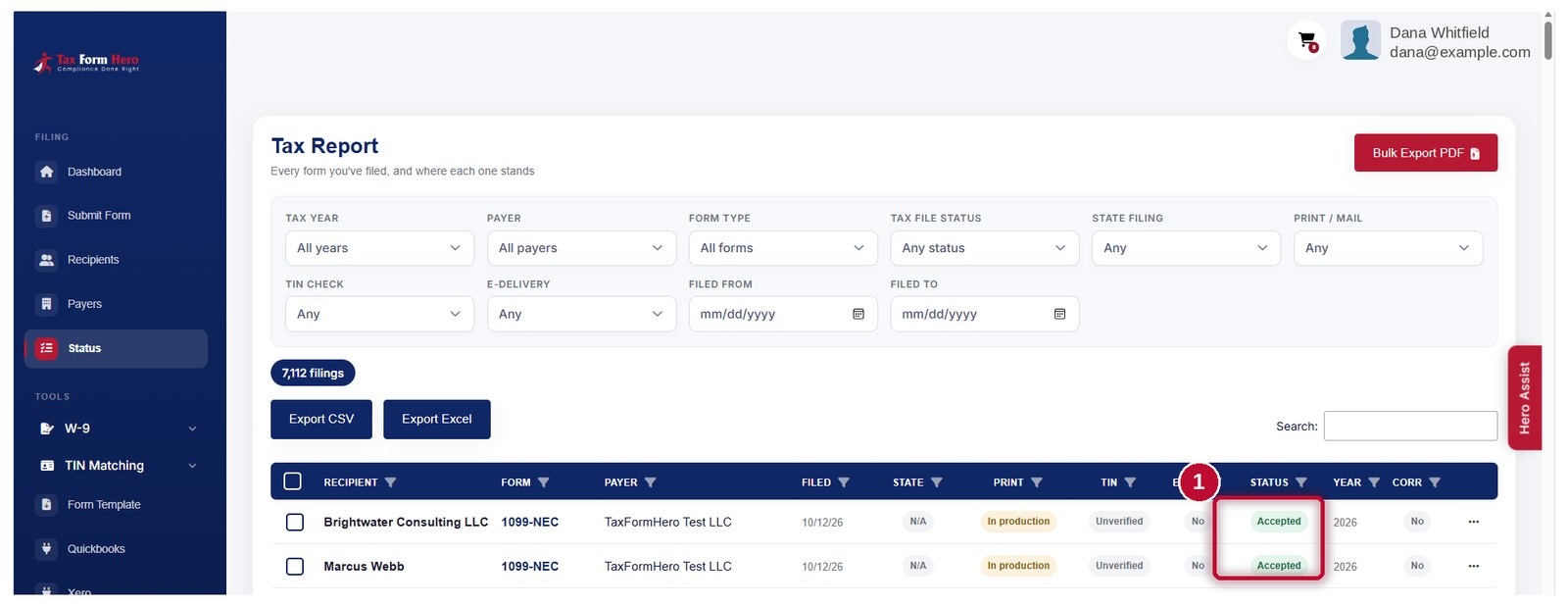
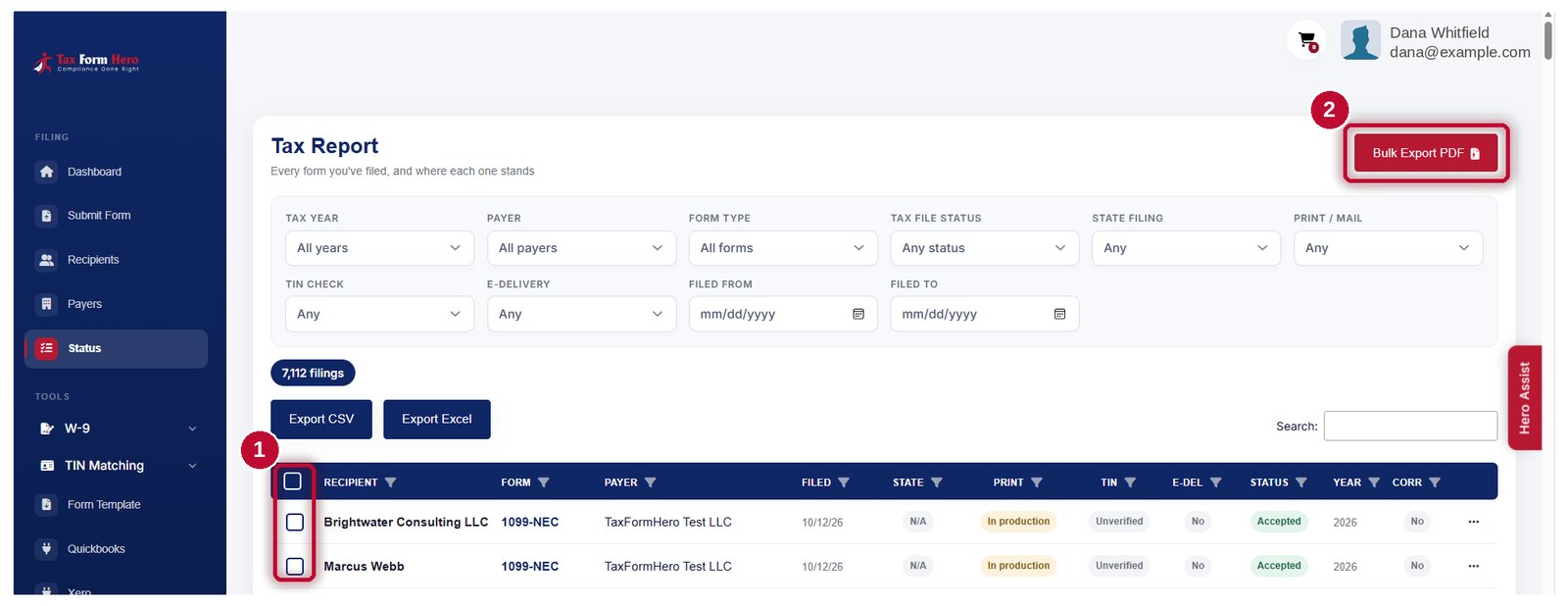
How the totals are worked out
Zoho has no 1099 report, so the figures are assembled here. These are the rules that decide what lands on a row, and each is a way a total can legitimately differ from the number you were expecting.
| Rule | Why |
|---|---|
| Money that moved, from two places | Vendor payments made against bills, plus expenses paid straight to a vendor with no bill in between. A vendor paid both ways in one year contributes from both. |
| Bills are read but never added | A bill is a liability, not money leaving. Counting bills as well as the payments against them double-counts every vendor who is billed before being paid, which is most of them. Bills are read only to explain a total that came out lower than expected — usually unpaid bills. |
| Drafts and deleted entries are skipped | Anything still a draft, or deleted, is not money that moved. Everything else counts and is visible, rather than being quietly filtered by a list of statuses somebody has to remember to update. |
| Nobody is dropped for being unticked | Zoho's 1099 tick is used, but so is the payment record: anyone paid during the year is shown whether they were ticked or not. |
If a vendor shows $0.00, the screen says which kind of zero it is — nothing was read, or things were read and matched nobody. The two have completely different causes and are indistinguishable from the total alone.
What an import cannot give you: the details nobody recorded
Zoho hands over what it holds. A vendor who never gave you a W-9 has nothing to hand over, and that gap shows up on the row rather than at the IRS.
Send a signing link to any vendor whose taxpayer ID or address is missing. The completed W-9 comes back into the same record you are about to file. How the filing workflow runs
Optional TIN matching checks a payee's name and taxpayer ID against IRS records before you file, so a mismatch surfaces while there is still time to fix it. Instant or bulk; a payee gets one, never both. How TIN matching works
Neither happens on its own. Importing never sends a W-9 request and never runs a TIN check — you choose both, per recipient.
The two forms this import prepares
You choose which one each import is for. Each has its own page if you want the reporting rules rather than the import mechanics.
Nonemployee compensation. Review each vendor's amounts, confirm the boxes, and file. 1099‑NEC filing and its 2026 boxes
Rent, royalties, other income and the rest. Review the applicable reporting boxes before filing. 1099‑MISC filing and where its boxes moved
After you review, finish the filing
Submitting to the IRS is the part that must happen. The rest you choose per filing, and each is priced on its own.
Submit the batch and follow each return's status as it is accepted or rejected.
Direct filing for the states that need a separate return. Separate state requirements depend on the state and form. Which states need what
Download the recipient PDF for any filing, masked or whole, whenever you need it.
Secure e-delivery with a consent trail, or print and mail from a SOC 2 audited facility. How e-delivery works
State obligations vary by state and by form. Check what your own returns need rather than assuming filing federally covers them.
Importing is free. You pay per form filed
The connection, the fetch and the review cost nothing. Filing is charged per form on graduated bands, so a larger batch reaches a lower rate on its own.
| Filing volume | Which forms | Price per form |
|---|---|---|
| First 150 forms | forms 1–150 | $1.99 |
| Next 350 forms | forms 151–500 | $0.99 |
| Next 500 forms | forms 501–1,000 | $0.60 |
| Beyond 1,000 forms | every form after | $0.45 |
No signup fee, no subscription and no minimum. State filing, print and mail, secure e‑delivery and TIN matching are optional and priced separately on the pricing page.
Zoho Books 1099 import questions
E-file Form 1099‑NEC
The form most vendor payments land on, with its 2026 boxes.
TIN Matching
Verify the whole taxpayer IDs Zoho gives you, before you file.
What changed for 2026
The $2,000 threshold, the new tips and overtime boxes, and the end of FIRE.
What it costs
Per-form bands, add-ons, and the volume figures worked out.
Check the figures before you file them
Connect Zoho Books, preview a year per vendor, and see the whole taxpayer ID with its type stated.