
To electronically file Form 1098, you have three valid channels: the IRIS Taxpayer Portal, the FIRE (Filing Information Returns Electronically) system, or an IRS-authorized e-file provider. Your choice depends on volume and internal technical capacity. If you plan to self-transmit through IRIS or FIRE, you need a Transmitter Control Code (TCC) before you can submit anything. If you route filings through an authorized provider, the provider handles transmission under its own TCC.
- IRIS Taxpayer Portal: Best for organizations filing fewer than 100 returns. No programming required; supports CSV upload and manual entry.
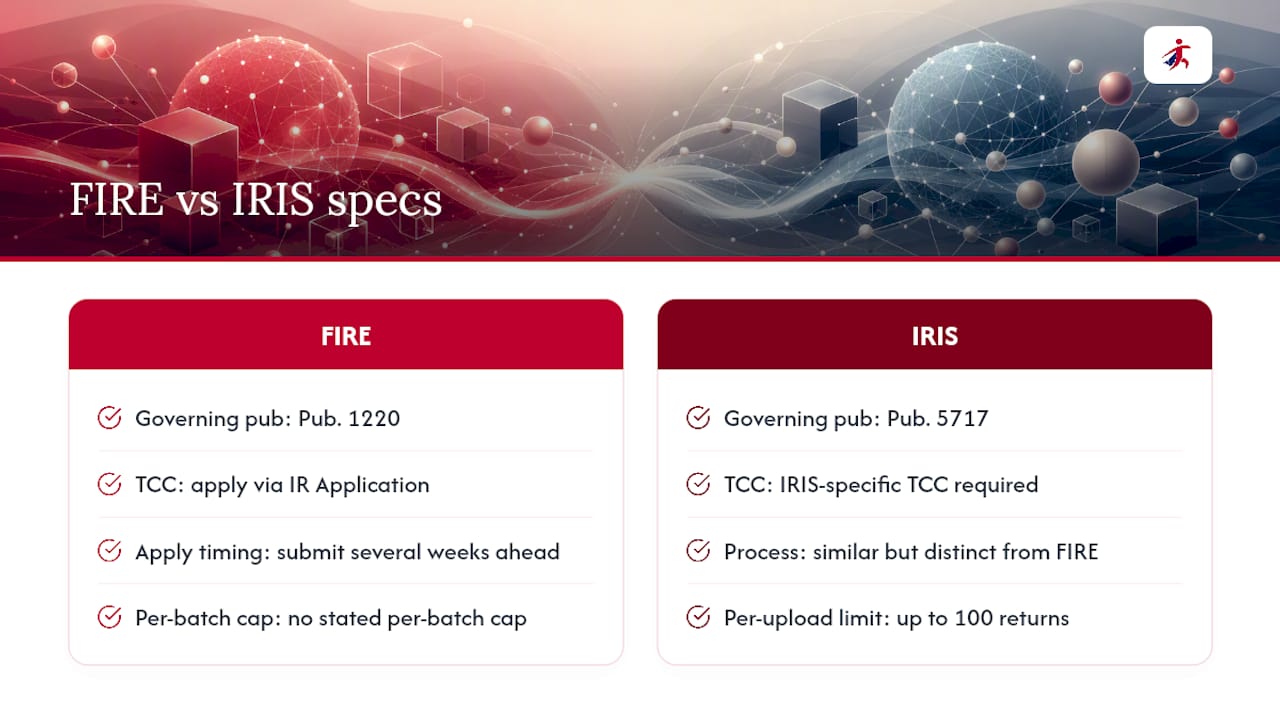
- FIRE system: Built for high-volume filers and requires a formatted file built to Publication 1220 specs. Requires your own TCC.
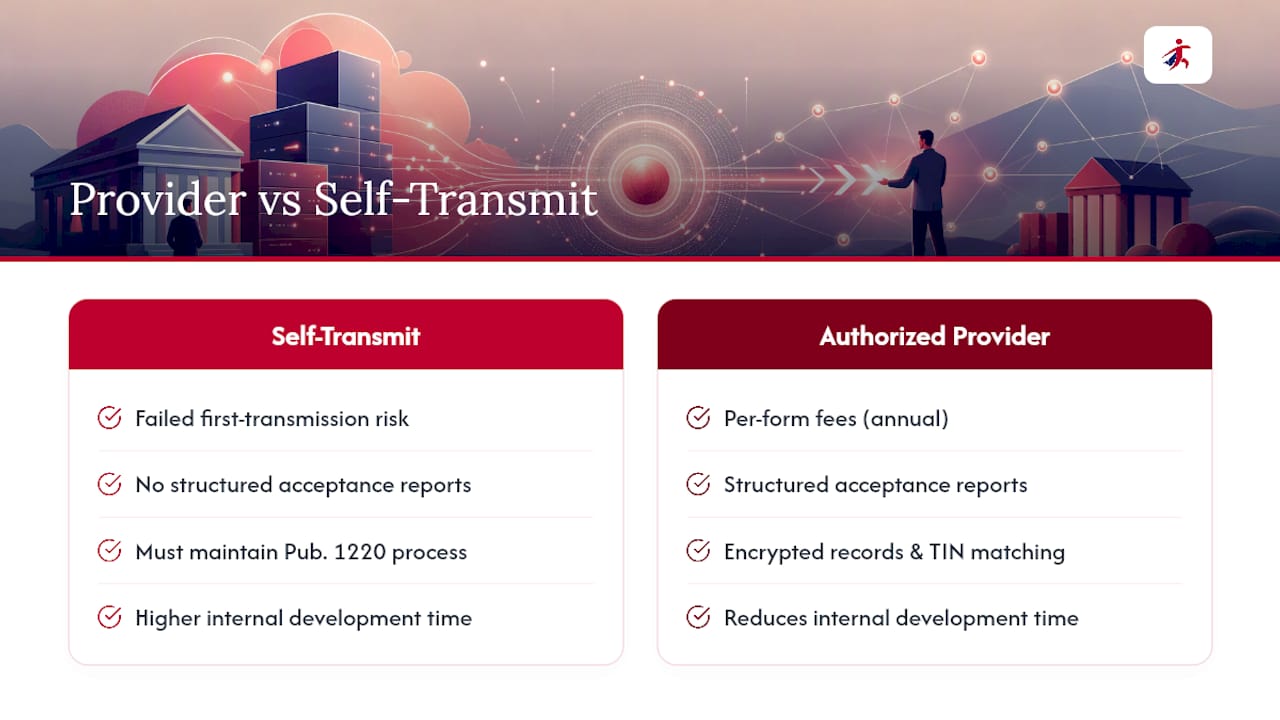
- IRS-authorized e-file provider: The practical choice for most accounting firms, loan servicers, and mortgage lenders. The provider manages Pub. 1220 formatting, transmission, and acceptance reporting under its own credentials.
Pro Tip: If you file 1098s for multiple clients or across multiple loan portfolios, an authorized provider eliminates the need to maintain FIRE formatting expertise in-house and reduces your validation cycle time significantly.
Which e-file route fits your organization: IRIS, FIRE, or a provider?
The right channel comes down to three variables: how many returns you file, whether your team can build and validate a Pub. 1220-formatted file, and whether you need state filing or recipient delivery bundled in.
| Dimension | IRIS Taxpayer Portal | FIRE System | IRS-Authorized Provider |
|---|---|---|---|
| Best for | Up to 100 returns, occasional filers | High-volume self-transmitters | Any volume; firms wanting managed compliance |
| TCC requirement | Yes, IRIS-specific TCC | Yes, FIRE TCC via IR Application | Provider uses its own TCC |
| File format | CSV or manual entry | Pub. 1220 fixed-width format only | Varies; most accept CSV or bulk import |
| Upload limit | 100 returns per upload | No stated per-batch cap | Depends on provider |
| State filing support | No | No | Often available as add-on |
| Security / compliance | IRS-managed portal | IRS-managed portal | Verify SOC 2, encryption, IRS authorization |
| Cost | Free | Free | Per-form fee or subscription |
A small loan servicer filing 60 returns annually fits IRIS well. A mortgage lender processing 5,000 returns needs FIRE or a provider. An accounting firm filing across dozens of clients almost always benefits from a provider’s bulk import and integrated recipient delivery.
Pro Tip: Use IRIS for occasional or low-volume filings where speed matters more than automation. For any filing that involves state returns, recipient e-delivery, or TIN matching, an authorized provider handles all of it in one workflow.
TaxFormHero is an IRS-authorized e-filing platform, so you can e-file Form 1098 online without paper or a subscription.
How to prepare, test, and submit Form 1098 electronically
Step 1: Prepare your data
Gather the required fields for each 1098 record. Per the Form 1098 instructions, you must report mortgage interest of $600 or more received from any one payer. Required data includes:
- Payer’s name, address, and TIN (borrower’s Social Security Number or EIN)
- Filer’s EIN and contact information
- Box 1: Mortgage interest received
- Box 2: Outstanding mortgage principal as of January 1
- Box 3: Mortgage origination date
- Box 5: Mortgage insurance premiums (MIP), where applicable
- Account number for each loan
Run TIN validation before building your file. A TIN mismatch is the single most common rejection trigger, and catching it before transmission saves a full resubmission cycle.
Step 2: Format your file
For FIRE, build your file to the record layouts in Publication 1220. FIRE accepts no PDFs, no spreadsheets, and no CSVs. For IRIS, follow Publication 5717 (the IRIS Taxpayer Portal User Guide); IRIS supports CSV uploads and manual entry for supported form types including Form 1098.
Step 3: Test before transmitting
FIRE offers a test environment. Use it. Submit a representative sample of your file, review the acceptance report, and resolve any record-level errors before sending the full production file. IRIS does not have a separate test environment, so validate your CSV against the portal’s field requirements before uploading.
Step 4: Transmit and monitor
Register your FIRE or IRIS account, upload or transmit your file, and monitor the IRS acceptance/rejection report. Correct any rejected records and retransmit promptly. For recipient copies, the IRS provides a fillable Copy B on IRS.gov, but that PDF is for furnishing recipients only. It cannot substitute for the official electronic submission when e-filing is required.
Pro Tip: Before transmitting, run a pre-flight check: confirm TCC is active, verify file header matches your TCC, spot-check five to ten records for field completeness, and keep a rollback copy of the original file in case a bulk correction is needed.
What are the technical specs and TCC application timeline?
The governing publications are Publication 1220 for FIRE and Publication 5717 for IRIS. These define every record layout, field length, and validation rule. Do not rely on prior-year versions; both are updated annually.
TCC application: To self-transmit via FIRE, apply for a TCC through the IR Application for TCC on IRS.gov. The IRS recommends submitting your TCC application well in advance of the filing season to allow sufficient processing time, typically several weeks. Missing that target can leave your team without credentials when filing opens in January.
IRIS requires a separate, IRIS-specific TCC. The application process is similar but distinct from the FIRE TCC. Teams planning to use both systems need both credentials.
IRIS supports up to 100 returns per upload. Organizations exceeding that limit in a single batch must either split uploads or use FIRE or a provider. FIRE has no stated per-batch cap but requires the Pub. 1220 fixed-width format without exception.
Per the General Instructions for Certain Information Returns, the mandatory e-file threshold is 10 or more information returns, aggregated across all return types, effective for returns filed on or after January 1, 2024. A filer with eight 1098s and four 1099s has 12 total returns and must e-file.
How to vet and secure an IRS-authorized e-file provider
IRS authorization is the baseline, not the finish line. The IRS authorized e-file provider locator lets you confirm whether a provider is registered, but it does not evaluate security practices or technical depth. Your due-diligence checklist should include:
- IRS authorization: — Confirm the provider appears in the IRS locator database.
Pro Tip: Request a sample acceptance/rejection report from the provider before signing. A provider that cannot show you what a FIRE or IRIS acceptance report looks like has likely not handled volume 1098 filings before.
Common validation errors in 1098 e-files and how to fix them
Common rejection types and their fixes:
- TIN mismatch: — The borrower’s TIN does not match IRS records. Run TIN matching before building the file. Correct the TIN or flag the record for manual review.
When a large share of records fail, fix the highest-frequency error type first. A single formatting error in the file-generation template can affect every record. If you cannot resolve a file-level rejection, contact IRS e-file support or your provider’s support team before attempting a full retransmission.
Pro Tip: Keep a triage log: record the error code, affected record count, root cause, and fix applied. This log shortens your next filing cycle and documents your correction process for audit purposes.
Who must e-file, key deadlines, and recordkeeping requirements
The 10-or-more information returns rule applies across all return types combined. A filer with a mix of 1098s, 1099s, and W-2Gs must count all of them together. Exceeding 10 total triggers the e-file mandate, regardless of how many of each type you have.
Key deadlines for most 1098 and related returns:
- IRS e-file deadline: — March 31 for most electronically filed 1097, 1098, and 1099 returns. Confirm the current filing year’s exact date on IRS.gov each January, as the IRS updates these annually.
Retain copies of all filed returns, acceptance/rejection reports, and recipient furnishing records for at least four years. Acceptance reports from FIRE or IRIS are your primary evidence of timely, compliant submission.
This article provides general information, not legal or tax advice. Confirm current deadlines and requirements with IRS.gov or a qualified tax professional.
Key Takeaways
E-filing Form 1098 correctly requires choosing the right channel, securing your TCC early, and validating data before transmission.
| Point | Details |
|---|---|
| Three valid e-file channels | IRIS (up to 100 returns), FIRE (Pub. 1220 format), or an IRS-authorized provider. |
| E-file threshold | Aggregate 10 or more information returns across all types triggers mandatory e-filing. |
| TCC lead time | Apply well ahead of filing deadlines to allow IRS processing time for your TCC application. |
| Deadline to file with IRS | March 31 for most electronically filed 1098 returns; confirm annually on IRS.gov. |
| TaxFormHero option | TaxFormHero is an IRS-authorized, SOC 2 certified provider with pay-per-form pricing, bulk import, TIN verification, and direct state filing for 41+ states. |
The case for using an authorized provider rather than self-transmitting
Most organizations that switch from FIRE self-transmission to an authorized provider do so after their first rejection cycle, not before. That sequence is backwards. The operational cost of a failed first transmission, including the time to diagnose errors, rebuild the file, and retransmit, often exceeds an entire year’s per-form fees with a provider.
The real advantage of an authorized provider is not convenience. It is audit readiness. A provider that generates structured acceptance reports, maintains encrypted records, and handles TIN matching gives your compliance team documented evidence of every step in the filing chain. That documentation matters when a borrower disputes a 1098 or a state tax authority requests proof of filing.
Per-form fees are real costs, but so is the internal development time required to maintain a Pub. 1220-compliant file-generation process across annual spec updates. For most accounting firms and mid-size lenders, the math favors a provider.
TaxFormHero handles your 1098 e-filing from upload to acceptance
Filing Form 1098 through a compliant, authorized provider removes the TCC burden, the Pub. 1220 formatting work, and the recipient delivery logistics from your team’s plate.
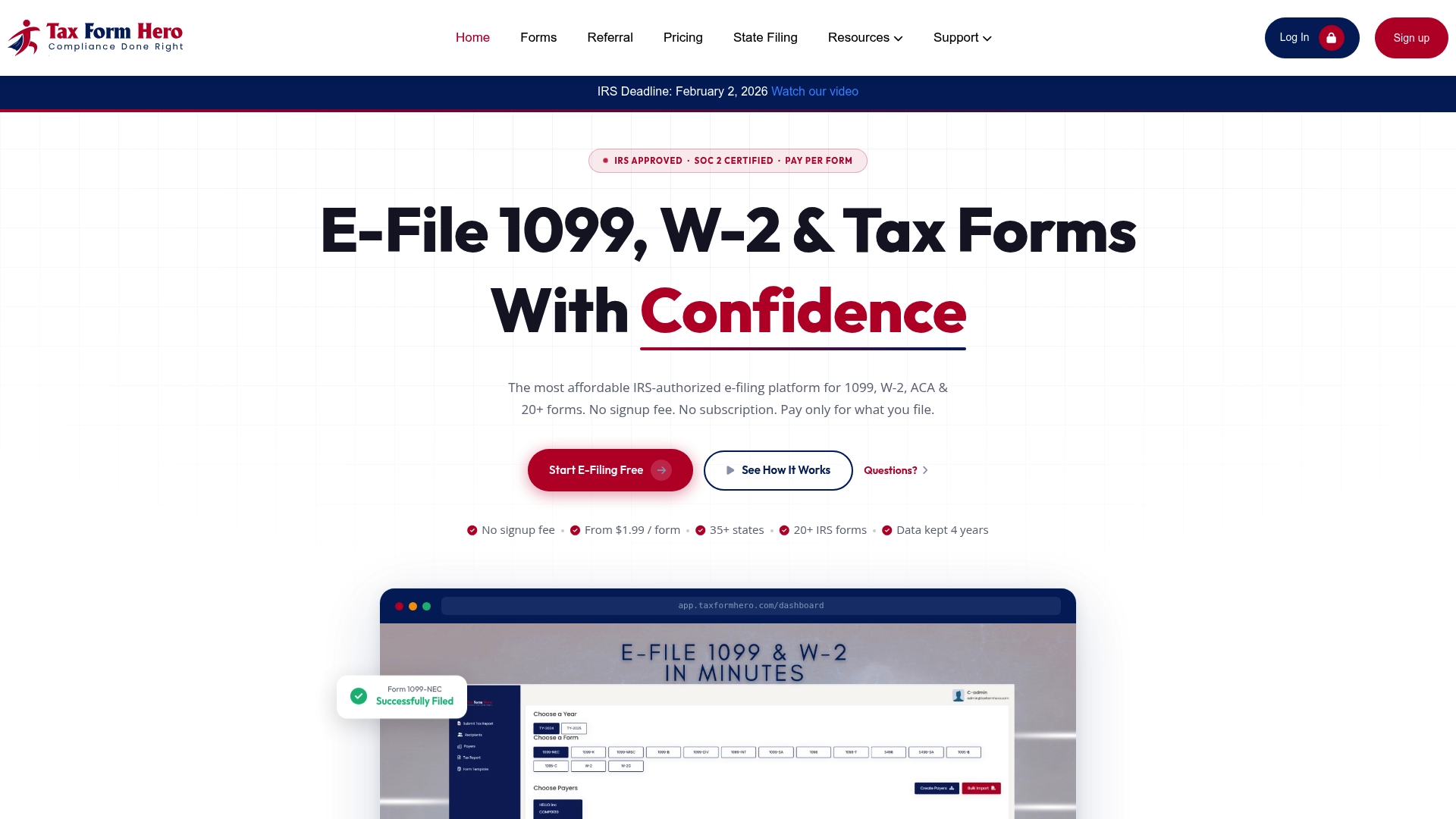
TaxFormHero is an IRS-authorized, SOC 2 certified platform built for exactly this workflow. Key capabilities:
- IRS authorization and SOC 2 certification — for verified compliance and data security
TaxFormHero manages TCC handling, Pub. 1220 compliance, and acceptance/rejection reporting so your team focuses on data accuracy rather than transmission mechanics. Start your filing at TaxFormHero and complete your 1098 submission before the March 31 deadline.
TaxFormHero is the publisher of this article and a provider in the IRS-authorized e-file category described above.
Authoritative IRS sources for Form 1098 e-filing
Use these primary sources to confirm specs, apply for credentials, or download templates:
- E-file information returns | Internal Revenue Service
- E-file information returns with IRIS | Internal Revenue Service
- General Instructions for Certain Information Returns (2025) | Internal Revenue Service
- Authorized IRS e-file provider locator service for tax professionals
- Instructions for Form 1098 (Mortgage Interest Statement)
- Electronic filing options for business and self employed taxpayers
Recommended

File Information Returns With Confidence
TaxFormHero supports 20+ IRS information returns, including 1099 and W-2 forms, with bulk Excel import, name/TIN matching and encrypted recipient delivery.
Explore TaxFormHero