Bulk E‑File 1099 & W‑2
Forms Online
File thousands of forms from one spreadsheet. Choose the payer, the tax year and the form type, then upload one file — or pull the data straight out of Xero or Zoho Books. Every row is checked before anything is filed, and the rate per form falls as the count rises.



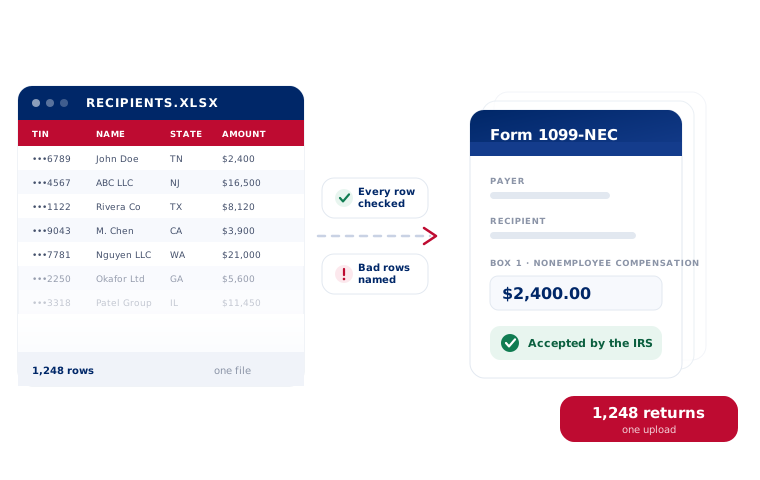
Start from what you already have
A spreadsheet, your accounting system, or a file from the IRS FIRE system that is closing on November 19, 2026.



Three steps, whatever the volume
The same screens whether you are filing twelve forms or twelve thousand.
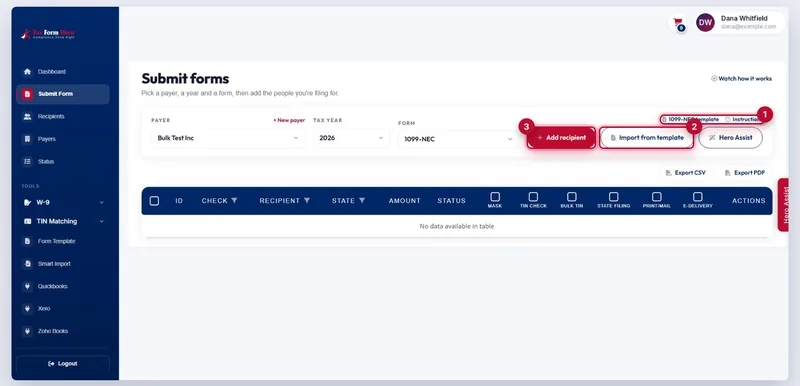
Take the template
Pick the payer, the year and the form. Each form has its own Excel template with an instruction sheet beside it.
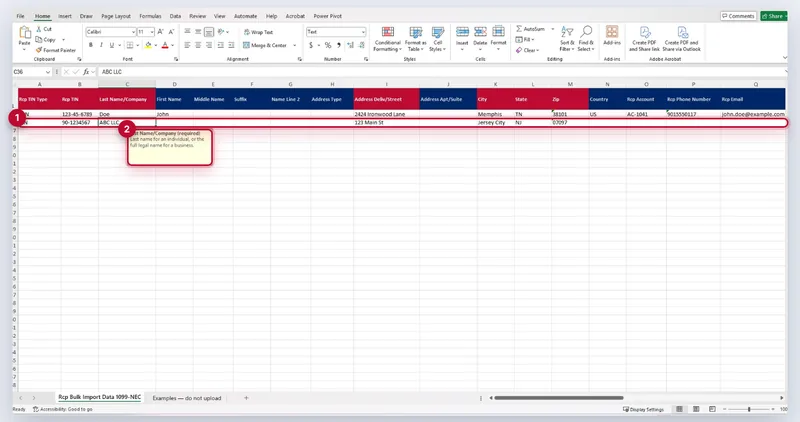
One row per recipient
Paste your data under the headers and upload. Columns are matched by name, so a column of your own does not break it.
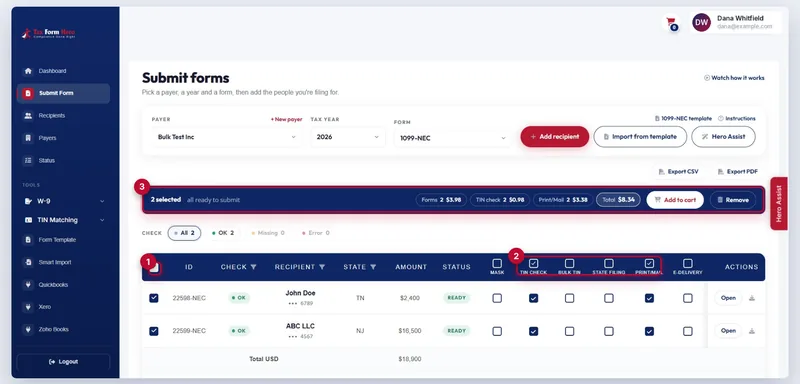
Review and submit
Add state filing, print and mail, e-delivery or TIN matching across the whole set at once, then send.
Every row is checked
before anything is filed
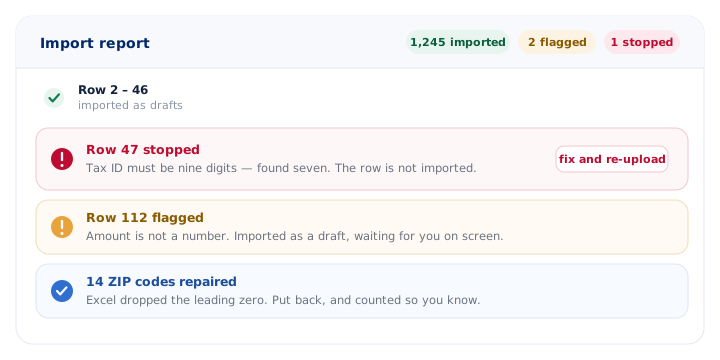
- A bad taxpayer ID stops its own row and nothing else. You get the spreadsheet row number and the reason.
- A file already filed is not filed twice. Re-uploading the same sheet skips what has been paid for.
- Softer problems import as drafts and wait for you on screen, so one odd cell does not cost you the row.
- ZIP codes Excel broke are repaired and counted, and a state written out in full becomes its code.
The rate falls as the count rises
Graduated, not flat: each band is charged at its own rate, so a cheaper rate applies to the forms above a threshold rather than to the whole order.
| Band | Applies to | Per form |
|---|---|---|
| First 150 forms | forms 1–150 | $1.99 |
| Next 350 forms | forms 151–500 | $0.99 |
| Next 500 forms | forms 501–1,000 | $0.60 |
| Beyond 1,000 forms | every form after | $0.45 |
| State filing | 41+ states, CFSF states free | $0.99 |
| Print and mail | USPS first class, printed and posted | $1.69 |
| E-delivery | encrypted copies emailed, consent kept | $0.19 |
| Bulk TIN matching | up to 100,000 in one file, back within 24 hours | $0.25 |
No signup fee, no subscription, nothing to pay until forms are submitted. Full pricing.
Built to order for enterprises, states and municipalities
When the data cannot leave your system as a spreadsheet, we build the connection to fit the system you already run.
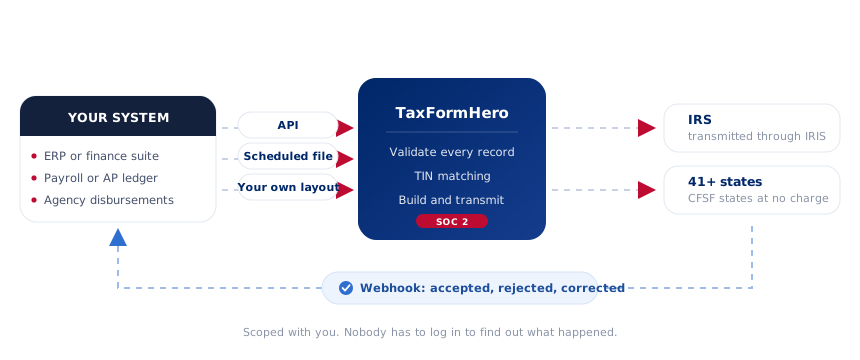
- API connectivity so filings are created from your records rather than from an export of them.
- Webhook callbacks as a filing is accepted, rejected or corrected, into an endpoint you own.
- Scheduled file transfer for a finance system that can produce a file but cannot call an API.
- Procurement paperwork — SOC 2 report, security questionnaires, W‑9 and vendor registration.
All forms & deadlines
Every form we file, with its boxes and its 2027 dates.
Watch the bulk import
The whole upload, screen by screen, report included.
TIN matching
Check a name and taxpayer ID against IRS records first.
For CPAs & tax pros
Filing for many clients from one account, each payer apart.
Upload the file and see what comes back
Importing and reviewing cost nothing. You find out whether the data is clean before you have spent anything.