1099-INT E-File Guide for Businesses & Tax Pros

Interest of $10 or more makes a 1099-INT reportable, and backup withholding makes it reportable at any amount at all. This guide covers which payments qualify, what belongs in each box, and the errors that get returns rejected.
Before you start, confirm you have:
- Payer EIN (your business’s Employer Identification Number)
- Each recipient’s TIN (SSN or EIN), full legal name, and mailing address
- Reportable interest amounts for Box 1, Box 3, and Box 8
- Total count of all information returns you’re filing this year (determines e-file mandate)
- Filing deadlines: January 31 for recipient copies; electronic filing deadline with the IRS falls later, allowing additional time for submission
Official Form 1099-INT instructions and the IRIS registration page are both at IRS.gov.
Who must file Form 1099-INT, and what triggers it?
Form 1099-INT reports interest income paid to individuals and entities during the tax year. Banks, credit unions, brokerages, and any business that pays interest in the course of a trade or business are the typical issuers.

The IRS filing trigger is straightforward: file Form 1099-INT for each person to whom you paid $10 or more of reportable interest in boxes 1, 3, or 8, or for whom you withheld any amount of federal income tax under backup withholding rules — regardless of the dollar amount withheld. That backup withholding exception catches a lot of filers off guard. If you withheld even $1 in backup withholding, the form is required.
The payer — the entity that paid the interest — is responsible for issuing the form. The payee receives it and uses it to report income on their own return. Common payer categories include financial institutions, corporations paying bond interest, and businesses that carry seller-financed notes.
For the official instructions and fillable PDF copies, visit IRS.gov/Form1099INT. The instructions cover every box, special situations (like tax-exempt interest in Box 8), and foreign tax paid in Box 6.
If you would rather not do this on paper, e-file Form 1099-INT online with TaxFormHero instead.
What deadlines and penalties apply to the 1099-INT?
The 10-return e-file mandate
Electronic filing is required when you file a sufficiently large number of information returns in a year. That threshold counts all information return types combined — 1099-INT, 1099-NEC, 1099-MISC, W-2, and others all aggregate toward the total. A business filing six 1099-INT forms and five 1099-NEC forms has crossed the threshold and must e-file all of them.
Key deadlines
Filing electronically gives you an extra month beyond the paper deadline. That additional time is one practical reason many filers choose the e-file route even when paper would technically be permitted.
Extensions are available via Form 8809, but approval is not automatic and is granted only for specific qualifying circumstances. Plan to file on time rather than rely on an extension.
Penalty exposure
Late, missing, or incorrect filings carry tiered penalties that scale with how late the correction arrives. The IRS assesses separate penalties for failure to file with the IRS and failure to furnish correct statements to recipients. Filing electronically and receiving an IRS acknowledgment (ACK) creates a timestamped record of submission — a direct defense against a “failure to file” penalty claim.
Statistic callout: The IRIS Taxpayer Portal issues acceptance confirmations shortly after submission, giving filers a clear record and time to correct and resubmit before deadlines.
IRS IRIS portal vs. commercial e-file services: which route fits you?
The IRIS Taxpayer Portal
IRIS is the IRS’s own free platform for filing Form 1099 series returns online. It supports manual entry and template-based uploads, flags input errors before submission, and issues ACKs confirming acceptance or rejection. There are no per-form fees.
The setup requirement is the main friction point. Transmitters — filers who upload files on behalf of others — must obtain a Transmitter Control Code (TCC) by registering through the IRS e-Services system. That registration takes time, so plan ahead if you’re approaching a seasonal deadline. Payers filing only for themselves can use IRIS without a TCC in some cases, but verifying your specific situation against current IRS guidance is advisable.
IRIS works well for lower-volume filers who need no add-ons: no state filing, no print/mail service, no TIN matching beyond what they handle manually.
Commercial e-file providers
IRS-authorized commercial platforms add capabilities that IRIS does not offer natively: bulk CSV or spreadsheet imports, automated TIN verification against IRS records, state filing for multiple jurisdictions, print-and-mail fulfillment for recipient copies, encrypted e-delivery, and customer support when something goes wrong. Per-form fees apply, but for mid-to-large volume filers, the time savings and error reduction typically justify the cost.
Choose IRIS when:
- You’re filing fewer than 50 forms with no state filing or print/mail needs
- You prefer direct IRS filing with no third-party involvement
- You have time to complete TCC registration before the deadline
Choose a commercial service when:
- You’re filing in bulk or managing multiple clients
- You need TIN matching, state filing, or recipient delivery handled for you
- You want automated ACK monitoring and correction workflows
Pro Tip: Recipient delivery is the step most filers underestimate. Furnishing copies by January 31 is a separate legal obligation from IRS filing. A commercial service that handles encrypted e-delivery or print-and-mail eliminates the administrative burden of tracking individual recipient acknowledgments and keeps your compliance footprint clean.
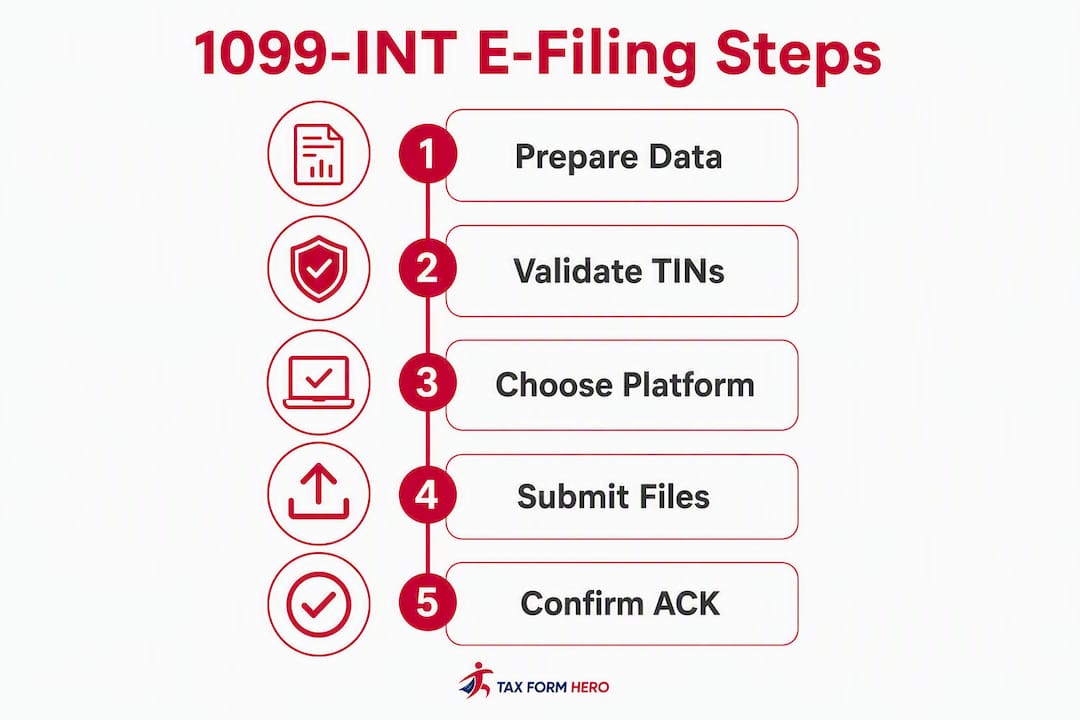
Preparing your 1099-INT records: a step-by-step checklist
-
Submit and monitor acknowledgments. After submission, watch for the ACK. IRIS provides acceptance confirmations and rejection codes that identify the specific issue. Read the rejection code carefully — most corrections are straightforward once you know which field caused the problem. Resubmit corrected files promptly.
-
Furnish recipient copies and retain proof. Deliver Copy B to each recipient by January 31 via mail, PDF download, or encrypted e-delivery. Retain your filing confirmation, ACK records, and proof of recipient delivery for at least four years.
Pro Tip: Submit at least five business days before the IRS deadline. That buffer gives you time to receive the ACK, identify any rejections, correct the data, and resubmit — all before the hard cutoff. Submitting on March 30 for an e-file deadline of March 31 leaves no margin for error.

Common 1099-INT reporting errors and how to prevent them
The standard 1099 electronic file uses a fixed-width, text-based layout where each line represents a specific record type: submitter, payer, payee, or end-of-transmission. Field positions are exact — a value placed one character off can invalidate the entire record. Official format specifications are published by the IRS and should be your primary reference for any custom file builds.
Most rejections trace back to a small set of data-quality problems:
| Rejection Cause | Practical Fix |
|---|---|
| TIN mismatch (recipient SSN/EIN doesn’t match IRS records) | Request a new W-9; use TIN matching service before submission |
| Wrong payer EIN | Verify EIN against your IRS confirmation notice or SS-4 confirmation |
| Invalid form type code | Confirm the correct form code for 1099-INT in the IRS file layout spec |
| Invalid state code or state ID format | Check state-specific format requirements; remove state data if not filing state returns |
| Special characters in name fields | Strip punctuation other than hyphens and apostrophes; avoid ampersands |
| Incorrect box amounts (negative values, wrong field) | Confirm Box 1 vs. Box 3 vs. Box 8 allocation; amounts must be non-negative |
When the IRS returns a rejection ACK, the error code identifies the specific record and field. Match the code to the IRS publication’s error code table, correct only the affected records, and resubmit. You do not need to resubmit the entire file for a single-record error in most cases — check the ACK instructions for the specific correction method required.
Pro Tip: Before uploading any file, run a field-by-field validation pass: check that every TIN is nine digits with no spaces or dashes, every amount field is numeric with no currency symbols, and every name field uses only permitted characters. This single pre-submission check catches the majority of common rejection causes.
Why many tax professionals choose a commercial e-file service
The free IRIS portal is a genuine option, and for low-volume filers it works well. But the calculus shifts quickly once volume grows or add-on needs appear.
Commercial e-file services typically provide bulk import from spreadsheets, automated TIN matching, print-and-mail fulfillment, state filing for multiple jurisdictions, reporting dashboards, audit logs, and live customer support. Each of those features addresses a real administrative cost. TIN matching alone can prevent a round of corrections and penalty exposure. Print-and-mail fulfillment eliminates the January 31 recipient-copy scramble entirely.
Security credentials matter when you’re handling client data. Look for IRS-authorized transmitter status, SOC 2 certification, and 256-bit data encryption. Those aren’t marketing labels — they represent audited controls over how your clients’ TINs, EINs, and financial data are stored and transmitted. A provider without IRS authorization is not a compliant option, full stop.
For mid-to-large volume filers, the per-form fee on a commercial platform is often less than the staff time required to manually manage the same workflow through IRIS. The math is straightforward: if a $1.99 per-form fee saves 10 minutes of manual data entry and error correction per form, the service pays for itself at any reasonable billing rate.
Pro Tip: Retain your IRS ACK files, filing confirmations, and recipient delivery records for a minimum of four years from the filing due date. If the IRS opens an inquiry, those records are your first line of defense — and a commercial platform that stores them in a searchable dashboard makes retrieval fast.
Key Takeaways
E-filing Form 1099-INT correctly requires choosing the right route, validating your data before submission, and meeting both the January 31 recipient deadline and the March 31 IRS e-file deadline.
| Point | Details |
|---|---|
| E-file mandate threshold | Filing 10 or more information returns in a year requires electronic submission to the IRS. |
| Dual deadlines | Furnish recipient copies by January 31; submit to the IRS electronically by March 31. |
| TIN validation is critical | Verify every recipient TIN before submission — mismatches are the leading cause of rejections. |
| Submit with buffer time | File at least five business days early to allow time for ACK review and corrections. |
| Tax Form Hero option | Tax Form Hero is an IRS-authorized, SOC 2 certified pay-per-form platform with bulk import, TIN matching, state filing, and print/mail — starting at $1.99 per form. |
The real cost of “free” when volume and compliance are on the line
The IRIS portal is genuinely useful, and recommending it for the right filer is honest advice. But there’s a pattern worth naming: many businesses and accounting firms start with IRIS, hit a rejection they can’t quickly diagnose, and lose days chasing a fix they could have avoided with automated validation.
The free option isn’t free when you factor in staff time, the risk of a missed deadline during a correction cycle, and the administrative overhead of manually managing recipient delivery by January 31. For a solo filer with 15 forms and no state filing needs, IRIS is a reasonable choice. For an accounting firm managing 200 clients, or a payroll department filing across multiple states, the per-form fee on a commercial platform is simply the cost of a reliable workflow.
The credential signals matter too. IRS-authorized transmitter status and SOC 2 certification aren’t just trust badges — they represent audited, documented controls. When a client asks how their TIN is being protected, “we use an SOC 2 certified platform” is a complete answer. “We use the free IRS portal” is also a complete answer, but it shifts all data-handling responsibility back to you.
Choose the route that fits your volume and your risk tolerance. Just make sure you’ve actually done that math before defaulting to free.
Tax Form Hero makes 1099-INT e-filing straightforward and audit-ready
Filing 1099-INT forms accurately and on time is non-negotiable, and the difference between a smooth filing season and a penalty notice often comes down to the tools you use. Tax Form Hero is an IRS-authorized, SOC 2 certified platform built for exactly this workflow.
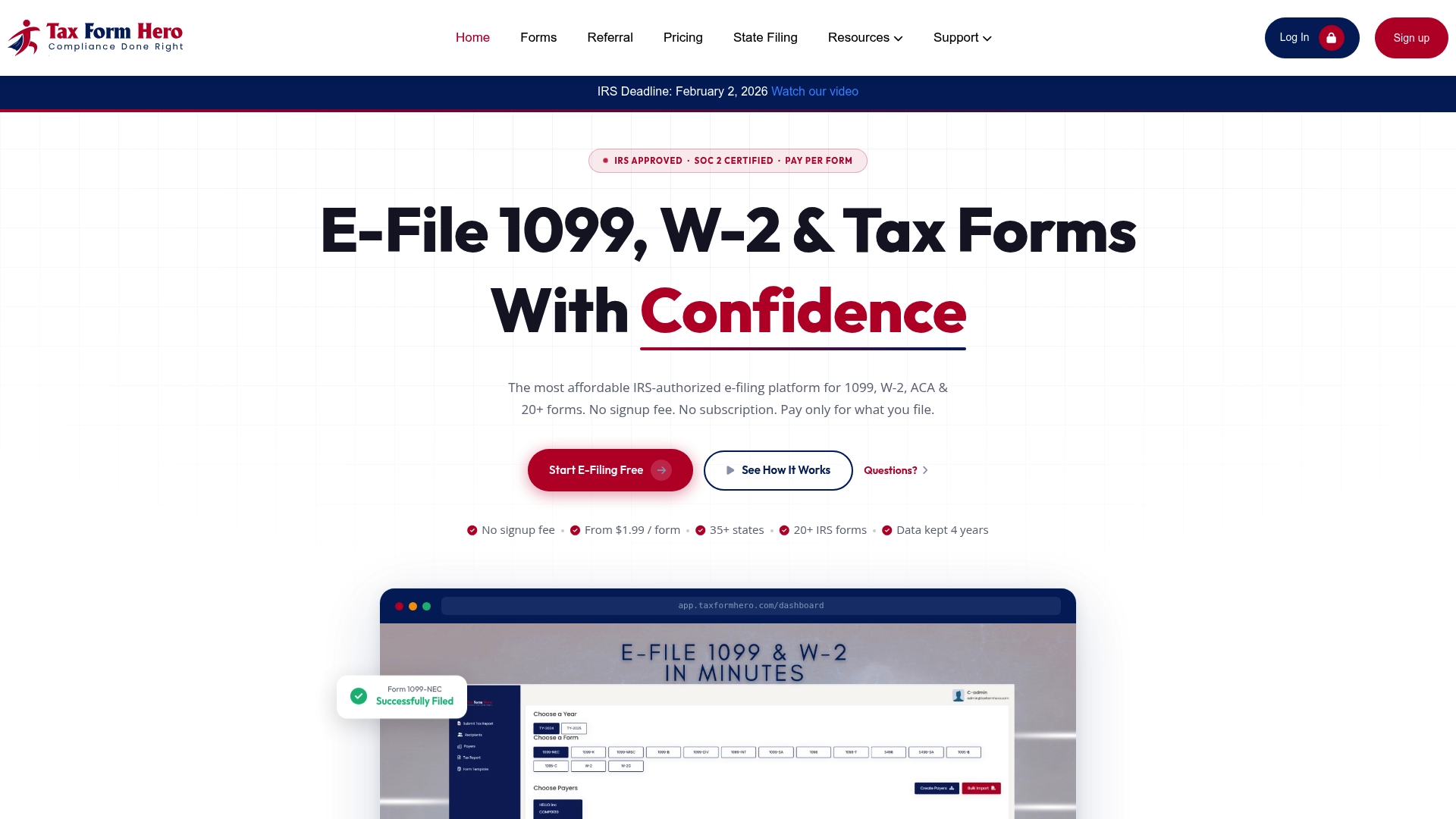
With Tax Form Hero, you get bulk import from spreadsheets, automated TIN verification, state filing for 35+ states, encrypted e-delivery, and print-and-mail fulfillment — all in a single dashboard. There are no subscription fees and no signup costs. You pay per form filed, starting at $1.99, with add-ons charged transparently at checkout. ACK monitoring, correction workflows, and secure document storage are included, so your filing records are organized and retrievable if the IRS ever asks.
For businesses and tax professionals who need a compliant, efficient path to 1099-INT e-file without building a manual process from scratch, Tax Form Hero is the practical next step. Visit taxformhero.com to start filing today.
This article provides general information about IRS filing requirements and is not a substitute for professional tax advice. Confirm current rules and deadlines at IRS.gov or with a qualified tax professional.
Official sources and useful references
- Instructions for Forms 1099-INT and 1099-OID (IRS) — Complete box-by-box instructions, filing thresholds, and special situations
- About Form 1099-INT, Interest Income (IRS) — Official form page with fillable PDFs and current guidance
- IRIS Taxpayer Portal (IRS) — Free IRS portal for e-filing Form 1099 series returns; TCC registration and upload templates
- E-file information returns with IRIS (IRS) — Confirms which forms IRIS accepts, including 1099-INT for current tax years
- General Instructions for Certain Information Returns (IRS) — Covers the 10-return e-file mandate, deadlines, and penalty rules
- File Form 1099 series for free online (IRS Newsroom) — Overview of IRIS features, ACK timelines, and registration guidance
Recommended

File Information Returns With Confidence
TaxFormHero supports 20+ IRS information returns, including 1099 and W-2 forms, with bulk Excel import, name/TIN matching and encrypted recipient delivery.
Explore TaxFormHero