
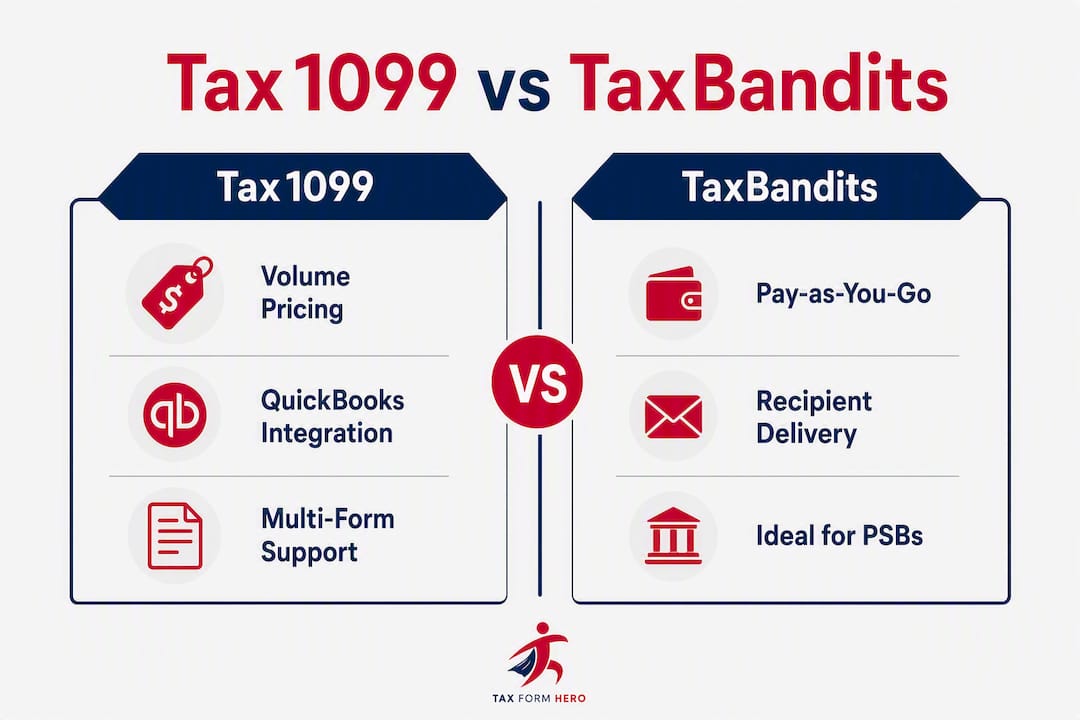
For most small businesses, tax professionals, and freelancers choosing an IRS-authorized e-file provider, Tax Form Hero is the recommended pick. It combines pay-per-form pricing starting at $1.99 per form, no sign-up fees, SOC 2 certification, direct state filing for 35+ states, and a full add-on suite (TIN matching, print & mail, encrypted e-delivery) in one platform. Both Tax1099 and TaxBandits are IRS-authorized e-file providers with solid form support, but each carries trade-offs worth understanding before you commit.
Quick shortlist:
- Tax Form Hero — Pay-per-form from $1.99, no subscription, 35+ state filings, SOC 2 certified. Best overall for cost-conscious filers.
- Tax1099 — Tiered volume pricing starting around $2.99/form (drops to ~$0.68/form at higher volumes); strongest for teams already using QuickBooks Desktop, Xero, or Bill.com.
- TaxBandits — Pay-as-you-go from roughly $2.75/form; standout for firms that need integrated print & mail and the BanditShare recipient portal.
How do Tax Form Hero, Tax1099, and TaxBandits compare side by side?
The table below covers the ten decision dimensions that matter most when choosing between these platforms. Pricing figures are sourced where available; cells marked “varies / see vendor” reflect data not publicly confirmed at a specific tier.
| Feature | Tax Form Hero | Tax1099 | TaxBandits | 1099Online | efile4Biz | ExpressTaxFilings | Yearli by Greatland |
|---|---|---|---|---|---|---|---|
| Starting price (per form) | $1.99 | ~$2.99 | ~$2.75 | varies / see vendor | varies / see vendor | varies / see vendor | varies / see vendor |
| Pricing model | Pay-per-form, no subscription | Tiered volume (drops to ~$0.68/form at high volume) | Pay-as-you-go | Pay-per-form | Pay-per-form | Pay-per-form | Subscription/tiered |
| Supported forms | 1099s, W-2, ACA, 20+ IRS forms | 1099s, W-2, ACA, payroll | 1099s, W-2, ACA, payroll | 1099 variants | 1099s, W-2 | 1099s, W-2, payroll mix | W-2, 1099s, year-end |
| State filing | 35+ states direct | Yes (add-on) | Yes (~$0.70/form add-on) | Limited | Yes | Yes | Yes |
| Integrations & API | QuickBooks, Xero, accounting tools | QuickBooks Desktop, Xero, Bill.com, 12+ no-code | QuickBooks, Xero, API | Limited | Limited | Limited | Payroll-focused |
| Bulk import formats | CSV, Excel, API | CSV, bulk payee import | CSV, multiple formats | CSV | CSV | CSV | CSV |
| TIN verification | Yes | Yes | Yes (built-in) | Limited | Limited | Yes | Yes |
| Recipient delivery | E-delivery (encrypted), print & mail | E-delivery, print & mail | Print & mail, BanditShare portal | E-delivery | Print & mail | E-delivery, print & mail | Print & mail |
| Security & compliance | IRS-authorized, SOC 2, 256-bit encryption | IRS-authorized | IRS-authorized | IRS-authorized | IRS-authorized | IRS-authorized | IRS-authorized |
| Customer support | Email, phone | Email, phone, chat | Email, phone, chat | Email, phone | Email, phone | Email, phone | |
| Best for | Small businesses, tax pros, freelancers wanting pay-per-use + state filing | QuickBooks/Xero-heavy accounting stacks | Firms needing print/mail + portal delivery | Low-volume, simple filers | Small businesses needing packaged mail | Mixed payroll/info return filers | Payroll teams, legacy year-end |
Winner callouts:
- Deepest accounting integrations: — Tax1099 (QuickBooks Desktop, Xero, Bill.com, 12+ no-code connectors).
If you would rather not do this on paper, e-file Form W-2 online with TaxFormHero instead.
Why Tax Form Hero is the recommended pick for most filers
Tax Form Hero is an IRS-authorized, SOC 2-certified, pay-per-form platform covering 1099s, W-2s, ACA forms, and more than 20 other IRS form types. There are no monthly fees and no annual subscriptions. You pay only for what you file.
Pricing: Filing starts at $1.99 per form. Add-ons (state filing, print & mail, encrypted e-delivery, TIN matching) are charged per form on top of the base fee. That structure means a freelancer filing five 1099-NECs pays a fraction of what a subscription platform would cost annually, while an accounting firm filing 500 forms still avoids a locked-in contract.
Supported forms and bulk import: The platform handles 1099-NEC, 1099-MISC, 1099-INT, 1099-DIV, W-2, ACA 1095-C/B, and 20+ additional IRS forms. Bulk import accepts CSV and Excel formats, and an API is available for higher-volume or automated workflows. Corrections and amendments are handled within the same dashboard, which removes the need to re-enter data from scratch.
State filing: Direct state filing covers 35+ states, which is a practical advantage for businesses with contractors or employees across multiple jurisdictions. Many competing platforms treat state filing as a separate workflow or charge a higher add-on rate.
Security: SOC 2 certification and 256-bit data encryption are the two credentials that matter most for IRS form data. Tax Form Hero carries both. IRS authorization confirms the platform meets the agency’s technical and security standards for electronic submission.
Integrations: QuickBooks and Xero connections reduce manual data entry for businesses already running their books on those platforms. The API option suits payroll vendors or accounting firms that want to automate filing at scale.
Pros:
- No sign-up fee or subscription
- $1.99 starting per-form price
- SOC 2 + 256-bit encryption
- 35+ states for direct filing
- Bulk CSV/Excel import and API
- Corrections handled in-platform
Cons:
- Fewer pre-built no-code integrations than Tax1099 at launch
- Volume discounts do not scale as aggressively as Tax1099’s higher-tier pricing
Pro Tip: Before filing season, run a 50-payee test import using your actual CSV export from QuickBooks or Xero. This surfaces field-mapping issues before you’re working against a January 31 deadline.
What does Tax1099 offer, and who is it best for?
Tax1099 is an IRS-authorized e-file provider built around multi-form support and tiered volume pricing. Its pricing starts at approximately $2.99 per form for low-volume tiers and drops to roughly $0.68 per form at higher volume bands. For a firm filing several hundred forms annually, that drop is meaningful. For a business filing fewer than 50 forms, the starting price is higher than Tax Form Hero’s.
The platform’s strongest differentiator is integration depth. Tax1099 connects natively with QuickBooks Desktop, QuickBooks Online, Xero, Bill.com, and more than 12 additional no-code integrations on all plans. If your accounting stack already runs on one of those platforms, Tax1099 can pull payee data directly, which reduces manual reconciliation and the risk of mismatched TINs or amounts. Product roundup analysis notes that Tax1099’s bulk payee import is tied directly to form generation, creating a workflow that reduces missed steps for mid-size businesses.

Pros: Deep native integrations, competitive pricing at high volumes, broad form support including ACA.
Cons: Starting price is higher than Tax Form Hero for low-volume filers; tiered structure requires volume modeling to forecast actual annual cost accurately. Users who file fewer than 25 forms per year may find the per-form economics less favorable than a flat pay-per-form model.
Tax1099 is the right call when your business already uses QuickBooks Desktop or a multi-platform accounting stack and you expect to file enough forms to benefit from volume tier pricing.
What does TaxBandits offer, and who is it best for?
TaxBandits is an IRS-authorized e-file service with a pay-as-you-go model. Its starting per-form price is approximately $2.75, with state filing available as a separate add-on at around $0.70 per form. The platform supports 1099s, W-2s, ACA forms, and payroll returns.
Where TaxBandits stands out is recipient copy distribution. The BanditShare portal gives recipients online access to their forms, while an integrated postal mail service handles physical delivery with proof-of-delivery tracking. For payroll teams or vendor programs where printed recipient copies are a compliance requirement, that built-in capability removes a separate mailing step.
Key features:
- Built-in TIN matching and data validation aligned with IRS business rules
- BanditShare online portal for recipient form access
- Postal mail service for recipient copies
- Multiple bulk import formats including CSV
- Status webhooks for service bureaus managing multiple clients
- Phone and chat support, noted by users for responsiveness during peak filing periods
TaxBandits suits accounting firms and payroll service bureaus that bill per client job and need reliable recipient delivery confirmation. The per-job pay-as-you-go model works well for service bureaus that don’t want a platform subscription covering months when they aren’t actively filing.

How do you choose between these platforms?
The right platform depends on four variables: annual filing volume, your existing accounting integrations, state filing needs, and recipient delivery requirements. Work through this checklist before committing.
- Calculate your annual form volume. Count every 1099-NEC, 1099-MISC, W-2, and ACA form you expect to file this year. Low volume (under 50 forms) favors flat pay-per-form pricing. Higher volume (200+ forms) may benefit from Tax1099’s tiered discounts.
- List your required integrations. If QuickBooks Desktop or Bill.com is your primary accounting platform, Tax1099’s native connectors save real time. If you use QuickBooks Online or Xero and want a simpler setup, Tax Form Hero and TaxBandits both connect.
- Check state filing requirements. If you file in multiple states, confirm which states each platform covers directly. Tax Form Hero’s 35+ state direct filing is a practical advantage for multi-state businesses.
- Decide on recipient delivery. If your compliance process requires printed recipient copies with proof of delivery, TaxBandits’ postal mail service is purpose-built for that. If encrypted e-delivery is sufficient, Tax Form Hero and Tax1099 both offer it.
- Verify security credentials. Confirm IRS authorization and SOC 2 certification for any platform handling sensitive payee data. Both are non-negotiable for professional tax practices.
Red flags to watch for:
- Opaque add-on fees not listed on the pricing page (state filing, TIN matching, print & mail)
- Limited state coverage that forces a separate state filing workflow
- No TIN matching or e-delivery option
- Support only available by email during January filing peaks
Simple cost example: A small business filing 30 forms with one state filing each would pay approximately $59.70 at Tax Form Hero’s $1.99 base rate (before state add-on), versus roughly $89.70 at Tax1099’s $2.99 starting rate. At 300 forms, Tax1099’s volume pricing can drop the per-form cost significantly, potentially making it competitive or cheaper. Modeling both scenarios against your actual volume is the only reliable way to compare total annual cost.
Questions to ask any vendor before signing up:
- What is the SLA for IRS rejection notifications?
- Can I run a dry-run or test e-file before submitting live?
- How are corrections and amendments handled, and is there an additional fee?
- What bulk import formats are supported, and how does field mapping work?
Why integrations and bulk import quality change your total cost
The advertised per-form price is only part of the cost equation. The time spent reconciling data between your accounting platform and your e-file provider is the hidden cost most buyers underestimate.
When a platform connects natively to QuickBooks or Xero, payee names, TINs, and payment amounts pull directly into the filing workflow. That eliminates a manual export-import cycle and the error-checking that follows it. Platforms like Avalara (Track1099) have made TIN validation, electronic W-9 collection, and API-based ERP integrations standard expectations in this category, which means buyers should treat those features as baseline requirements, not premium add-ons.
A mismatched TIN on a filed 1099 triggers an IRS B-Notice, which requires follow-up correspondence with the payee and a corrected filing. At scale, even a 2% TIN mismatch rate across 500 forms creates meaningful administrative work. Platforms with built-in TIN matching catch those mismatches before submission.
For businesses evaluating QuickBooks alternatives or running multi-platform accounting stacks, the integration question also affects which e-file platform fits naturally into the existing workflow.
Integration test checklist (run during your trial):
- Confirm field mapping between your accounting export and the platform’s import template
- Test error reporting: does the platform flag bad TINs or missing fields before submission?
- Verify webhook or status update behavior if you’re managing multiple clients
- Run a dry-run or test submission to confirm the end-to-end workflow before live filing
Pro Tip: Use a representative 100-payee test file that includes at least a few edge-case TIN formats (ITINs, EINs alongside SSNs) and payee names with special characters. Platforms that handle those cleanly in a test will handle your real filing without surprises.
Mobile access across these platforms
None of the platforms in this comparison offer a dedicated native mobile app as their primary interface. Tax Form Hero, Tax1099, and TaxBandits all operate through mobile-responsive web browsers, which means you can access dashboards, check filing status, and review submitted forms from a phone or tablet without installing anything.
For most tax professionals and small business owners, browser-based mobile access is sufficient. The filing workflow itself (bulk import, TIN matching, state filing selection) is better suited to a desktop session where you’re working with spreadsheets and reviewing data carefully. Mobile access is most useful for checking submission status, downloading recipient copies, or approving a pending batch during a busy filing period.
If mobile-first access is a hard requirement for your workflow, confirm the specific platform’s mobile browser experience during a trial before committing.
What do users say about these platforms?
User feedback across community forums and review platforms points to a few consistent themes. Support responsiveness during January and February filing peaks is the most frequently cited differentiator. TaxBandits receives positive mentions for customer service availability, with users noting fast response times during high-volume periods. Tax1099 users highlight the integration depth with QuickBooks as a genuine time-saver, though some note that pricing tiers require careful volume modeling to avoid cost surprises.
For Tax Form Hero, the pay-per-form model resonates with freelancers and small accounting practices that dislike paying for a platform during the ten months of the year when they aren’t actively filing. The absence of a sign-up fee lowers the barrier to testing the platform before committing.
Community discussions among tax professionals reflect a practical consensus: the “best” platform depends heavily on existing software relationships and filing volume. Firms already embedded in a QuickBooks ecosystem tend to favor Tax1099. Firms prioritizing recipient delivery confirmation lean toward TaxBandits. Cost-focused filers and those without a dominant accounting platform tend to favor a flat pay-per-form model.
1099Online and efile4Biz appear in alternatives lists primarily for low-volume filers who want a simple checkout experience without evaluating a full feature set. ExpressTaxFilings suits smaller accounting practices filing a mix of payroll and informational returns. Yearli by Greatland serves payroll teams and employers with legacy year-end filing needs and existing Greatland vendor relationships.
Key Takeaways
Tax Form Hero is the strongest pay-per-form option for small businesses, tax pros, and freelancers who want IRS-authorized filing with no subscription fees, SOC 2 security, and direct state filing for 35+ states starting at $1.99 per form.
| Point | Details |
|---|---|
| Pay-per-form pricing wins for low volume | Tax Form Hero starts at $1.99/form with no sign-up fee; Tax1099 starts at ~$2.99 (drops to ~$0.68/form at high volumes) and TaxBandits at ~$2.75. |
| Volume modeling is required | Tax1099’s tiered pricing drops to ~$0.68/form at high volumes; model your annual count before choosing. |
| Integrations drive hidden cost savings | Tax1099’s 12+ no-code connectors suit QuickBooks/Xero-heavy stacks; mismatched TINs trigger IRS B-Notices. |
| Recipient delivery is a real differentiator | TaxBandits’ BanditShare portal and postal mail service suit firms that need proof-of-delivery for recipient copies. |
| Tax Form Hero for most filers | IRS-authorized, SOC 2 certified, 35+ state direct filing, and pay-per-use pricing make it the practical default. |
The case for simplicity over feature bloat
The e-file platform market has a tendency to reward complexity. Vendors add integrations, portals, and dashboards, and buyers assume more features equal more value. That assumption is often wrong for the majority of small businesses and independent tax professionals.
Most filers need three things: a platform the IRS trusts, a price they can predict, and a workflow that doesn’t require a training session to complete. The platforms that win on those three criteria are not always the ones with the longest feature list. They’re the ones where you can upload a CSV, verify your TINs, select your states, and submit, without navigating a pricing page that requires a volume calculator to decode.
Tax1099’s integration depth is genuinely useful, but only if you’re already running QuickBooks Desktop or a multi-platform stack. TaxBandits’ print & mail service is a real operational advantage, but only if your compliance process requires physical recipient copies. For everyone else, paying a premium for features you won’t use is a cost, not a benefit.
The most common mistake in platform selection is optimizing for a future filing volume that never materializes. Start with a pay-per-form model, test the workflow with a real import, and scale from there.
Tax Form Hero: start filing without a subscription
Skip the annual contract. Tax Form Hero charges per form filed, starting at $1.99, with no sign-up fee and no monthly minimum. That means a freelancer filing three 1099-NECs pays the same rate as an accounting firm filing 300, with no penalty for filing outside of January.
To get started, visit Tax Form Hero and create a free account. Upload your payee data via CSV or Excel, select your forms and states, add TIN matching or print & mail if needed, and submit. The platform is IRS-authorized and SOC 2 certified, so your data is encrypted and your filings meet IRS technical standards from day one.
For your first session, test with a 100-payee import, run a TIN-match check, and add one state filing to confirm the workflow end-to-end. There’s no trial period to manage and no subscription to cancel.
Helpful sources for further reading
- Tax1099 vs TaxBandits comparison (SaaSHub) — Side-by-side feature and trust signal comparison, including IRS authorization status for both platforms.
- Tax1099 2026 Review: Pricing, Features & Compliance (Treasury Metric) — Detailed pricing tier breakdown for Tax1099 and TaxBandits starting prices; useful for volume modeling.
- 5 Top TaxBandits Alternatives (1099Online) — Overview of alternative platforms including 1099Online, efile4Biz, and others for low-volume or niche filing needs.
Recommended

File Information Returns With Confidence
TaxFormHero supports 20+ IRS information returns, including 1099 and W-2 forms, with bulk Excel import, name/TIN matching and encrypted recipient delivery.
Explore TaxFormHero