
A bulk ACA upload replaces typing one Form 1095-C at a time with a single import of your employee and coverage records. It works when the data is clean, each row maps to the right field, and the file passes the IRS’s validation rules. TaxFormHero accepts Excel template imports of thousands of records for ACA returns and transmits them through the IRS AIR system, so the work is mostly in preparing the data.
This guide covers who needs to upload in bulk, what each record must contain, how to map a spreadsheet, which IRS file rules apply, the checks to run before and after submission, and how to handle rejections and corrections.
Key Takeaways
- Applicable large employers (ALEs, generally 50 or more full-time employees including full-time equivalents in the prior year) report on Forms 1094-C and 1095-C.
- Filers with 10 or more information returns of the same type must file electronically, so a bulk import is the normal route, not a convenience.
- The IRS AIR system takes uncompressed, unencrypted XML files up to 100 MB each, and rejects files that mix form series such as B and C.
- Most rejections trace back to the source spreadsheet: missing TINs, inconsistent codes, duplicate employees. Clean the data before you import.
- TaxFormHero imports from Excel templates and files ACA returns through AIR, from $2.99 per form for the first 50 forms.
Filing one yourself? You can e-file Form 1095-C online with TaxFormHero, an IRS-authorized e-filing platform.
Who needs a bulk ACA upload
An employer with 50 or more full-time employees, including full-time equivalent employees, in the previous year is generally an ALE. According to the IRS instructions for Forms 1094-C and 1095-C, ALE members use these forms to report offers of health coverage and enrollment in coverage. Form 1095-C goes to each full-time employee and to the IRS. Form 1094-C is the transmittal that summarizes the ALE’s return.
If you are unsure whether you cross the threshold, our ALE calculation guide walks through the headcount math.
The electronic filing rule is what makes bulk upload the default. The IRS ACA AIR guidance in Publication 5165 states that electronic filing is required when a filer has 10 or more information returns, after Treasury regulations lowered the threshold from 250 to 10. An ALE with even a modest workforce will exceed that, and a payroll or accounting firm filing for several clients exceeds it quickly. The filing deadline for electronic Forms 1094-C and 1095-C is March 31 of the year after the calendar year the return covers. Check the IRS page each year for any extension of the separate employee-copy deadline.
Small employers below 50 full-time employees generally do not file 1094-C and 1095-C. They are a different reader’s question, and our ACA forms guide covers where Form 1095-B fits.

What data a bulk ACA upload needs
Every record in a bulk file must carry the same information you would type into a single form. Gather it before you open the import screen.
Employer (payer) level, once per ALE member:
- Legal name and EIN
- Address and contact person
- Whether the employer is part of an Aggregated ALE Group
- Total number of 1095-C forms being filed
- Certifications of eligibility, such as the qualifying offer method or the 98 percent offer method, where they apply
Employee level, one row per employee:
- Name, address and Social Security number
- Months of the year the person was a full-time employee
- Offer of coverage code (Form 1095-C, Part II, line 14), by month
- Employee share of the lowest-cost monthly premium (line 15), by month
- Applicable section 4980H safe harbor or other relief code (line 16), by month
- For self-insured employers, covered individuals in Part III, including dependents’ names and TINs
If you file more than one Form 1094-C, the IRS instructions require you to designate one as the Authoritative Transmittal, which reports aggregate data for the whole ALE. Plan for that before you split records into batches.
For a walk through the line-by-line codes, see our guide to e-filing 1095-C.
Building the spreadsheet
A well-built spreadsheet is the single biggest factor in whether the upload goes through on the first pass. TaxFormHero provides Excel templates for import, so you start from the layout the platform expects instead of inventing column names.
Pull the source data
Most ALEs combine three systems: payroll (hours, pay periods, status), the benefits administrator (plan enrollment, premiums) and HR (hire and termination dates). Export each by employee and by month, then join them on a stable key such as employee ID. Avoid joining on name, because two employees with the same name will merge into one row.

Map columns to the template
Copy your values into the template’s columns rather than renaming your own export to match. Keep these habits:
- One header row, no merged cells. Merged cells and subtotal rows break row-by-row import.
- Text format for SSNs, ZIP codes and EINs. Excel strips leading zeros from numeric cells, and a ZIP code like 02134 becomes 2134.
- Codes exactly as the IRS defines them. Use the line 14 and line 16 codes as printed in the IRS instructions, in capital letters, one per month column.
- Currency as plain numbers. Enter 112.50, not “$112.50 per month”.
- One row per employee, per tax year. If an employee changed status mid-year, the monthly codes capture that on a single form.
Run a pre-import check
Before you import, sort and filter the sheet to catch the usual problems:
- Blank or nine-digit-short SSNs
- Duplicate SSNs or employee IDs
- Months with a line 14 code but no line 15 or 16 entry where one is expected
- Terminated employees with coverage codes after the termination month
- Addresses missing a state or ZIP
TaxFormHero also offers TIN matching at $0.49 per verification, which lets you confirm that a name and TIN pair is valid before the IRS sees it. See the TIN matching page for how it works.
What the IRS requires of the file
Underneath any import tool, ACA returns reach the IRS through the Affordable Care Act Information Returns (AIR) system. Knowing the rules explains why a tool rejects a file you thought was fine.
Per IRS Publication 5258 (Rev. 9-2026), employers submit a Manifest and a Form Data File through AIR, and submissions through the user interface use two uncompressed native XML files. The same publication, together with Publication 5165, says Form Data Files must be uncompressed, unencrypted XML and no larger than 100 MB each. A large employer therefore may need more than one file.
The IRS security and validation checks listed in Publication 5258 include:
| Check | What it means for your upload |
|---|---|
| File is virus-free | Scan exports before they enter the process |
| Readable by AIR | The XML must be well formed and follow the schema |
| No commingled form types | B-series (1094-B, 1095-B) and C-series (1094-C, 1095-C) go in separate transmissions |
| Unique UUIDs per Transmitter Control Code (TCC) | Each transmission needs its own unique identifier |
Two practical points follow. First, an ALE that also self-insures and files 1095-B for another plan must keep those records out of the 1095-C batch. Second, you need a TCC, the identifier the IRS assigns to a transmitter, to send anything through AIR. The AIR submission is a specific workflow with its own steps, and our ACA AIR filing checklist lays it out for payroll teams.
Checks after the upload
Importing is not the finish line. Review what the platform built from your data before you transmit.
- Count reconciliation. The number of employee forms should equal the number of rows you imported, less any you deliberately excluded. A gap usually means skipped rows with blank required fields.
- Spot-check by category. Pull five employees from each group: full-year, mid-year hire, mid-year termination, part-time who became full-time, and anyone on leave. Compare each form to the source records.
- Totals on the transmittal. The 1094-C total form count must agree with the number of 1095-C forms in the batch.
- Authoritative Transmittal. If you use multiple 1094-C forms, confirm exactly one is marked authoritative and that it carries the ALE-wide data.
- Duplicates. Search for the same SSN appearing twice. Two forms for one person can generate IRS notices.
- Recipient addresses. If you plan to mail or email copies, check addresses now. A correct IRS return with a wrong employee address still leaves the employee without a copy.
Our 1099 e-filing requirements guide shows the same review habit applied to another information return, which is useful if your team files both.
Rejections and corrections
AIR acknowledges each transmission. If a transmission is rejected, the acknowledgment lists the errors. Fix them in the source data, re-import, and send a new transmission. Do not edit the XML by hand unless you generated it yourself and know the schema.
Corrections follow their own rules. According to Publication 5165:
- AIR accepts original transmissions for tax years 2017 through 2026, but corrections are limited to the six tax years preceding the current filing year.
- A Form 1094-C correction is submitted alone when you are correcting the Authoritative Transmittal itself, and otherwise goes with the corrected 1095-C forms.
A common mistake is correcting one employee’s 1095-C and sending a fresh 1094-C with it when the transmittal itself was correct. Decide which document is wrong before you build the correction file.
State reporting can also change what a bulk file must contain. Some states require ACA data in specific transmission formats, covered in our ACA state filing guide.
What to look for in ACA data upload software
Whatever tool you use, judge it on how it handles the problems above:
- Import capacity. Can it take thousands of records in one pass, or does it cap you at a few hundred?
- Direct AIR transmission. The IRS requires AIR for ACA returns, so the tool should transmit there rather than hand you a file to upload yourself.
- Multiple payers. Accounting and payroll firms need one login for many employers.
- Recipient delivery. Employees must receive a copy. Look for secure electronic delivery and a print-and-mail option.
- Pricing you can predict. Per-form pricing with no subscription fits a seasonal task better than an annual contract.
TaxFormHero covers each of these: Excel template import of thousands of records, multiple payer accounts, transmission of ACA returns through AIR, recipient copies by encrypted email or USPS First-Class Mail, and per-form pricing with no subscription, signup fee or annual contract.
What bulk ACA filing costs with TaxFormHero
W-2, W-2c, 1095-B and 1095-C filing begins at $2.99 per form for the first 50 forms, with lower rates at higher volumes. Pricing is graduated: each tier applies only to the forms in that tier. Add-ons are priced per form:
| Service | Price |
|---|---|
| Encrypted e-delivery | $0.19 per form |
| Print and mail | $1.69 per form |
| State filing | $0.99 per form |
| TIN matching | $0.49 per verification |
Current pricing is on the pricing page. For an ALE with 40 employees… the 50-employee threshold means a typical first-time filer lands in the first tier, so a batch of 50 forms at $2.99 is $149.50 before add-ons. Adding encrypted e-delivery at $0.19 per form brings the same batch to $159.00.
Ready to upload your ACA data
If your spreadsheet is ready, TaxFormHero lets you import it from an Excel template, review the generated 1095-C forms, add e-delivery or print and mail, and transmit the return through AIR. There is no signup fee and you pay only for the forms you file.
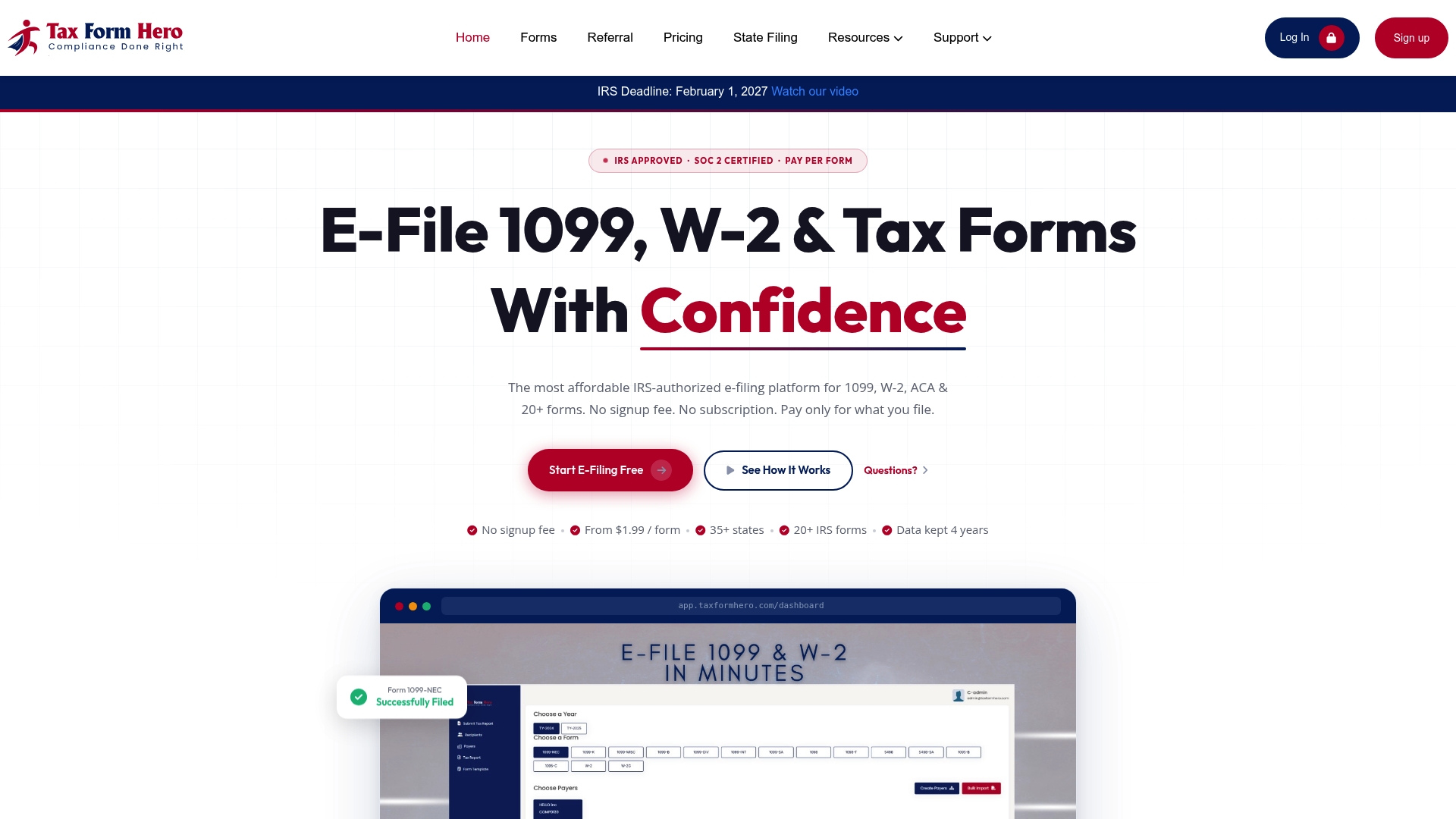
Start on the TaxFormHero home page to e-file your ACA forms, or see the enterprise information return filing page if you file for many payers or at high volume.
Our perspective
Most ACA problems we hear about are data problems, not filing problems. A spreadsheet with a missing SSN or a wrong offer code fails at the same point whether it holds 20 employees or 20,000.
That is why we built TaxFormHero around Excel template import, multiple payer accounts and per-form pricing. You should be able to bring a full year of employee data in one pass, see the forms that result, and pay only for what you file. A seasonal obligation should not need an annual subscription.
Our advice is simple. Clean the data first, verify TINs, import, review a sample of every employee category, and transmit through AIR with time to spare before March 31.
Nazrul
FAQ
Can I upload ACA data from Excel?
Yes. TaxFormHero accepts imports from Excel templates, including thousands of records at once. You copy your payroll and benefits data into the template columns, import it, and review the forms before filing. The IRS itself receives XML through AIR, so the platform handles the transmission.
How many ACA forms trigger the electronic filing requirement?
Filing electronically is required when you have 10 or more information returns of the same type, according to IRS Publication 5165. Most ALEs and every payroll or accounting firm filing for several clients exceed that number, so a bulk upload is the practical route.
Why was my ACA file rejected?
The IRS checks that the file is readable by AIR, is virus-free, does not mix B-series and C-series forms, and uses unique identifiers for the TCC. Beyond those, rejections usually come from data errors such as missing or invalid TINs, duplicated records or an unclear Authoritative Transmittal. Fix the source data and send a new transmission.
Can I correct an ACA return after it is accepted?
Yes. Corrections are limited to the six tax years before the current filing year. If the Authoritative Transmittal is wrong, the 1094-C correction goes alone. Otherwise it goes with the corrected 1095-C forms.
Sources
- Instructions for Forms 1094-C and 1095-C (2025), IRS
- Publication 5258 (Rev. 9-2026), IRS
- Publication 5165 (Rev. 9-2026), IRS
Recommended
- How to E-File 1095-C in 2026: ACA Compliance Guide
- ACA Forms Guide 2027 | Filing Form 1095-B & Form 1095-C
- ACA AIR Filing: IRS Workflow, Checklist, and Platform Option for Payroll
Disclaimer:
“This content is for informational purposes only and does not constitute legal, tax, or financial advice. For advice specific to your situation, consult a qualified US attorney or CPA.”

File Information Returns With Confidence
TaxFormHero supports 20+ IRS information returns, including 1099 and W-2 forms, with bulk Excel import, name/TIN matching and encrypted recipient delivery.
Explore TaxFormHero